Eclipse 3.6 Install PDT, JavaScript, CDT, Ruby, MarketPlace Plugins
Table of Contents

This is guide, howto install plugins on Eclipse 3.6 SDK. This guide shows howto install PDT (PHP Development Tools), CDT (C/C++ Development Tooling), Javascript Development Tools, Ruby Development Tools (including Ruby on Rails framework) and Eclipse MarketPlace.
This guide shows PDT, JavaScript, CDT, Ruby and MarketPlace install as an example, but same methods can be used for installing anything from Helios Repository.
Install PDT, JavaScript, CDT, Ruby and MarketPlace Plugins on Eclipse 3.6⌗
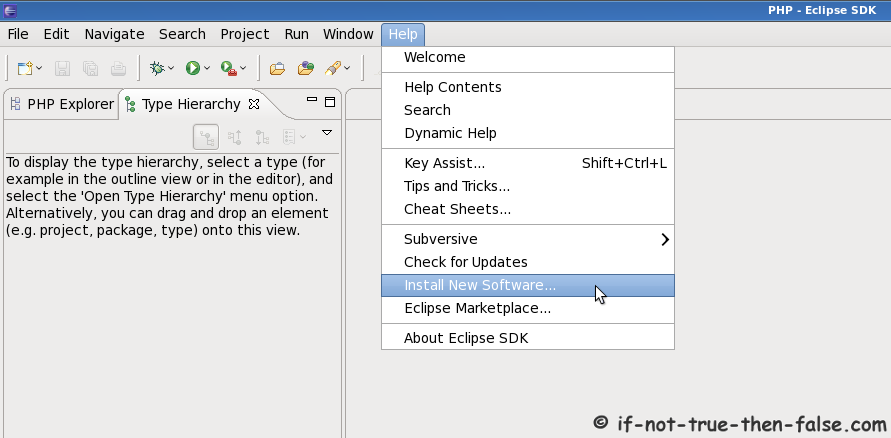
Open ‘Install New Software’ window (Help -> Install New Software…)⌗
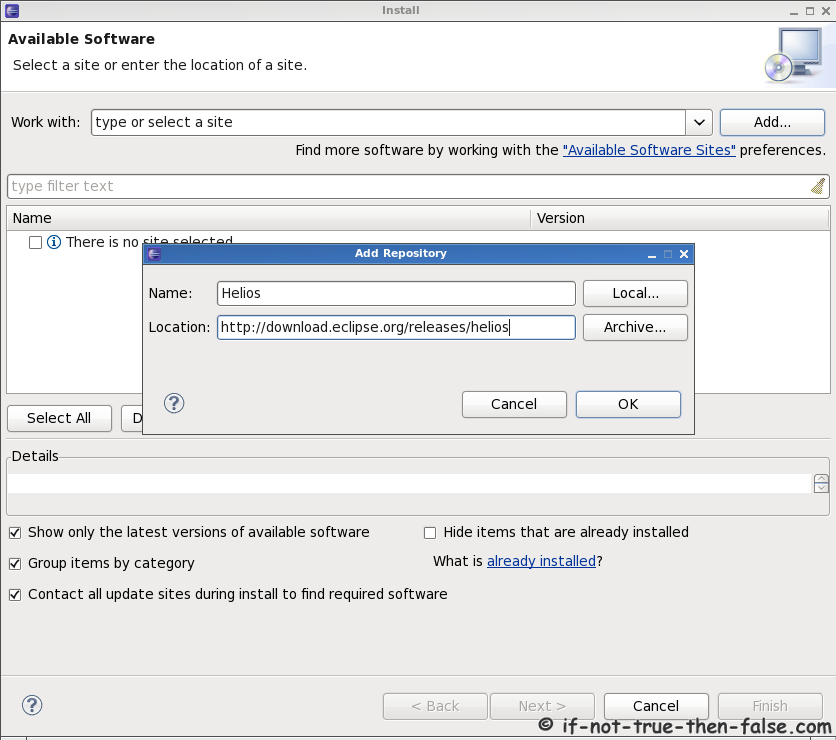
Add Eclipse Helios Repository⌗
Click add button and add following:
Name: Helios
Location: http://download.eclipse.org/releases/helios
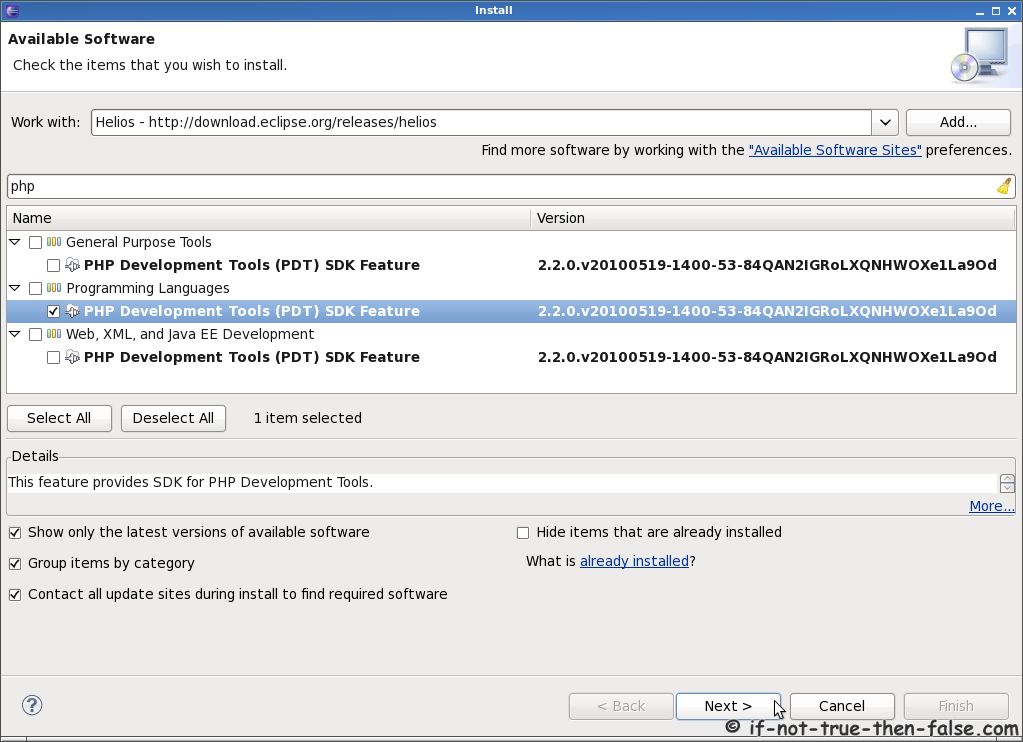
Select PDT (PHP Development Tools) Plugin for the Installation on Eclipse 3.6⌗
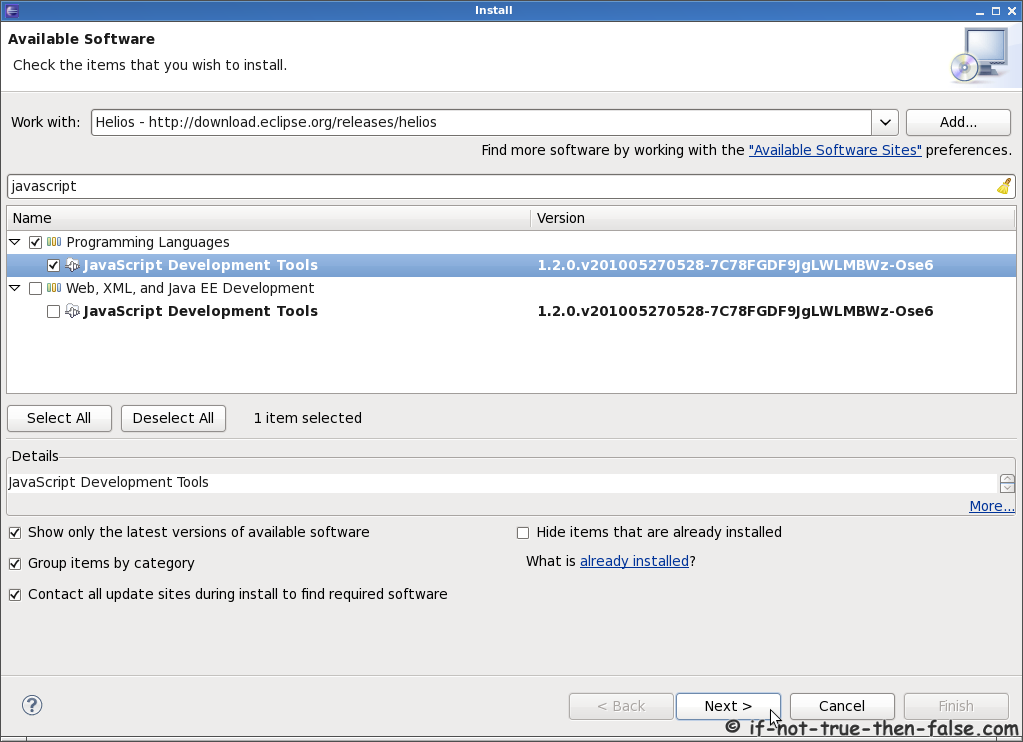
Select JavaScript Development Tools Plugin for the Installation on Eclipse 3.6⌗
Select CDT (C/C++ Development Tooling) Plugin for the Installation on Eclipse 3.6⌗

Select Ruby Tools (including Ruby on Rails) Plugin for the Installation on Eclipse 3.6⌗
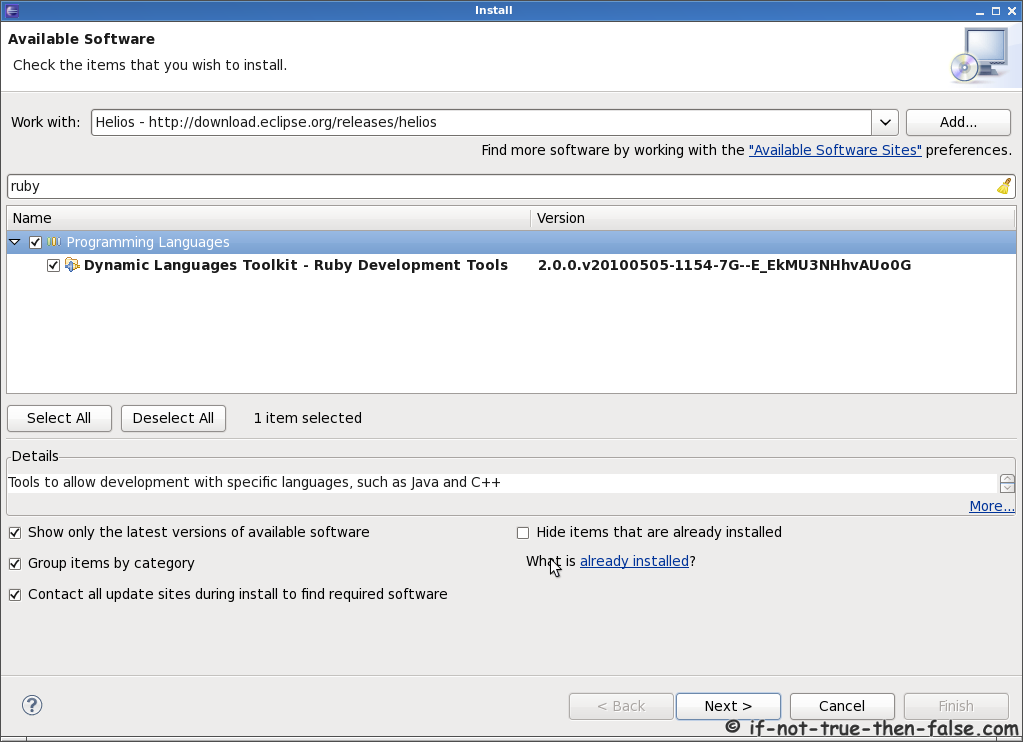
Select MarkePlace Plugin for the Installation on Eclipse 3.6⌗
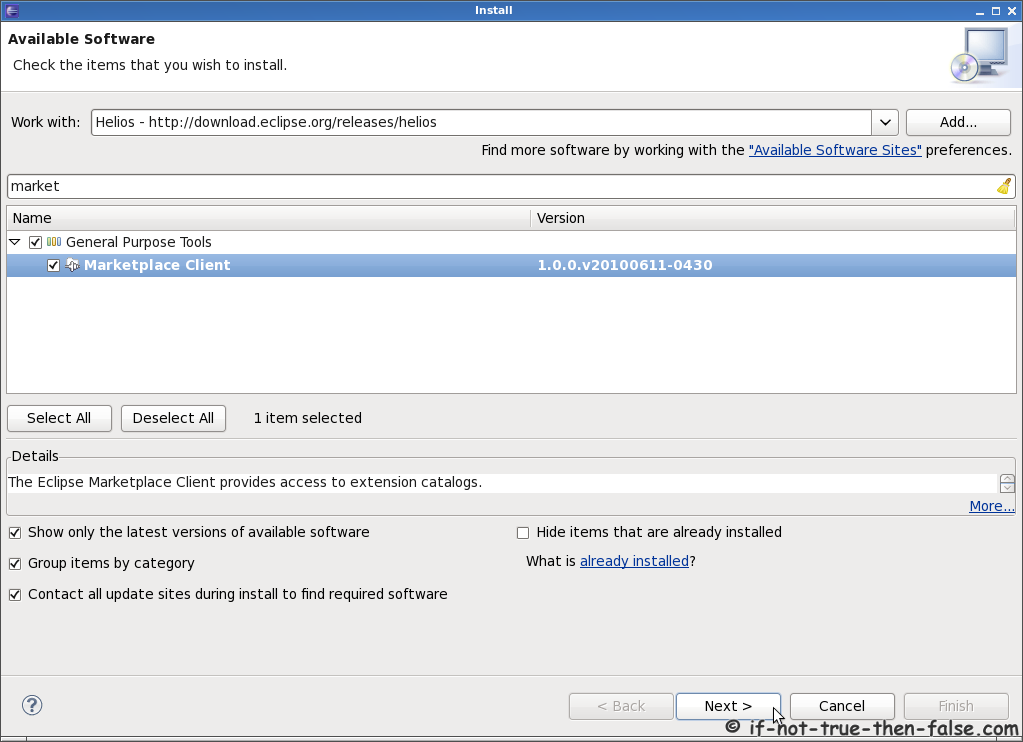
Install Selected Plugins⌗
Click next > button.
Check Install Details
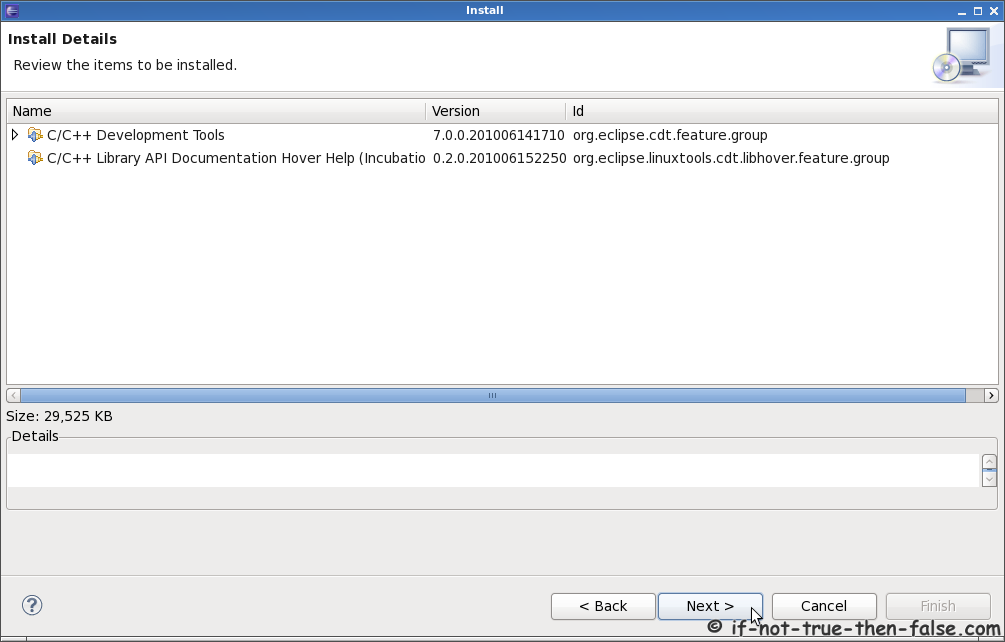
Review and accept licenses

Click Finish button
Installing software
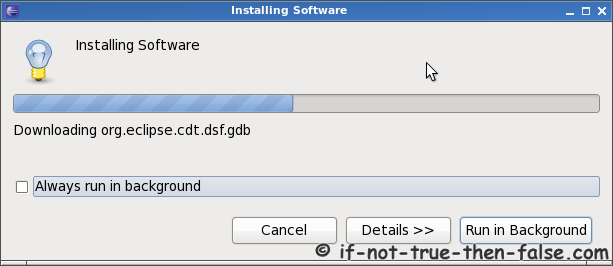
Restart Eclipse SDK

Then plugin installation is ready.