Install, Configure and Use Gnome Do – Docky on Fedora 12 Linux
Table of Contents
What is Gnome Do?⌗
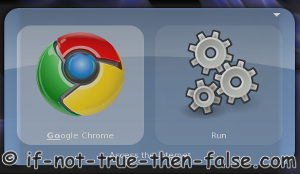
GNOME Do (Do) is an intelligent launcher tool that allows users to use the keyboard to rapidly perform tasks such as launching applications, manipulating files and data, running scripts, or sending e-mail. It is similar to the applications GNOME Launch Box (Linux Gnome), KRunner (Linux KDE), Quicksilver (Mac OS X), LaunchBar (Mac OS X) and Butler (Mac OS X).
What is Gnome Do – Docky?⌗
Gnome Do – Docky is a nice frontend for GNOME Do (Do) which introduces an entirely new way to use Gnome Do. Docky is a graphical user interface feature that provides the user with a way of launching and switching between applications.
Gnome Do Docky Launchers

Gnome Do Docky Search

Install Gnome Do and Docky on Fedora 12 Linux⌗
Change to root User
su -
## OR ##
sudo -i
Install gnome-do with yum
yum install gnome-do

...
============================================================================================================
 Package                      Arch          Version                                  Repository        Size
============================================================================================================
Installing:
 gnome-do                     i686          0.8.3.1-1.fc12                           updates          551 k
Installing for dependencies:
 gnome-desktop-sharp          i686          2.26.0-5.fc12                            fedora           160 k
 gnome-keyring-sharp          i686          1.0.1-0.5.133722svn.fc12                 fedora            20 k
 gnome-sharp                  i686          2.24.0-7.fc12                            fedora           290 k
 gtk-sharp2                   i686          2.12.9-1.fc12                            fedora           596 k
 libgdiplus                   i686          2.4.2-3.fc12                             fedora           144 k
 mono-addins                  i686          0.4-9.20091702svn127062.fc12             fedora           399 k
 mono-core                    i686          2.4.3.1-1.fc12                           updates          9.2 M
 ndesk-dbus                   i686          0.6.1a-8.fc12                            fedora            48 k
 ndesk-dbus-glib              i686          0.4.1-8.fc12                             fedora            11 k

Transaction Summary
============================================================================================================
Install      10 Package(s)
Upgrade       0 Package(s)
...
Start and Configure Gnome Do and Docky⌗
Start Gnome Do
Find Gnome-Do on menu and simply click it or start it from command line using following command:
gnome-do &
Enable Gnome Do Docky from Preferences > Appearence Menu
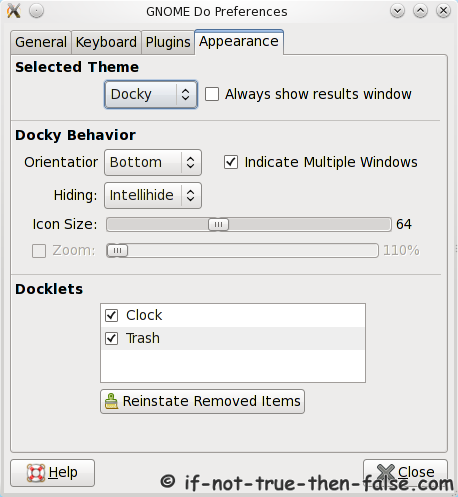
Note: Compositing must be enabled to use Gnome Do Docky.
Use Gnome Do and Docky⌗
Gnome Do Usage
- Press Super+space to open Gnome Do search window.
- Write something what you want search, like “fir” to launch Firefox or “goo” to launch Google Chrome.
Gnome Do Docky Usage
- After selecting Docky appereance, Docky should be found on bottom or top like panel.
- Drag and drop applications to Docky, launch application and manage applications.
- Press Super+space to open Docky search window.
- Write something what you want search, like “fir” to launch Firefox or “goo” to launch Google Chrome.