Install Adobe AIR 1.5 and 2 on Fedora 13, CentOS 5.5 and Red Hat (RHEL) 5.5

This guide shows, howto install Adobe AIR on Fedora 12, Fedora 13, CentOS 5.5, Red Hat (RHEL) 5.5 and Red Hat (RHEL) 6. This method works on both 32-bit and 64-bit architectures. This guide also shows howto use Adobe AIR Application Installer and install TweetDeck.

What is adobe AIR?

Adobe AIR (Adobe Integrated Runtime) is a cross-platform runtime environment for building rich Internet applications as a desktop applications, using existing HTML, Ajax, Adobe Flash or Adobe Flex. Adobe positions it as a browser-less runtime for rich Internet applications that can be deployed onto the desktop, rather than a fully-fledged application framework.

1. Change Root User

sudo -i
## OR ##
su -

2. Install Needed Dependencies with YUM

Install Fedora 12 and Fedora 13 – i686 – 32 bit dependencies

yum install xterm

Install Fedora 12 – x86_64 – 64 bit dependencies

yum install ld-linux.so.2 gtk2-devel.i686 libdbus-glib-1.so.2 \
libhal.so.1 rpm-devel.i686 libXt.so.6 gnome-keyring-devel.i686 \
libDCOP.so.4 libxml2-devel.i686 nss-devel.i686 libxslt.i686 xterm

Install Fedora 13 – x86_64 – 64 bit dependencies

yum install ld-linux.so.2 gtk2-devel.i686 libdbus-glib-1.so.2 \
libhal.so.1 rpm-devel.i686 libXt.so.6 gnome-keyring-devel.i686 \
libDCOP.so.4 libxml2-devel.i686 nss-devel.i686 libxslt.i686 xterm

If these packages do not install, then try the following:

Enable Fedora 13 – i386 – Updates Repository

Add following content to /etc/yum.repos.d/f13-i386-updates.repo file

[updates-f13-i386]
name=Fedora 13 - i386 - Updates
failovermethod=priority
#baseurl=http://download.fedoraproject.org/pub/fedora/linux/updates/13/i386/
mirrorlist=https://mirrors.fedoraproject.org/metalink?repo=updates-released-f13&arch=i386
enabled=0
gpgcheck=1
gpgkey=file:///etc/pki/rpm-gpg/RPM-GPG-KEY-fedora-i386

Clean all caches

yum clean all

Install depencies with following command

yum --enablerepo=updates-f13-i386 install ld-linux.so.2 gtk2-devel.i686 libdbus-glib-1.so.2 \
libhal.so.1 rpm-devel.i686 libXt.so.6 gnome-keyring-devel.i686 \
libDCOP.so.4 libxml2-devel.i686 nss-devel.i686 libxslt.i686 xterm

And then Install Adobe AIR 2 RC

Install CentOS 5.5 and Red Hat (RHEL) 5.5 – i386 – 32 bit dependencies

yum install xterm

Install CentOS 5.5 and Red Hat (RHEL) 5.5 – x86_64 – 64 bit dependencies

yum install ld-linux.so.2 gtk2-devel.i386 libdbus-glib-1.so.2 \
libhal.so.1 rpm-devel.i386 libXt.so.6 gnome-keyring-devel.i386 \
libDCOP.so.4 libxml2-devel.i386 nss-devel.i386 libxslt.i386 xterm

3a. Install Adobe AIR 1.5 (Current Version 1.5.3)

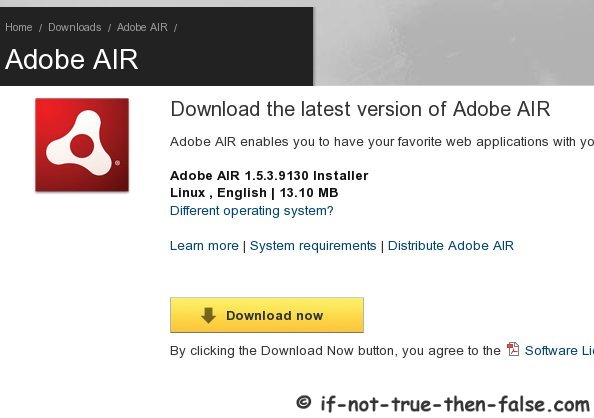
Download Adobe AIR 1.5

Goto Adobe AIR download page and download Adobe AIR 1.5
Make Adobe AIR Installer Executable

chmod +x AdobeAIRInstaller.bin

Run Adobe AIR Installer

./AdobeAIRInstaller.bin

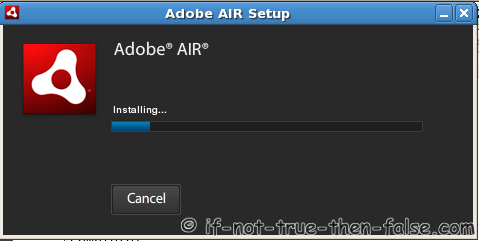
Installing Adobe AIR 1.5


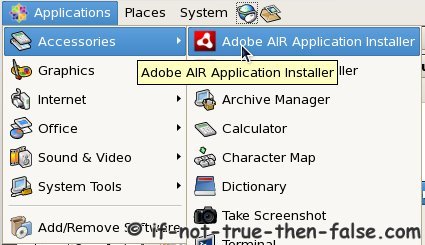
Open (Start) Adobe AIR 1.5 Application Installer

3b. Install Adobe AIR 2 (Current Version 2 RC)

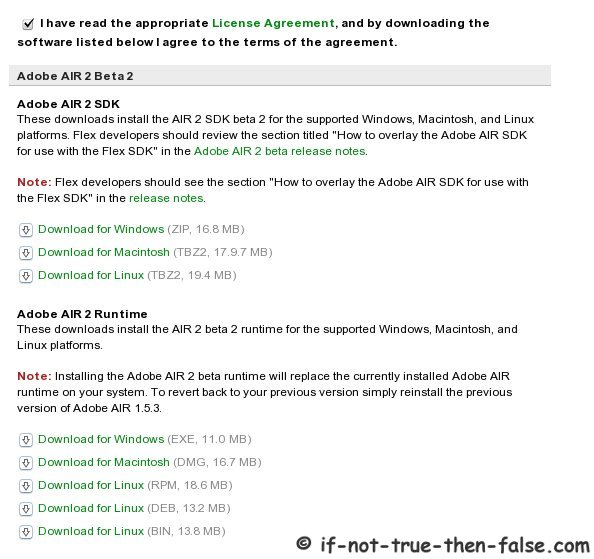
Download Adobe AIR 2

Goto Adobe Labs download page, Agree terms of the agreement and download Adobe AIR 2 RC (RPM version)
Install Adobe AIR 2 RC

rpm -Uvh air2_rc1_runtime_lin_051110.i386.rpm
## OR (if another version) ##
rpm -Uvh air2*.rpm

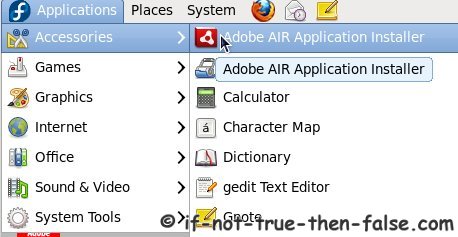
Open (Start) Adobe AIR 2 RC Application Installer

4. Test Adobe AIR Installation and Install TweetDeck Application

Note: Flash Player is needed installing Adobe AIR applications, so install Adobe Flash Player first

Goto Adobe AIR Marketplace and find some Adobe AIR programs, example TweetDeck:

Click Download from Publisher

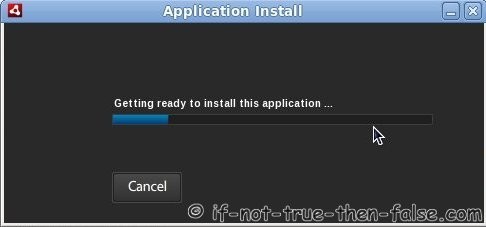
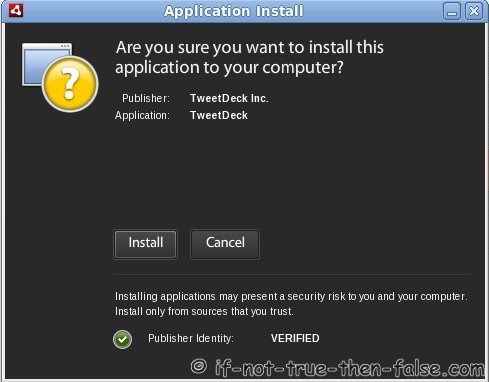
Getting Ready to Install TweetDeck

Accept TweetDeck Installation

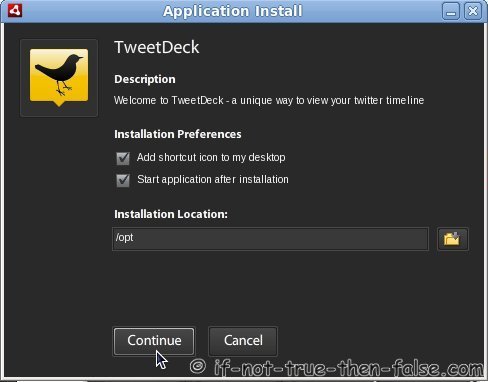
Select TweetDeck Installation Options and Location

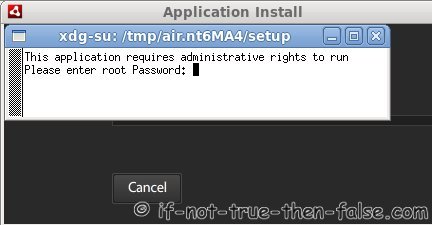
Enter root Password (if needed, depends on installation location)

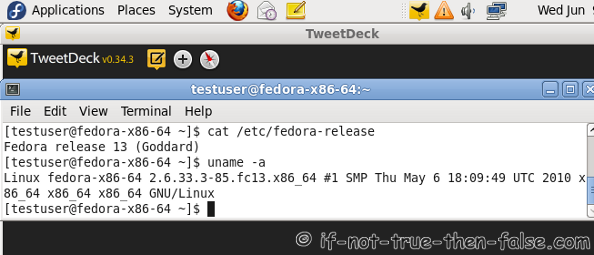
Start Using TweetDeck

TweetDeck (0.34.3) Running on Fedora 13 – x86_64 (64 bit)

Alternative Way to Start Adobe AIR Application Installation

Download application.air file.

Open Adobe AIR Application Installer from Menu and Select file.air

OR

Run following command (example as root):

Adobe\ AIR\ Application\ Installer /exact/path/to/file.air
 
## Real example ##
Adobe\ AIR\ Application\ Installer /home/user/Downloads/tweetdeck.air
Follow If Not True Then False Updates!

21 Comments

  1. Everytime I do a:

    # yum install -y rpm-devel.i686

    I get the error message

    Transaction Check Error:
    package sqlite-3.6.22-1.fc13.x86_64 (which is newer than sqlite-3.6.20-1.fc12.i686) is already installed

    What can I do about this?

    Thanks in advance. Great tutorial by the way.

    • Hi Dre,

      It seems that you are using Rawhide (Fedora 13, fc13) repository for sqlite.x86_64 package.

      So install rpm-devel.i686 from rawhide repository, using following command:

      yum --enablerepo=rawhide install rpm-devel.i686

      Maybe this will solve the problem?

      Glad to hear you liked this tutorial.

      • Hi. Thanks for the help. I tried the command but there was another error:

        –> Finished Dependency Resolution
        Error: Package: abrt-1.0.8-2.fc12.x86_64 (@updates)
        Requires: librpm.so.0()(64bit)
        Removing: rpm-libs-4.7.2-1.fc12.x86_64 (@updates)
        Available: rpm-libs-4.7.1-6.fc12.x86_64 (fedora)
        Error: Package: abrt-1.0.8-2.fc12.x86_64 (@updates)
        Requires: librpmio.so.0()(64bit)
        Removing: rpm-libs-4.7.2-1.fc12.x86_64 (@updates)
        Available: rpm-libs-4.7.1-6.fc12.x86_64 (fedora)
        You could try using –skip-broken to work around the problem
        You could try running: rpm -Va –nofiles –nodigest

        I tried the “–skip-broken” command and it installed some stuff. I tried installing Adobe Air 1.5 but I got this error:

        Error loading the runtime (libnss3.so: cannot open shared object file: No such file or directory)

        With that not working I then downloaded and installed Adobe Air beta 2 w/o a problem. I also downloaded the Tweetdeck air file and tried installing using Adobe Air beta 2 but nothing happens.

        • One possible workaround is simply remove abrt (Automatic Bug Reporting Tool) package and try again.

          yum remove abrt

          You can install abrt back (later), simply with following command:

          yum install abrt

          Missing libnss3.so indicates that nss-devel.i686 packages is missing. You can’t get Adobe AIR 1.5 or 2.0 probably working properly if some of following packages are not installed successfully:

          yum install ld-linux.so.2 gtk2-devel.i686 libdbus-glib-1.so.2 \
          libhal.so.1 rpm-devel.i686 libXt.so.6 gnome-keyring-devel.i686 \
          libDCOP.so.4 libxml2-devel.i686 nss-devel.i686 libxslt.i686 xterm
          • Woohoo!!! It worked.

            Am now a happy laptop owner using Fedora 12 64bit with Adobe Air and Tweedeck.

            Thanks a heap, man!

          • Oh, yeah. I encountered another problem. When I try to install abrt I get this error messsage again:

            –> Finished Dependency Resolution
            Error: Package: abrt-1.0.8-2.fc12.x86_64 (updates)
            Requires: librpmio.so.0()(64bit)
            Available: rpm-libs-4.7.1-6.fc12.x86_64 (fedora)
            Available: rpm-libs-4.7.2-1.fc12.x86_64 (updates)
            Error: Package: abrt-1.0.8-2.fc12.x86_64 (updates)
            Requires: librpm.so.0()(64bit)
            Available: rpm-libs-4.7.1-6.fc12.x86_64 (fedora)
            Available: rpm-libs-4.7.2-1.fc12.x86_64 (updates)
            You could try using –skip-broken to work around the problem
            You could try running: rpm -Va –nofiles –nodigest

            Aside from that. Everything works great.

            • Nice to hear that you get Adobe AIR and TweetDeck working… ;)

              Then the abrt problem, please post output what following command shows:

              yum info rpm-libs
              • Hi. Thanks for the help. All things are working.

                I used some of your articles in posting a guide to getting Fedora 12 working for Dell Studio XPS 16.

  2. Could you please create a how to install Adobe Air Beta on Fedora 13 xfce 64 bit? because your how to does not work for Fedora 13 xfce 64 bit….

    • Hi El1iP3S01D,

      I updated this guide to work also with Fedora 13 – x86_64 and I get Adobe AIR 2 RC and TweetDeck (as example) easily work with Fedora 13 – x86_64.

      If you can’t get it working, please post more specific information about the errors and problems here?

  3. Thanks for a very informative article. I first attempted to install Air 1.5, but ran into the problem with the Air-installer requesting gnome-keyring or kwallet. I couldn’t find a proper workaround for this – so eventually I opted to try Air 2.0 BETA. It worked immediately on my Fedora 13 system!

    • Hi Carl Martin,

      Nice to hear that you get it working. :)

      I believe that the Adobe Air 2.0 is in many case a better choice than the Adobe Air 1.5.

  4. Am I going crazy or are the code instructions for to “Install Fedora 12…” and “Install Fedora 13…” identical? Are they supposed to be?

    • Hi russ,

      Yes, they are the same, but you should take into account the point If These packages do Not install, then try the following:. Did you try it?

      Or what is your problem?

      • Hi JR, thanks for the reply.

        Following the directions to “Install Fedora 12″ worked; the packages installed. When I entered the bash again (this time for “Install Fedora 13″ instructions) it returned that the packages were already installed and “Nothing to do”. I was expecting it to do something since the directions said to enter it again. I assumed that it failed. Was I wrong, did it succeed?

        I attempted the “If packages do not install…” instructions, but get the message, “-bash: [updates-f13-i386] command not found”

        Any thoughts?

        • Hi again russ,

          If you got all the following packages installed:

          yum install ld-linux.so.2 gtk2-devel.i686 libdbus-glib-1.so.2 \
          libhal.so.1 rpm-devel.i686 libXt.so.6 gnome-keyring-devel.i686 \
          libDCOP.so.4 libxml2-devel.i686 nss-devel.i686 libxslt.i686 xterm

          Then it succeed!

          And then you can continue the installation normally.

  5. i get this error!!!
    Select an Installation Package, i cant opne after install , can you help me?

    • Hi Anderson,

      Could you explain a bit more detail what you were doing, and what error you got exactly?

  6. my error is, i cant download the air2_rc1_runtime_lin_051110.i386.rpm
    , the beta is out!.. can you make another way to install?
    i finish, the installation but my Adobe Air wont open! ask me to select location to install..
    sorry i’m complete noob on Linux!! all i learn is from your wordpress …

  7. With Centos 5.5 x86_64 you get this:

    Error loading the runtime (/lib/libc.so.6: version `GLIBC_2.7′ not found (required by /opt/Adobe AIR/Versions/1.0/Resources/libcurl.so))

  8. With Centos 5.5 x86_64 you get this:

    [root@test ~]# Adobe\ AIR\ Application\ Installer
    Error loading the runtime (/lib/libc.so.6: version `GLIBC_2.7′ not found (required by /opt/Adobe AIR/Versions/1.0/Resources/libcurl.so))

Leave a Comment

Your email address will not be published. Required fields are marked *

You may use these HTML tags and attributes: <a href="" title=""> <abbr title=""> <acronym title=""> <b> <blockquote cite=""> <cite> <code> <del datetime=""> <em> <i> <q cite=""> <strike> <strong>

Trackbacks/Pingbacks

  1. Install Adobe AIR 1.5 and 2 on Fedora 12, CentOS and Red Hat (RHEL … | Just linux! - [...] View post: Install Adobe AIR 1.5 and 2 on Fedora 12, CentOS and Red Hat (RHEL … [...]
  2. Cabling Installation Options for Your Small Business Clients | Used Test Equipment - [...] Install Adobe AIR 1.5 &#1072&#1495&#1281 2 &#959&#1495 Fedora 12, CentOS &#1072&#1495&#1281 Red Hat ... [...]
  3. CentOS 5.5 Netinstall – Network Installation | If Not True Then False - [...] to do next?Install Adobe Flash Player 10 on CentOS 5.5Install Sun Java (JDK, JRE) on CentOS 5.5Install Adobe AIR ...
  4. Red Hat 6 Installation Guide – RHEL 6 Install Screenshots | If Not True Then False - [...] Adobe Flash Player 10 on Red Hat (RHEL) 6Install Sun/Oracle Java (JDK, JRE) 6 on Red Hat (RHEL) 6Install ...