Upgrade to Fedora 13 from Fedora 12 with Preupgrade
Table of Contents

I think the most easiest way to upgrade Fedora 12 to Fedora 13 is use Preupgrade, which download needed packages from the server and then just reboot to installer and after install boot the new system. This guide I use preupgrade-cli version, which works from command line. If you want use Preupgrade Graphical version then you can check this Howto upgrade Fedora 11 to Fedora 12 with Preupgrade guide, which works same way with Fedora 13 (Goddard). It’s important backup your important files before upgrading.
Upgrade to Fedora 13 from Fedora 12 with Preupgrade⌗
1. Change to root⌗
su -
## OR ##
sudo -i
2. Update Fedora 12 System packages⌗
yum update
3. Install preupgrade (just make sure that we have it)⌗
yum install preupgrade
4. Start preupgrade-cli (as root)⌗
preupgrade-cli
Outputs:
Loaded plugins: blacklist, whiteout
No plugin match for: rpm-warm-cache
No plugin match for: remove-with-leaves
No plugin match for: auto-update-debuginfo
Loaded plugins: presto, refresh-packagekit
please give a release to try to pre-upgrade to
valid entries include:
   "Fedora 13 (Goddard)"
   "Rawhide"
5. Check That Fedora 13 (Goddard) Is Available and Then Run Preupgrade Again⌗
preupgrade-cli "Fedora 13 (Goddard)"
Outputs:
Loaded plugins: blacklist, whiteout
No plugin match for: rpm-warm-cache
No plugin match for: remove-with-leaves
No plugin match for: auto-update-debuginfo
Loaded plugins: presto, refresh-packagekit
preupgrade-main (mirrorlist)
  url: http://mirrors.fedoraproject.org/mirrorlist?repo=fedora-13&arch=$basearch
  now: http://mirrors.fedoraproject.org/mirrorlist?repo=fedora-13&arch=x86_64
preupgrade (mirrorlist)
  url: http://mirrors.fedoraproject.org/mirrorlist?path=pub/fedora/linux/releases/13/Fedora/$basearch/os
  now: http://mirrors.fedoraproject.org/mirrorlist?path=pub/fedora/linux/releases/13/Fedora/x86_64/os
preupgrade-adobe-linux-i386 (baseurl)
  url: http://linuxdownload.adobe.com/linux/i386/
  now: http://linuxdownload.adobe.com/linux/i386/
preupgrade-fedora (mirrorlist)
  url: https://mirrors.fedoraproject.org/metalink?repo=fedora-13&arch=x86_64
  now: https://mirrors.fedoraproject.org/metalink?repo=fedora-13&arch=x86_64
preupgrade-updates (mirrorlist)
  url: https://mirrors.fedoraproject.org/metalink?repo=updates-released-f13&arch=x86_64
  now: https://mirrors.fedoraproject.org/metalink?repo=updates-released-f13&arch=x86_64
Fetched treeinfo from http://ftp.funet.fi/pub/mirrors/fedora.redhat.com/pub/fedora/linux/releases/13/Fedora/x86_64/os//.treeinfo
treeinfo timestamp: Thu May 13 04:01:37 2010
MEMORY                                                                                                | 1.2 kB     00:00
/boot/upgrade/vmlinuz checksum OK
/boot/upgrade/initrd.img checksum OK
...
--> Running transaction check
---> Package ConsoleKit.x86_64 0:0.4.1-5.fc13 set to be updated
---> Package ConsoleKit-libs.x86_64 0:0.4.1-5.fc13 set to be updated
---> Package ConsoleKit-x11.x86_64 0:0.4.1-5.fc13 set to be updated
---> Package GConf2.i686 0:2.28.1-1.fc13 set to be updated
---> Package GConf2.x86_64 0:2.28.1-1.fc13 set to be updated
---> Package GConf2-gtk.x86_64 0:2.28.1-1.fc13 set to be updated
---> Package ImageMagick.x86_64 0:6.5.8.10-6.fc13 set to be updated
...
yelp.x86_64                              2.30.1-1.fc13          preupgrade-updates
yum.noarch                               3.2.27-4.fc13          preupgrade-fedora
yum-metadata-parser.x86_64               1.1.4-1.fc13           preupgrade-fedora
yum-presto.noarch                        0.6.2-1.fc13           preupgrade-fedora
yum-utils.noarch                         1.1.26-7.fc13          preupgrade-updates
zbar.x86_64                              0.10-2.fc13            preupgrade-fedora
zd1211-firmware.noarch                   1.4-4.fc13             preupgrade-fedora
zenity.x86_64                            2.30.0-1.fc13          preupgrade-fedora
zip.x86_64                               3.0-1.fc13             preupgrade-fedora
Total download size: 559.1MB
Download packages?
Is this ok [y/N]: y
Setting up and reading Presto delta metadata
preupgrade-updates/prestodelta                                                                        | 5.9 kB     00:00
preupgrade-fedora/prestodelta                                                                         |  419 B     00:00
Processing delta metadata
Package(s) data still to download: 559 M
(1/1067): ConsoleKit-0.4.1-5.fc13.x86_64.rpm                                                          |  82 kB     00:00
(2/1067): ConsoleKit-libs-0.4.1-5.fc13.x86_64.rpm
...
(750/757): yum-3.2.27-4.fc13.noarch.rpm                                                               | 846 kB     00:00
(751/757): yum-metadata-parser-1.1.4-1.fc13.x86_64.rpm                                                |  25 kB     00:00
(752/757): yum-presto-0.6.2-1.fc13.noarch.rpm                                                         |  31 kB     00:00
(753/757): yum-utils-1.1.26-7.fc13.noarch.rpm                                                         |  78 kB     00:00
(754/757): zbar-0.10-2.fc13.x86_64.rpm                                                                | 124 kB     00:00
(755/757): zd1211-firmware-1.4-4.fc13.noarch.rpm                                                      |  22 kB     00:00
(756/757): zenity-2.30.0-1.fc13.x86_64.rpm                                                            | 2.7 MB     00:00
(757/757): zip-3.0-1.fc13.x86_64.rpm                                                                  | 253 kB     00:00
Generating metadata for preupgrade repo
preupgrade                                                                                            | 3.7 kB     00:00
preupgrade/primary_db                                                                                 | 2.2 MB     00:00
preupgrade/group                                                                                      | 1.6 MB     00:00
1067/1067 - abrt-plugin-logger-1.1.0-1.fc13.x86_64.rpm
Saving Primary metadata
Saving file lists metadata
Saving other metadata
Generating sqlite DBs
Sqlite DBs complete
Preparing system to boot into installer
...
Probing devices to guess BIOS drives. This may take a long time.
All finished. The upgrade will begin when you reboot.
6. When ready to begin upgrade then reboot (remember backups)⌗
reboot
7. Starting Fedora 13 installation⌗

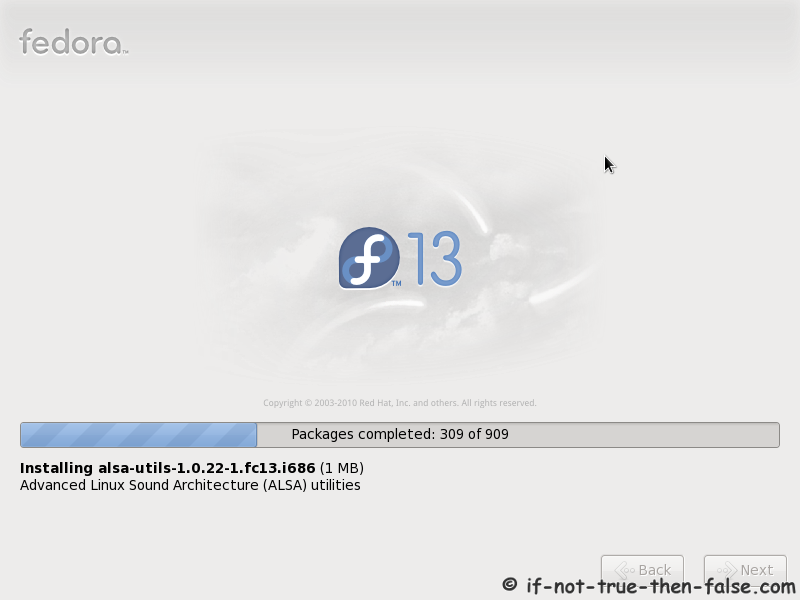
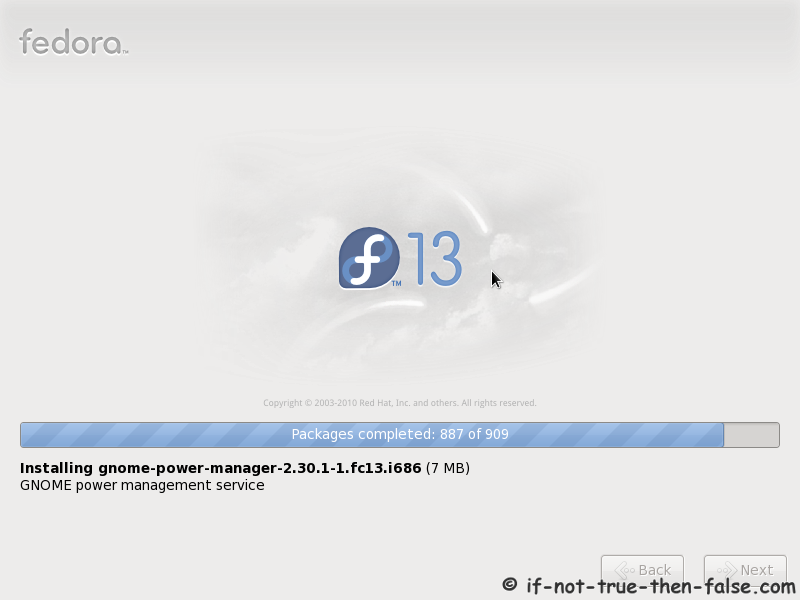
8. Installing Fedora 13 packages⌗
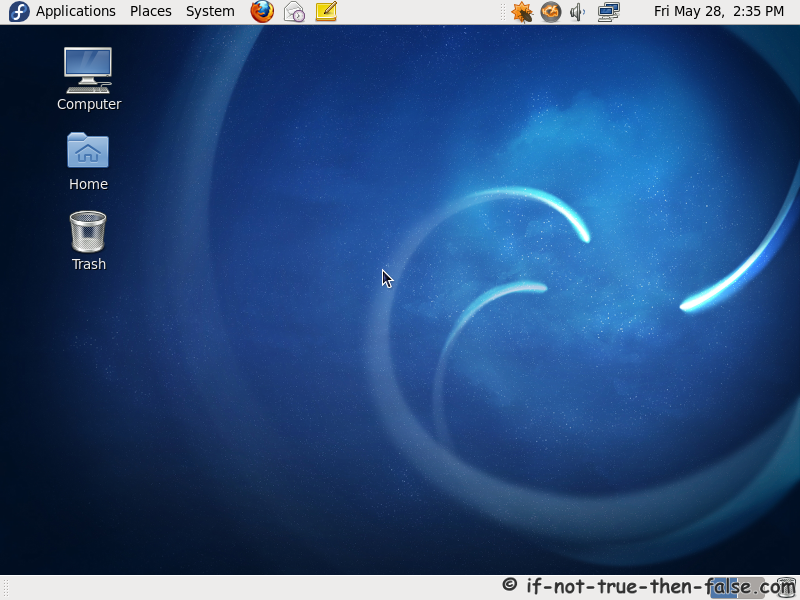
9. Fedora 13 desktop⌗
Post-Upgrade Tasks⌗
10. Remove unsupported packages⌗
Get the list with following command:
package-cleanup --orphans
Then remove listed packages with following command:
yum remove package1 package2 ...
11. Check All .rpmsave and .rpmnew Files⌗
You find these files with following command:
find / -print | egrep "rpmnew$|rpmsave$"
Depending on the differences between original and new files. You may need to manually merge new settings from new configuration files.
Troubleshooting⌗
Not enough space on disk, check following tips⌗
Free up space
Trick preupgrade into downloading the installer