Install Firefox 10 on Fedora 16/15, CentOS/Red Hat (RHEL) 6.2/6.1/6
Mozilla Firefox 10 is released and this is guide, howto install Firefox 10 on Fedora 16/15/14/13, CentOS 6.2/6.1/6 and Red Hat (RHEL) 6.2/6.1/6 using YUM. This is not big deal for Fedora 16 and Fedora 15 users, because Firefox 10 found on update repos, but this is good for older Fedora users and CentOS 6 and RHEL 6 users.
What’s new in Firefox 10
- Most add-ons are now compatible with new versions of Firefox by default
- The forward button is now hidden until you navigate back
- Anti-Aliasing for WebGL is now implemented
- CSS3 3D-Transforms are now supported
- New bdi element for bi-directional text isolation, along with supporting CSS properties
- Full Screen APIs allow you to build a web application that runs full screen
- Added IndexedDB APIs to more closely match the specification
- Inspect tool with content highlighting, includes new CSS Style Inspector
Read full details from Firefox 10 release notes.
Install Mozilla Firefox 10 on Fedora 16/15/14/13, CentOS 6.2/6.1/6 and Red Hat (RHEL) 6.2/6.1/6
1. Backup your current Firefox 3/4/5/6/7/8 profiles (just in case)
tar -cvzf $HOME/mozilla-firefox-profiles-backup.tar.gz $HOME/.mozilla/firefox/
2. Change root user
su - ## OR ## sudo -i
3. Install Remi repository
Note: Currently not needed on Fedora 16 and Fedora 15.
Fedora 14/13
## Remi Dependency on Fedora 14 ## rpm -Uvh http://download1.rpmfusion.org/free/fedora/rpmfusion-free-release-stable.noarch.rpm rpm -Uvh http://download1.rpmfusion.org/nonfree/fedora/rpmfusion-nonfree-release-stable.noarch.rpm ## Fedora 14 ## rpm -Uvh http://rpms.famillecollet.com/remi-release-14.rpm ## Fedora 13 ## rpm -Uvh http://rpms.famillecollet.com/remi-release-13.rpm
CentOS / Red Hat (RHEL)
## Remi Dependency on CentOS 6 and Red Hat (RHEL) 6 ## rpm -Uvh http://download.fedora.redhat.com/pub/epel/6/i386/epel-release-6-5.noarch.rpm ## CentOS 6 and Red Hat (RHEL) 6 ## rpm -Uvh http://rpms.famillecollet.com/enterprise/remi-release-6.rpm
4. Check Available Firefox versions
Fedora 16
yum list firefox
Fedora 15
yum --enablerepo=updates-testing list firefoxFedora 14/13, CentOS 6 and Red Hat (RHEL) 6
yum --enablerepo=remi list firefox5. Update or Install Mozilla Firefox 10
Fedora 16
yum update firefox ## OR ## yum install firefox
Fedora 15
yum --enablerepo=updates-testing update firefox ## OR ## yum --enablerepo=updates-testing install firefox
Fedora 14/13, CentOS 6 and Red Hat (RHEL) 6
yum --enablerepo=remi update firefox ## OR ## yum --enablerepo=remi install firefox
6. Start Firefox 10
Then start Firefox with using command:
firefox
Or use Firefox (10) launcher.
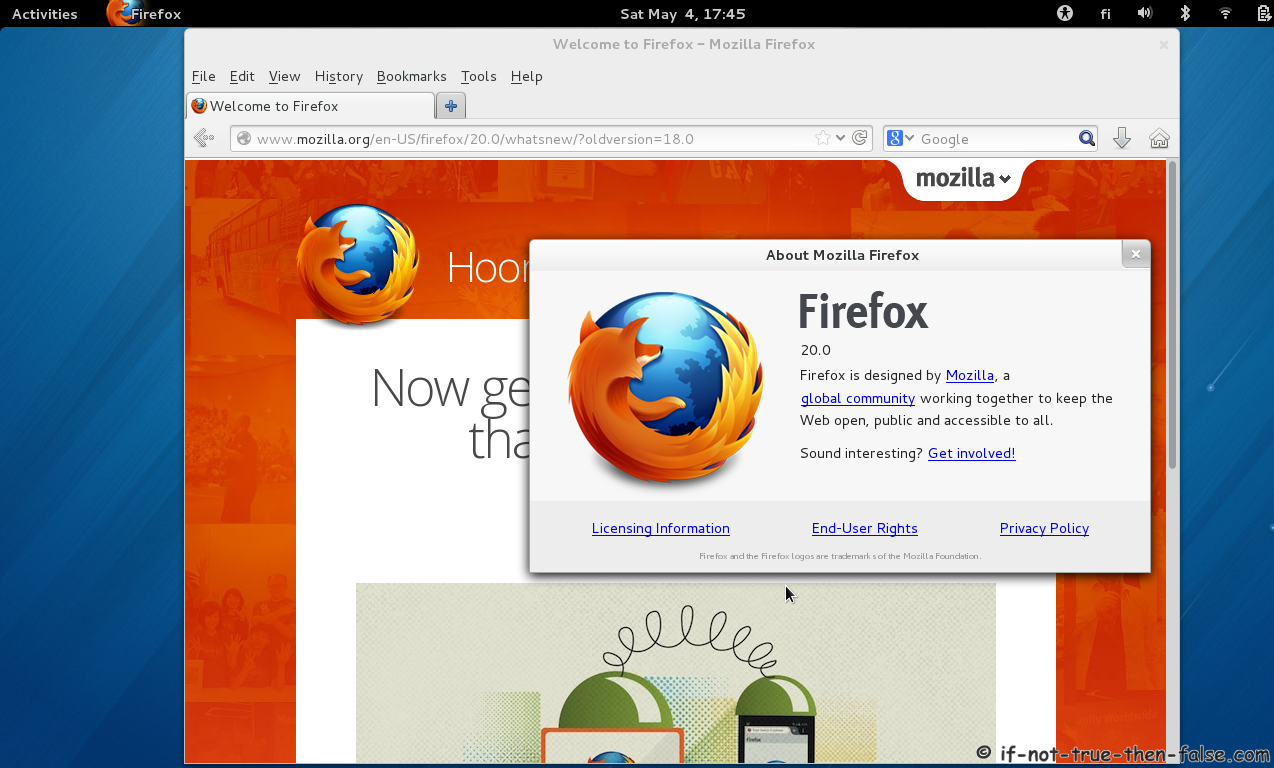
Firefox 10 Screenshots
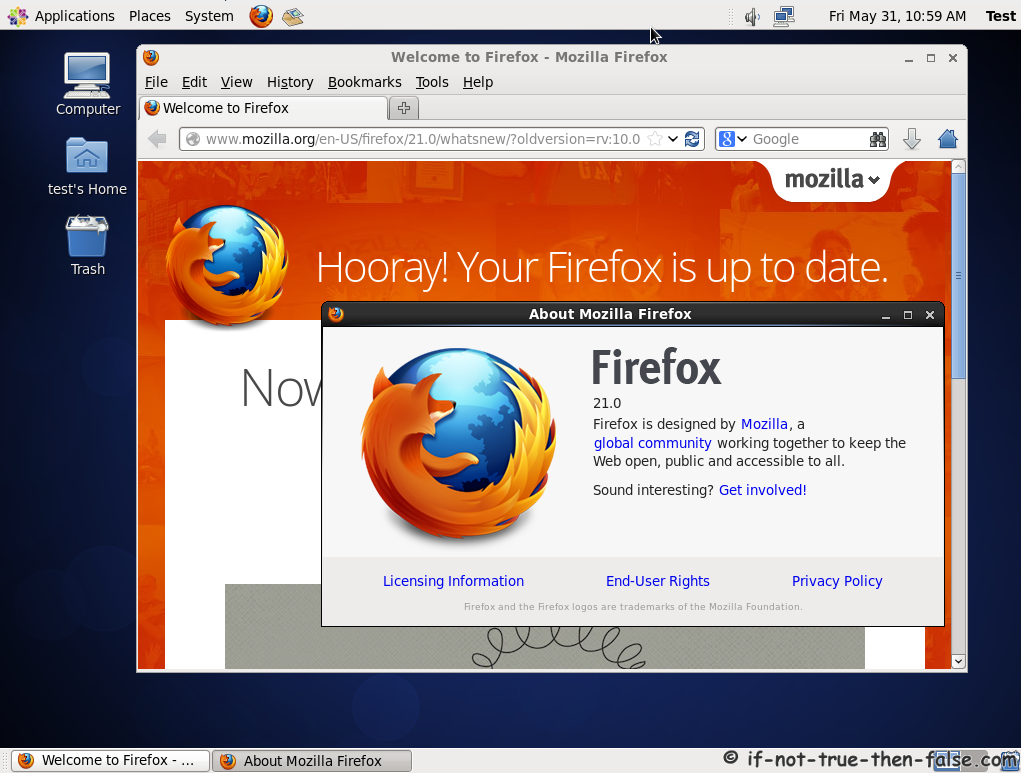
Firefox 10 running on CentOS 6.2
Firefox 10 on Fedora 16 Acid 3 test 100/100 :)
Related posts:
- Install Thunderbird 10 on Fedora 16/15, CentOS/Red Hat (RHEL) 6.2/6.1/6
- Install Apache/PHP 5.3.10 on Fedora 16/15, CentOS/Red Hat (RHEL) 6.2/5.7
- Install Sun/Oracle Java JDK/JRE 7u3 on Fedora 16/15, CentOS/RHEL 6.2/5.7
- Adobe Flash Player 11.1 on Fedora 16/15, CentOS/RHEL 6.2/5.7
- Install MySQL 5.5.20 on Fedora 16/15, CentOS/Red Hat (RHEL) 6.2/5.7
46 Comments
Leave a Comment
Trackbacks/Pingbacks
- CentOS 6 - VMware Player - [...] Re: CentOS 6 - VMware Player Basta installare il pacchetto da YUM, qui ...
- CentOS « danslinux - [...] install Chromium. To update to the new version of Firefox you need to follow the instructions here http://www.if-not-true-then-false.com/2011/install-firefox-on-fedora-centos-red-hat-rhel/ worked perfectly. I ...
- Old Browser Version - [...] dont use Cent OS but I found this website http://www.if-not-true-then-false.co...-red-hat-rhel/ but there should be a way to ...
- Firefox 10 - [...] Install Firefox 10 on Fedora 16/15, CentOS/Red Hat (RHEL) 6.2/6.1/6 : http://www.if-not-true-then-false.co...-red-hat-rhel/ [...]


This has been very useful. I have really searching for very long until I came to this post. Now I am able to run firefox 8 on my Cent OS 6.
Thank you very much.
Worked great in PUIAS 6.1 too.
Does not work as written for Fedora 13.
## Remi Dependency on Fedora 14, Fedora 13, Fedora 12 ##
rpm -Uvh http://download1.rpmfusion.org/free/fedora/rpmfusion-free-release-stable.noarch.rpm
rpm -Uvh http://download1.rpmfusion.org/nonfree/fedora/rpmfusion-nonfree-release-stable.noarch.rpm
When I run these commands I get the following error:
# rpm -Uvh http://download1.rpmfusion.org/nonfree/fedora/rpmfusion-nonfree-release-stable.noarch.rpm
Retrieving http://download1.rpmfusion.org/nonfree/fedora/rpmfusion-nonfree-release-stable.noarch.rpm
warning: /var/tmp/rpm-tmp.ITQqFV: Header V3 RSA/SHA256 Signature, key ID f09d8368: NOKEY
error: Failed dependencies:
rpmfusion-free-release >= 14 is needed by rpmfusion-nonfree-release-14-2.noarch
system-release >= 14 is needed by rpmfusion-nonfree-release-14-2.noarch
I’ll try doing an update to my system…
Hi Susan,
Thanks for the notification. Actually yes, there is no more RPMFusion repositories for Fedora 12 and Fedora 13. So try to skip this RPMFusion part and install just Remi repository directly, with following command:
Then continue installation normally.
And if you could confirm is this working normally? I update then this guide and other guides too.
Gracias, funciona perfecto en fedora 14.
Thank you for your helpful guide. I love CentOS 6 more than anything else, unfortunately however, it is very difficult for me to get my ZTE 3G modem to work in it….so I had to go back to Fedora, no more ubuntu….
Installed this onto CentOS 6.1 as root. Works fine if you launch it as root. However if you launch as a user it still launches the old version. Even after I have completed removed the old firefox 3 RPM. Still trying to track down why this is:
yum list firefox
Loaded plugins: fastestmirror, refresh-packagekit
Loading mirror speeds from cached hostfile
* base: http://ftp.osuosl.org
* epel: mirror.chpc.utah.edu
* extras: mirror.steadfast.net
* updates: mirrors.easynews.com
Installed Packages
firefox.x86_64 8.0-1.el6.remi @remi
Available Packages
firefox.i686 3.6.24-3.el6.centos updates
Hi Brad,
Are you running 32-bit (i686) or 64-bit (x86_64) system?
Your yum list firefox command shows that you have firefox.i686 3.6.24-3.el6.centos available and firefox.x86_64 8.0-1.el6.remi installed…
64 bit.
rpm -qa | grep firefox
firefox-8.0-1.el6.remi.x86_64
I completed removed firefox from my system. Would not launch any longer. Then installed the firefox-8.0-1.el6.remi.x86_64 rpm. When I launch firefox as a user it still launches the 3.6.24 x86_64 version. However when I su to root it launches the 8.0.1 version. I modified the firefox script to turn on debugging and here is the exec line:
/usr/lib64/firefox/run-mozilla.sh /usr/lib64/firefox/firefox
Which is identical to the root exec line.
Additional debugging:
/usr/lib64/firefox/run-mozilla.sh -g /usr/lib64/firefox/firefox
MOZILLA_FIVE_HOME=/usr/lib64/firefox
LD_LIBRARY_PATH=/usr/lib64/firefox:/usr/lib64/firefox/plugins:/usr/lib64/firefox
DISPLAY=:0.0
DYLD_LIBRARY_PATH=/usr/lib64/firefox:/usr/lib64/firefox
LIBRARY_PATH=
SHLIB_PATH=/usr/lib64/firefox:/usr/lib64/firefox
LIBPATH=/usr/lib64/firefox:/usr/lib64/firefox
ADDON_PATH=
MOZ_PROGRAM=/usr/lib64/firefox/firefox
MOZ_TOOLKIT=
moz_debug=1
moz_debugger=
moz_debugger_args=
I’ve done a lot of debugging of startup scripts, etc. And still can’t see where it launches this version from.
Thanks!
Hi again Brad,
Ok, this sounds that the old version of Firefox is running on background…so that’s why normal user always starts old version and root new. If reason is this, then try following:
and then try to start it again…?
Or alternatively logout/log in…or even reboot your box? :)
hi,
I’m using F16 x86_64 and firefox x86_64 8.0-3.fc16 (says yum list firefox)
today on http://koji.fedoraproject.org/koji/buildinfo?buildID=279519 appeared an update
I tried to update firefox with “yum update firefox”, but yum says “no packages marked for update”
Am I missing something or doing wrong?
thanks
regards
Hi RFederer,
If you want to install Firefox 9 on Fedora 16 now, then you have to download that build manually and just install it…
I update this guide when it appears updates-testing repo / remi repo.
thanks for your quick reply,
all right, then…looking forward to your new guide :)
gl
You are welcome!
I think that the Firefox 9 is coming soon on updates-testing repo… :)
Hi, first of all thanks for this guide & this is very useful especially for new linux users like me, ok now I’ve installed firefox 9.0 as per instructions in RHEL SERVER 6.2, when I launched from the command line it was launched, but when I try to create shortcuts in main menu & desktop it didn’t work. So I was able to use it only by launching from command line “/opt/firefox/firefox”, now after I restarted the system I’m getting the old dreaded error of “/opt/firefox/firefox: error while loading shared libraries: libstdc++.so.6: cannot open shared object file: No such file or directory” for which I couldn’t find any solution on the internet so that I could install firefox in my linux system until I come to this post.
So can you suggest me on the possible reason of firefox not working after system restart & how to get rid off libstdc++.so.6 error
Hi Satish,
If your install Firefox with this guide on Red Hat (RHEL) 6.2, then you should have/run /usr/bin/firefox not /opt/firefox/firefox…?
great guide, thanks a lot!!!
You are welcome! :) Soon you can get Firefox 9 also from f16-updates / f15-updates repo…
is there any difference?
I mean, I’m using fc16.x86_64 and yum says I installed this:
Firefox.x86_64 9.0-2.fc17 @rawhide
for the next update it’s pretty simple, just using:
yum –enablerepo=rawhide update firefox
Is there any danger using rawhide repo, fc becoming unstable?
regards
Actually you could just use your Firefox, without updating it from rawhide repo. If example Firefox.x86_64 9.0-4.fc16 build is first build on Fedora 16 updates repo, then it should override your Firefox.x86_64 9.0-2.fc17 version just with normal yum update or yum update firefox, because it’s newer version… :)
If you update your Firefox using rawhide, then next version is soon Firefox 10 beta and so on…so rawhide version might be latest stable or totally unstable version… ;)
You could check Fedora Firefox builds from here. Example currently newest build is Firefox.x86_64 9.0-3.fc17 / Firefox.x86_64 9.0-3.fc16, but fc16 build is still marked as f16-updates-candidate and f16-updates-pending, so it’s not updating your Firefox now, only if it’s moved f16-updates repo.
thanks for the infos :)
like you said, I’ll try to update to Firefox.x86_64 9.0-4.fc16 over yum update firefox if it’s moved to f16-updates repo…
regards
Works like a charm!
I have just installed Fedora 16 (64 bit), plus Firefox 9 has installed and all updates applied. It seems to work ok, apart from the problem none of the many Firefox plugins can be installed. I usually find they do install under other O/s versions, but on Fedora 16, they won’t even attempt to download.
Is there another method to install Firefox plugins ?
Do I need to add my user account to administration group?
Just found my own answer.
For each plugin link, I need to right click it and choose open in new tab.
Then the new tab actually runs the download and installs the plugin.
Slight bug I think in the way Firefox 9 works links.
Firefox 9 also seems to jump from one of my screens to the other when firefox is restarted.
I have my main screen as the VGA port and the secondary screen on DVI.
When I restart Firefox after adding a plugin or other, Firefox is not opening up again on the same screen it was running on, (even my default screen which is on the VGA port of the graphics card), instead firefox isjumping to the other output screen.
Then if I right click on the Firefox title bar and click on unmaximise, firefox minimises to the the other screen.
weird
It happens that we have to re-register the damned java plugin for each machine that have upgraded its firefox.
I’d say do not upgrade to firefox9 unless you can afford the downtime or the oracle and Mozilla team produce an automated solution .
Hi tony,
Really? I have upgraded some Firefox installations to Firefox 9 version and all existing Java (plugin) installation works ok…
I think he could be refering to the 64-bit versions.
Hi chen,
I have of course upgraded 64-bit systems and no problems at all.
Thanks a lot! It works great! Great explanation!
yum –enablerepo=updates-testing update firefox on Fedora 15
What you posted is a waste of time
Hi Palmer,
Thanks for note, tested and fixed guide… ;)
Hi,
will this work on Centos 5.7?
Hi Rod,
Sorry, Firefox 9 is not working on CentOS 5.7. Enterprise Linux 5 is just too old to run Firefox 9.
Here is Firefox 9 minimum system requirements on Linux…
Firefox will not run at all without the following libraries or packages:
GTK+ 2.10 or higher
GLib 2.12 or higher
Pango 1.14 or higher
X.Org 1.0 or higher (1.7 or higher is recommended)
libstdc++ 4.3 or higher
thanks a lot !
This works as long as you do not have yum-priorities plugin installed. Usually CentOS-Base will be very high priority (1) and other repositories including Remi will be on much lower priority (>20). In that case the latest version of Firefox will be invisible.
What you need to do is set Remi repository to the same priority level as CentOS-Base repository. After that use System -> Administration -> Add/Remove software.
Works great for me, thanks a lot for this detailed instruction!
Hi. I just did the update on Fedora 14 and it seems to work fine, thanks for posting these instructions. But I have a question. During the update process I got the message “Warning: RPMDB altered outside of yum.” What does that mean? thanks. (PS: am not a techie, sorry)
Hi oryza,
It is nothing serious, it just mean that you have installed something with rpm command… :)
Hello I get the following error
=========================================
[root@arnab1 ~]# yum list firefox
Loaded plugins: product-id, refresh-packagekit, subscription-manager
Updating Red Hat repositories.
Installed Packages
firefox.i686 3.6.17-1.el6_0 @rhel6
=========================
[root@arnab1 ~]# yum –enablerepo=remi update firefox
Loaded plugins: product-id, refresh-packagekit, subscription-manager
Updating Red Hat repositories.
Setting up Update Process
Resolving Dependencies
–> Running transaction check
—> Package firefox.i686 0:3.6.17-1.el6_0 will be updated
—> Package firefox.i686 0:9.0.1-1.el6.remi will be an update
–> Processing Dependency: gecko-libs(x86-32) = 9.0.1-1 for package: firefox-9.0.1-1.el6.remi.i686
–> Processing Dependency: xulrunner9(x86-32) = 9.0.1 for package: firefox-9.0.1-1.el6.remi.i686
–> Processing Dependency: libmozalloc.so for package: firefox-9.0.1-1.el6.remi.i686
–> Running transaction check
—> Package xulrunner9.i686 0:9.0.1-1.el6.remi will be installed
–> Processing Dependency: nspr >= 4.8.8 for package: xulrunner9-9.0.1-1.el6.remi.i686
–> Finished Dependency Resolution
Error: Package: xulrunner9-9.0.1-1.el6.remi.i686 (remi)
Requires: nspr >= 4.8.8
Installed: nspr-4.8.7-1.el6.i686 (@anaconda-RedHatEnterpriseLinux-201105101829.i386/6.1)
nspr = 4.8.7-1.el6
You could try using –skip-broken to work around the problem
You could try running: rpm -Va –nofiles –nodigest
Hi Arnab,
You have to update your nspr package to 4.8.8 version. And actually yum do it for you automatically, if you have RHEL repo enabled?
Could you please post output of following command:
Many thanks! :)
Now Works Great also for FF10 in CentOS6.
Hi Davide,
Yes, that’s true and I update this guide to Firefox 10 very soon…I was waiting Fedora builds, but now also those are also available… ;)
Hi there.
Thanks for this info!
Would it be able to install FireFox versions prior to v10?
Thanks!
Werner
Hi Werner,
You are welcome! :)
Do you have some reason why you want to install earlier versions?
Great!
Works great with CentOS 6.2!
Thanks!