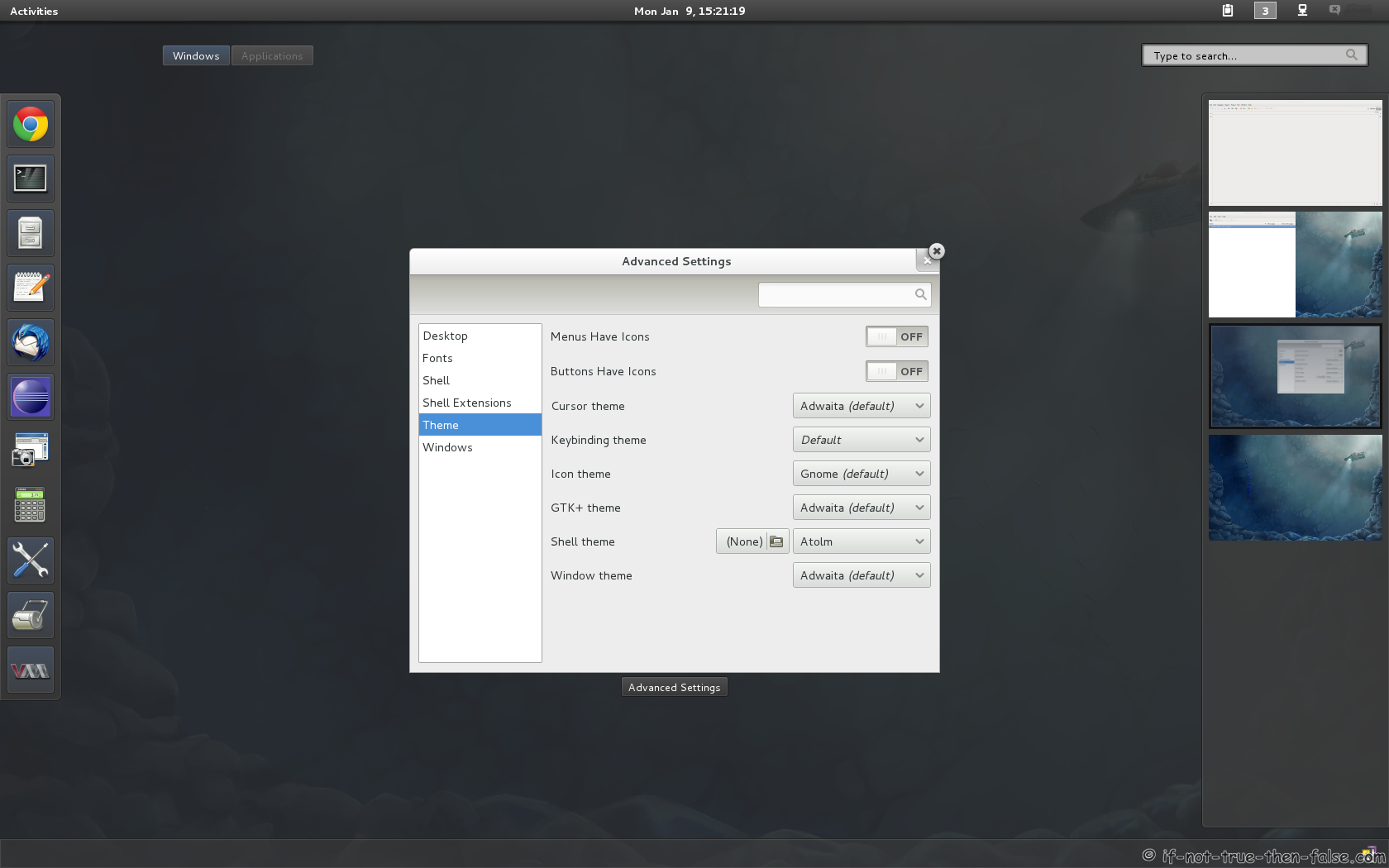
Gnome Shell Tweaking with Extensions and Themes on Fedora 16
This is a guide on howto modify and tweak Gnome 3.2 Gnome Shell on Fedora 16, easily with application called gnome-tweak-tool, using extensions and themes. With this guide you have two option, install all extensions and themes once or install just extensions and themes what you want to use. There’s a lot of other themes and the extension, but those which are presented in this guide can be installed via the YUM package management, as well as they are of good quality.
1. Install Gnome Shell Extensions and Themes on Fedora 16
1.1 Change root user
su - ## OR ## sudo -i |
1.2 Install dependency gnome-tweak-tool
yum install gnome-tweak-tool |
1.3 Install Gnome-Shell extensions
Following command installs all Gnome Shell extensions at once
yum install gnome-shell-extension* |
Or alternatively, you could install just selected Gnome Shell extensions with yum.
Descriptions and Install Commands of all Gnome Shell Extensions
Classic Alt+Tab behavior (Window based instead of app based URL)
Lets you use classic Alt+Tab (window-based instead of app-based) in GNOME Shell. GNOME Shell groups multiple instances of the same application together. This extension disables grouping.
yum install gnome-shell-extension-alternate-tab |
Replace Suspend with “Power off” on status menu / user menu
For those who want a power off item visible at all the time, replaces GNOME Shell status menu with one featuring separate Suspend and Power Off. Adds the ability to hibernate as well.
yum install gnome-shell-extension-alternative-status-menu |
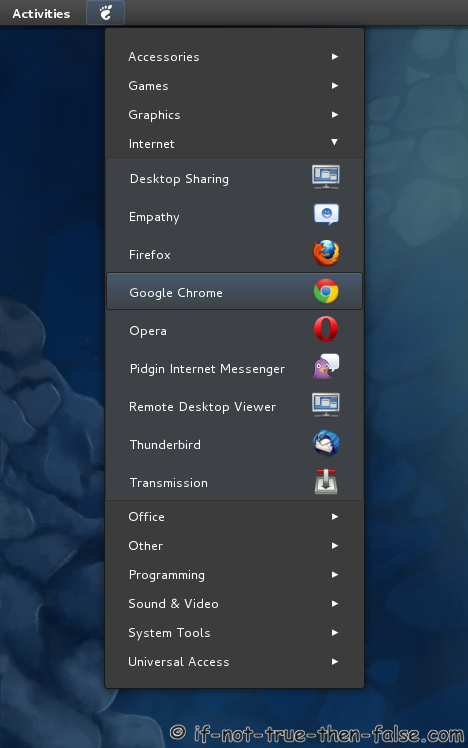
GNOME 2.x style application menu for GNOME Shell
Application menu for GNOME Shell. Add a GNOME 2.x style menu for applications.
yum install gnome-shell-extension-apps-menu |
Assign specific workspaces to applications
Lets you manage your workspaces more easily, assigning a specific workspace to each application as soon as it creates a window, in a manner configurable with a GSettings key.
yum install gnome-shell-extension-auto-move-windows |
Collection of extensions providing additional and optional functionality to GNOME Shell
GNOME Shell Extensions is a collection of extensions providing additional and optional functionality to GNOME Shell. Common files and directories needed by extensions are provided here.
yum install gnome-shell-extension-common |
Show CPU temperature on GNOME Shell
Gnome Shell Extensions that adds an applet on the panel which reveals current CPU temperature in Degree Celsius and Fahrenheit.
yum install gnome-shell-extension-cpu-temperature |
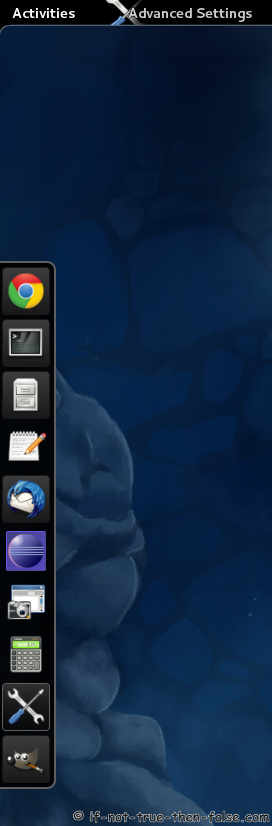
Shows a dock-style task switcher permanently
Shows a dock-style task switcher on the right side of the screen permanently.
yum install gnome-shell-extension-dock |
Disk device manager in the status area
Adds a menu in the system status area that tracks removable disk devices attached and offers to browse them and eject/unmount them.
yum install gnome-shell-extension-drive-menu |
GNOME Shell extension for GPaste
yum install gnome-shell-extension-gpaste |
Manage icons in top bar
A gnome-shell extension to manage icons in top bar. Add/remove icons from top bar panel by simple editing gsettings.
yum install gnome-shell-extension-icon-manager |
Control Mediaplayers
A gnome-shell extension to control mediaplayers. Gnome shell extension Mediasplayers is a simple extension for displaying player control, music and music cover in Gnome Shell.
yum install gnome-shell-extension-mediaplayers |
Arrange Windows in Overview
Arrange windows in overview in a more native way. This extension employs an algorithm (taken from KDE) for layouting the thumbnails in the overview that more closely reflects the positions and relative sizes of the actual windows, instead of using a fixed grid.
yum install gnome-shell-extension-native-window-placement |
Remove Name and IM Status
A gnome-shell extension for removing the name and the IM status.
yum install gnome-shell-extension-noim |
Disable Hot Corner Ripple Effects
This Gnome Shell extension disables Activities hot corner ripple effects.
yum install gnome-shell-extension-noripple |
Pidgin Integration
This package contains the necessary components to integrate pidgin with GNOME Shell.
yum install gnome-shell-extension-pidgin |
Gnome 2.x Style Menu
Places menu indicator in the system system status area that resembles the Places menu from GNOME 2.x.
yum install gnome-shell-extension-places-menu |
Pomodoro Helper
This extension helps you to work with the pomodoro technique here. It provides a countdown timer in the gnome-shell and keeps track of completed 25 minute cycles.
yum install gnome-shell-extension-pomodoro |
Presentation Mode (disable screen saver and the automatic suspend)
Gnome-Presentation-Mode is a tiny gnome-shell extension that adds a new entry to the power indicator (the menu that opens when you click the battery icon). While presentation mode is on the screen saver and the automatic suspend will not kick in, allowing you to sit back and enjoy whatever you are doing without having to wiggle the mouse every few minutes.
yum install gnome-shell-extension-presentation-mode |
Remove Accessibility (a11y) Icon
A gnome-shell extensions for removing the accessibility icon. This simple extension does nothing more than to remove the accessibility icon in the top right corner of the GNOME panel.
yum install gnome-shell-extension-remove-accessibility-icon |
Remove Bluetooth Icon
A gnome-shell extension for removing the bluetooth icon. This simple extension does nothing more than to remove the bluetooth icon from the GNOME panel.
yum install gnome-shell-extension-remove-bluetooth-icon |
Remove Volume Icon
A gnome-shell extension for removing the volume icon. This simple extension does nothing more than to remove the volume icon from the GNOME panel.
yum install gnome-shell-extension-remove-volume-icon |
Top Right Hot Corner
A gnome-shell extension for an additional hot corner to upper right of monitor.
yum install gnome-shell-extension-righthotcorner |
Monitor Your System Status
yum install gnome-shell-extension-systemMonitor |
Gnome Shell User Theme Selector
Gnome shell user theme selector with preview.
yum install gnome-shell-extension-theme-selector |
Lets the User Select a Custom Theme for the Shell
Lets the user select a custom theme for the Gnome shell. It will allow you to apply a style from /.themes/[themeName]/gnome-shell/gnome-shell.css
yum install gnome-shell-extension-user-theme |
eyboard Selection of Windows and Workspaces in Overlay Mode
Allow keyboard selection of windows and work-spaces in overlay mode in GNOME Shell. Switch to overview mode (press the windows or ALT+F1 key) and press the alt key to show numbers over windows. Press any number to switch to the corresponding window.
yum install gnome-shell-extension-windowsNavigator |
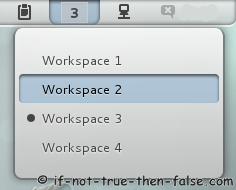
Workspace Indicator
Put an indicator on the panel signaling in which workspace you are, and give you the possibility of switching to another one.
yum install gnome-shell-extension-workspace-indicator |
Fast Switching Workspaces
A gnome-shell extension that add workspaces menu to status area of Gnome Shell for fast switching.
yum install gnome-shell-extension-workspacesmenu |
Monitor Status Indicator
This extension adds a systems status menu for rotating monitors (overrides what is currently provided by gnome-settings-daemon).
yum install gnome-shell-extension-xrandr-indicator |
1.4 Install Gnome-Shell Themes
Following command installs all Gnome Shell themes at once
yum install gnome-shell-theme* |
Installs following themes atolm, dark-glass, elementary, gaia, orta and smooth-inset.
1.5 Fix Gnome Shell User Theme Bug
Simply run following command:
sed -i 's/THEME_EXT_NAME = "[email protected]"/THEME_EXT_NAME = "[email protected]"/' /usr/lib/python2.7/site-packages/gtweak/tweaks/tweak_shell.py |
1.6 Enable Extensions with Restarting the Gnome Shell
Press ALT+F2 -> write r (lower r letter) -> press Enter
2. Enable / Disable and Configure Gnome Shell Extensions and Themes on Fedora 16
2.1 Open gnome-tweak-tool
On menu it’s called Advanced Settings or on command line write:
gnome-tweak-tool |
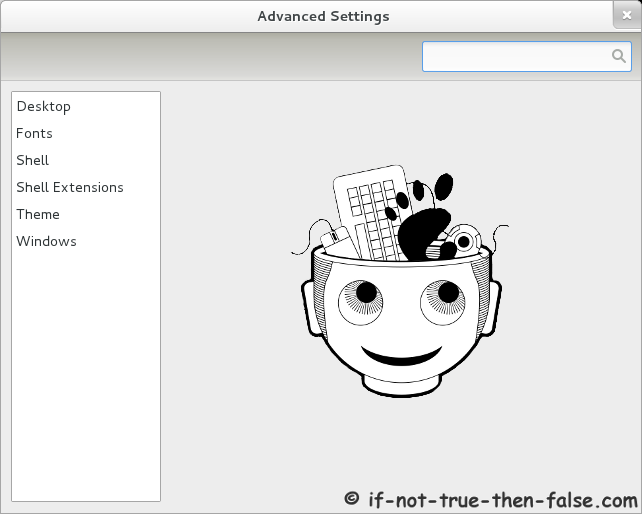
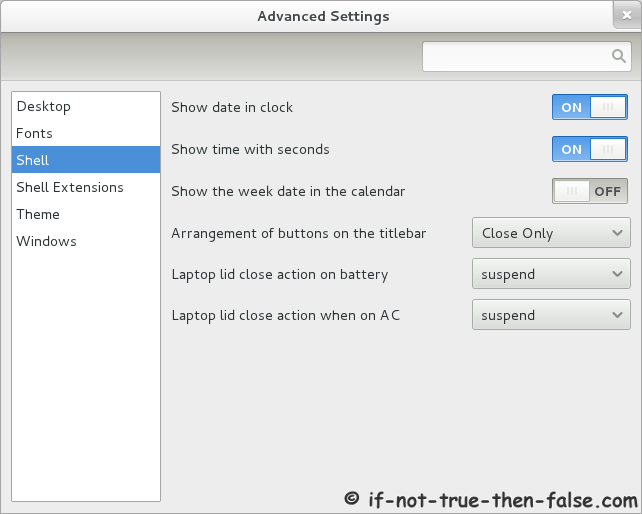
2.2 Advanced Settings (gnome-tweak-tool) Basic Config Screens
Here is screenshots just basic options, like Gnome Shell fonts, Gnome Shell date & time settings, etc.
Advanced Settings (gnome-tweak-tool) Main Screen
Advanced Settings (gnome-tweak-tool) Shell
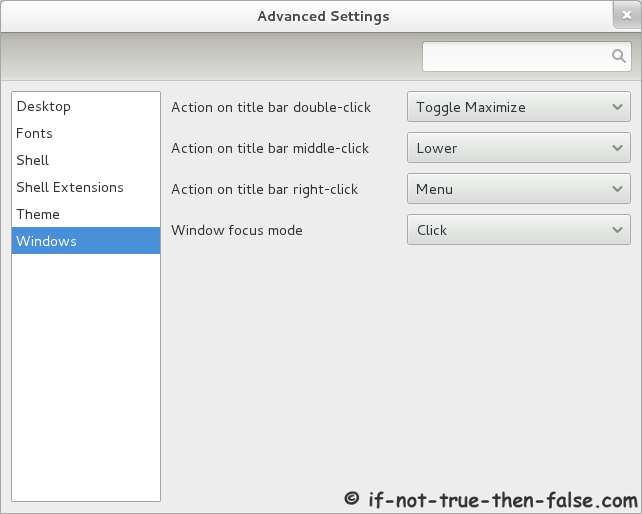
Advanced Settings (gnome-tweak-tool) Windows
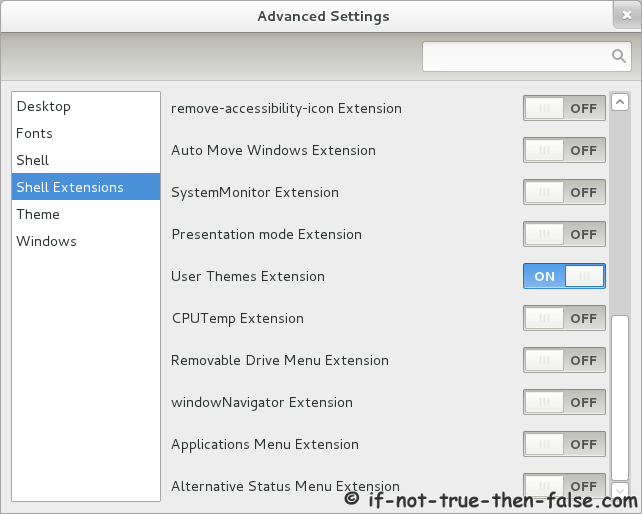
2.3 Advanced Settings (gnome-tweak-tool) Enable User Themes
Turn “User Themes Extension” ON and then restart gnome-tweak-tool to enable user themes.
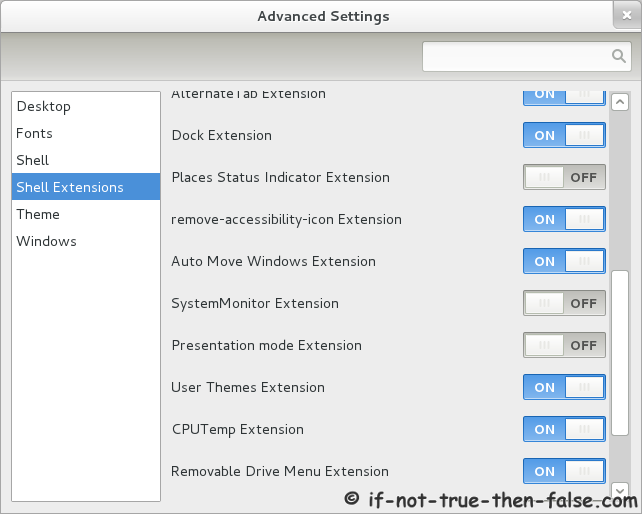
2.4 Advanced Settings (gnome-tweak-tool) Shell Extensions and Themes
Then you can enable / disable all extensions that you want…
2.5 Configure Gnome Shell Extensions (Themes) with gsettings
Get all current Gnome Shell extensions settings:
gsettings list-recursively |grep "org.gnome.shell.extensions" |
Example output:
org.gnome.shell.extensions.alternate-tab behaviour 'all_thumbnails' org.gnome.shell.extensions.alternate-tab first-time false org.gnome.shell.extensions.dock autohide true org.gnome.shell.extensions.dock hide-effect 'resize' org.gnome.shell.extensions.dock hide-effect-duration 0.29999999999999999 org.gnome.shell.extensions.dock position 'left' org.gnome.shell.extensions.dock size 48 org.gnome.shell.extensions.auto-move-windows application-list @as [] org.gnome.shell.extensions.native-window-placement strategy 'natural' org.gnome.shell.extensions.native-window-placement use-more-screen true org.gnome.shell.extensions.native-window-placement window-captions-on-top true org.gnome.shell.extensions.icon-manager desaturation-factor 1.0 org.gnome.shell.extensions.icon-manager top-bar @as [] org.gnome.shell.extensions.user-theme name '' |
Modify settings with following command:
gsettings set org.gnome.shell.extensions.[name] [key] [value] |
Example
gsettings set org.gnome.shell.extensions.dock size 60 |
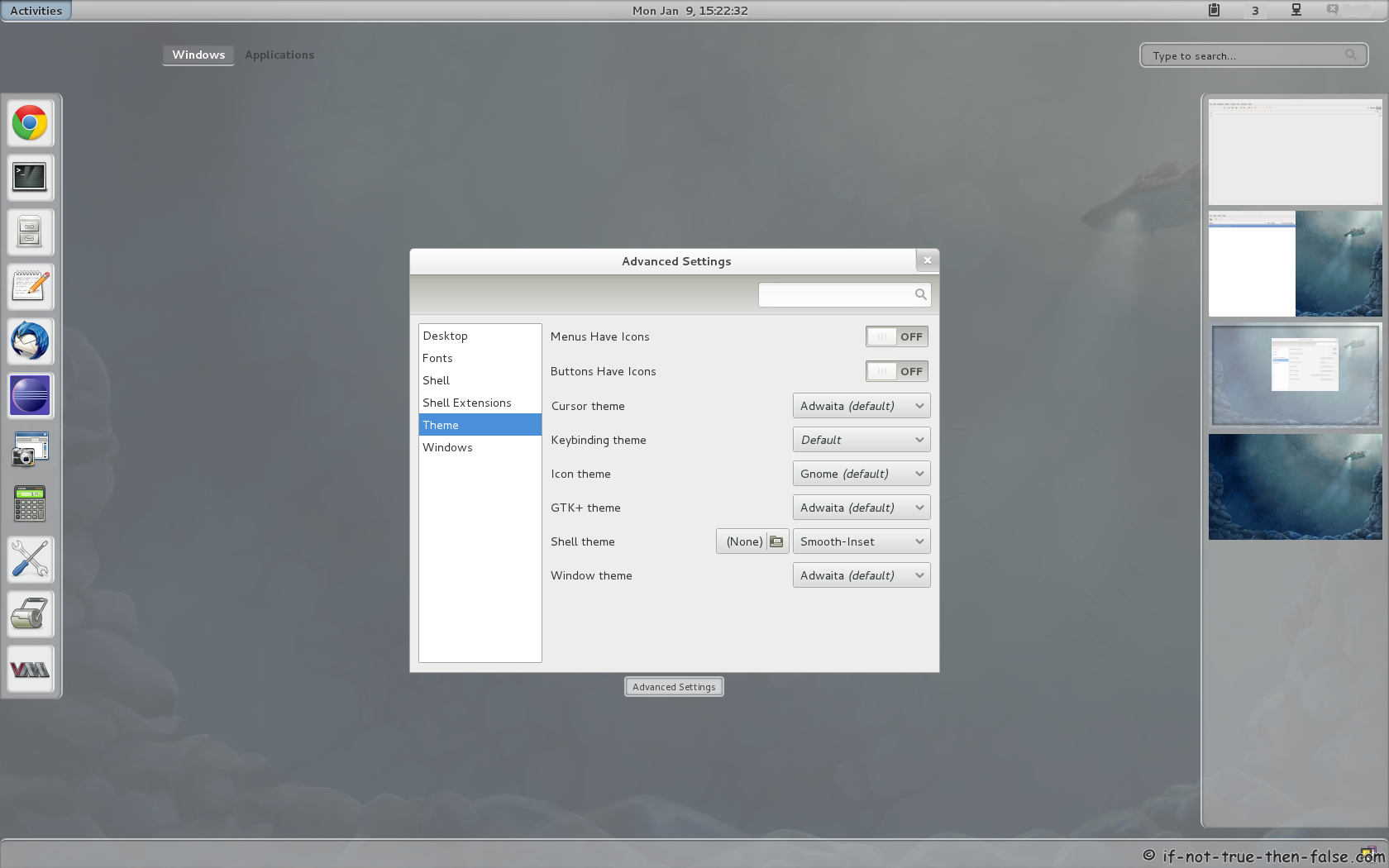
3. Screenshots of tweaked Gnome Shell
Gnome Shell – Classic Gnome 2.x menu
Gnome Shell – Smooth Inset theme
Please let me know if you have some problems with Gnome Shell themes and extensions installation or usage?
This is a guide on howto modify and tweak Gnome 3.2 Gnome Shell on Fedora 16, easily with application called gnome-tweak-tool, using extensions and themes. With this guide you have two option, install all extensions and themes once or install just extensions and themes what you want to use. There’s a lot of other themes and the extension, but those which are presented in this guide can be installed via the YUM package management, as well as they are of good quality.


Thanks a lot… very helpful…
I highly recommend cinnamon
http://forums.fedoraforum.org/showthread.php?t=274611
Klicking on “shell Extensions” I only get up an empty square. The other commands look as mentioned above.
Hi Ralph,
Could you post output of following commands:
Nice tutorial – sorted a problem out for me. Thanks!
Had a Linuxxcrash so had to install everything….. Seems to work. Anyway, the output is
[root@Samui ~]# grep THEME_EXT_NAME /usr/lib/python2.7/site-packages/gtweak/tweaks/tweak_shell.py
THEME_EXT_NAME = “[email protected]”
if ShellThemeTweak.THEME_EXT_NAME in extensions and extensions[ShellThemeTweak.THEME_EXT_NAME]["state"] == 1:
self._usertheme_extension_version = max(extensions[ShellThemeTweak.THEME_EXT_NAME]["shell-version"])
[root@Samui ~]#
[root@Samui ~]# rpm -qa gnome-shell-\* gnome-tweak-\* |sort
gnome-shell-extension-alternate-tab-3.2.3-2.fc16.noarch
gnome-shell-extension-alternative-status-menu-3.2.3-2.fc16.noarch
gnome-shell-extension-apps-menu-3.2.3-2.fc16.noarch
gnome-shell-extension-auto-move-windows-3.2.3-2.fc16.noarch
gnome-shell-extension-common-3.2.3-2.fc16.noarch
gnome-shell-extension-cpu-temperature-0-0.3.git1f471c7.fc16.noarch
gnome-shell-extension-dock-3.2.3-2.fc16.noarch
gnome-shell-extension-drive-menu-3.2.3-2.fc16.noarch
gnome-shell-extension-gpaste-2.2.1-1.fc16.noarch
gnome-shell-extension-icon-manager-0-0.4.gitc34779c.fc16.noarch
gnome-shell-extension-mediaplayers-0-0.1.git259f96e.fc16.noarch
gnome-shell-extension-native-window-placement-3.2.3-2.fc16.noarch
gnome-shell-extension-noim-1.0-1.fc16.noarch
gnome-shell-extension-noripple-1.0-1.fc16.noarch
gnome-shell-extension-pidgin-0-0.5.git80d4ea4b59.fc16.x86_64
gnome-shell-extension-places-menu-3.2.3-2.fc16.noarch
gnome-shell-extension-pomodoro-0-0.2.git13030cd.fc16.noarch
gnome-shell-extension-presentation-mode-0-0.3.gitbe7e0ae.fc16.noarch
gnome-shell-extension-remove-accessibility-icon-20111008-1.fc16.noarch
gnome-shell-extension-remove-bluetooth-icon-0.2-1.fc16.noarch
gnome-shell-extension-remove-volume-icon-0.3-1.fc16.noarch
gnome-shell-extension-righthotcorner-1.0-1.fc16.noarch
gnome-shell-extension-systemMonitor-3.2.3-2.fc16.noarch
gnome-shell-extension-theme-selector-0.9-3.fc16.noarch
gnome-shell-extension-user-theme-3.2.3-2.fc16.noarch
gnome-shell-extension-windowsNavigator-3.2.3-2.fc16.noarch
gnome-shell-extension-workspace-indicator-3.2.3-2.fc16.noarch
gnome-shell-extension-workspacesmenu-0-1.fc16.noarch
gnome-shell-extension-xrandr-indicator-3.2.3-2.fc16.noarch
gnome-shell-theme-atolm-3.2-1.fc16.noarch
gnome-shell-theme-dark-glass-1.0-1.fc16.noarch
gnome-shell-theme-elementary-3.2-1.fc16.noarch
gnome-shell-theme-gaia-1.0-1.fc16.noarch
gnome-shell-theme-orta-1.0-1.fc16.noarch
gnome-shell-theme-smooth-inset-3.2-1.fc16.noarch
gnome-tweak-tool-3.2.2-1.fc16.noarch
Hi again Ralph,
So you reinstalled your Linux and follow this guide and it’s not still working?
Press ALT+F2 -> write lg -> press enter -> Check Extensios tab, do you see any extensions?
If you start gnome-tweak-tool from command line, do you get any errors?
Installed Linx twice today, get error qwhen preasaing Alt-F2, running the progrgam in Terminal, the beginning says:
# gnome-tweak-tool
WARNING : Schema /usr/share/glib-2.0/schemas/org.gnome.shell.gschema.xml missing summary text:
1
WARNING : Schema /usr/share/glib-2.0/schemas/org.gnome.shell.gschema.xml missing summary text:
0
WARNING : Error detecting shell
Traceback (most recent call last):
File “/usr/lib/python2.7/site-packages/gtweak/tweaks/tweak_shell_extensions.py”, line 145, in __init__
shell = GnomeShellFactory().get_shell()
File “/usr/lib/python2.7/site-packages/gtweak/utils.py”, line 38, in getinstance
instances[cls] = cls()
File “/usr/lib/python2.7/site-packages/gtweak/gshellwrapper.py”, line 123, in __init__
v = map(int,proxy.version.split(“.”))
File “/usr/lib/python2.7/site-packages/gtweak/gshellwrapper.py”, line 46, in version
return json.loads(self.execute_js(‘const Config = imports.misc.config; Config.PACKAGE_VERSION’))
File “/usr/lib/python2.7/site-packages/gtweak/gshellwrapper.py”, line 39, in execute_js
result, output = self.proxy.Eval(‘(s)’, js)
File “/usr/lib64/python2.7/site-packages/gi/overrides/Gio.py”, line 148, in __call__
kwargs.get(‘flags’, 0), kwargs.get(‘timeout’, -1), None)
File “/usr/lib64/python2.7/site-packages/gi/types.py”, line 43, in function
return info.invoke(*args, **kwargs)
GError: GDBus.Error:org.freedesktop.DBus.Error.ServiceUnknown: The name org.gnome.Shell was not provided by any .service files
WARNING : Shell not running
Traceback (most recent call last):
File “/usr/lib/python2.7/site-packages/gtweak/tweaks/tweak_shell.py”, line 57, in __init__
self._shell = GnomeShellFactory().get_shell()
Maybe I better go back to Windows?
First of all, did you run lg command after pressing ALT+F2?
You got following error when you try to start gnome-tweak-tool:
Do you have gnome-shell running at all? Or is your desktop running on fallback mode?
I am Getting the Following Error :
[root@localhost tushar]# gnome-tweak-tool &
[1] 2030
[root@localhost tushar]# WARNING : Error detecting shell
Traceback (most recent call last):
File “/usr/lib/python2.7/site-packages/gtweak/tweaks/tweak_shell_extensions.py”, line 145, in __init__
shell = GnomeShellFactory().get_shell()
File “/usr/lib/python2.7/site-packages/gtweak/utils.py”, line 38, in getinstance
instances[cls] = cls()
File “/usr/lib/python2.7/site-packages/gtweak/gshellwrapper.py”, line 121, in __init__
proxy = _ShellProxy()
File “/usr/lib/python2.7/site-packages/gtweak/gshellwrapper.py”, line 30, in __init__
d = Gio.bus_get_sync(Gio.BusType.SESSION, None)
File “/usr/lib64/python2.7/site-packages/gi/types.py”, line 43, in function
return info.invoke(*args, **kwargs)
GError: The connection is closed
** (gnome-tweak-tool:2030): WARNING **: The connection is closed
(gconftool-2:2033): GConf-WARNING **: Client failed to connect to the D-BUS daemon:
Did not receive a reply. Possible causes include: the remote application did not send a reply, the message bus security policy blocked the reply, the reply timeout expired, or the network connection was broken.
Failed to get value for `/apps/metacity/general/titlebar_font’: No D-BUS daemon running
(gconftool-2:2034): GConf-WARNING **: Client failed to connect to the D-BUS daemon:
Did not receive a reply. Possible causes include: the remote application did not send a reply, the message bus security policy blocked the reply, the reply timeout expired, or the network connection was broken.
Failed to get value for `/apps/metacity/general/titlebar_font’: No D-BUS daemon running
(gnome-tweak-tool:2030): GConf-WARNING **: Client failed to connect to the D-BUS daemon:
Did not receive a reply. Possible causes include: the remote application did not send a reply, the message bus security policy blocked the reply, the reply timeout expired, or the network connection was broken.
Traceback (most recent call last):
File “/usr/bin/gnome-tweak-tool”, line 76, in
MainWindow()
File “/usr/lib/python2.7/site-packages/gtweak/mainwindow.py”, line 44, in __init__
model)
File “/usr/lib/python2.7/site-packages/gtweak/tweakview.py”, line 40, in __init__
self._model.load_tweaks()
File “/usr/lib/python2.7/site-packages/gtweak/tweakmodel.py”, line 131, in load_tweaks
mods = __import__(“gtweak.tweaks”, globals(), locals(), tweak_files, 0)
File “/usr/lib/python2.7/site-packages/gtweak/tweaks/tweak_font.py”, line 28, in
GConfFontButtonTweak(“/apps/metacity/general/titlebar_font”, str, group_name=TWEAK_GROUP_FONTS),
File “/usr/lib/python2.7/site-packages/gtweak/widgets.py”, line 232, in __init__
w.props.font_name = self.gconf.get_value()
File “/usr/lib/python2.7/site-packages/gtweak/gconf.py”, line 62, in get_value
return self._client.get_string(self._key)
File “/usr/lib64/python2.7/site-packages/gi/types.py”, line 43, in function
return info.invoke(*args, **kwargs)
gi._glib.GError: No D-BUS daemon running
I have tried the Alt + F2 and then lg. It is showing some extensions.
Hi Tushar Kanti Biswas,
Do you have Gnome-Shell running or is your system on fallback mode?
What is fall back mode
Check System Settings -> System Info -> Graphics
What you see on:
Driver
Experience
Forced Fallback Mode
I as well have a blank window when selecting “Shell Extensions”.
Fallback mode is off.
gnome-shell-extension-alternate-tab-3.2.3-2.fc16.noarch
gnome-shell-extension-alternative-status-menu-3.2.3-2.fc16.noarch
gnome-shell-extension-apps-menu-3.2.3-2.fc16.noarch
gnome-shell-extension-auto-move-windows-3.2.3-2.fc16.noarch
gnome-shell-extension-calc-0-0.3.git2fca097.fc16.noarch
gnome-shell-extension-common-3.2.3-2.fc16.noarch
gnome-shell-extension-cpu-temperature-0-0.4.gite1777e6.fc16.noarch
gnome-shell-extension-dock-3.2.3-2.fc16.noarch
gnome-shell-extension-drive-menu-3.2.3-2.fc16.noarch
gnome-shell-extension-gpaste-2.2.1-1.fc16.noarch
gnome-shell-extension-icon-manager-0-0.4.gitc34779c.fc16.noarch
gnome-shell-extension-mediaplayers-0-0.1.git259f96e.fc16.noarch
gnome-shell-extension-native-window-placement-3.2.3-2.fc16.noarch
gnome-shell-extension-noim-1.0-1.fc16.noarch
gnome-shell-extension-noripple-1.0-1.fc16.noarch
gnome-shell-extension-pidgin-0-0.5.git80d4ea4b59.fc16.i686
gnome-shell-extension-places-menu-3.2.3-2.fc16.noarch
gnome-shell-extension-pomodoro-0-0.2.git13030cd.fc16.noarch
gnome-shell-extension-presentation-mode-0-0.3.gitbe7e0ae.fc16.noarch
gnome-shell-extension-remove-accessibility-icon-20111008-1.fc16.noarch
gnome-shell-extension-remove-bluetooth-icon-0.2-1.fc16.noarch
gnome-shell-extension-remove-volume-icon-0.3-1.fc16.noarch
gnome-shell-extension-righthotcorner-1.0-1.fc16.noarch
gnome-shell-extension-sustmi-historymanager-prefix-search-3.0-6.git72282ce.fc16.noarch
gnome-shell-extension-sustmi-windowoverlay-icons-3.0-6.git72282ce.fc16.noarch
gnome-shell-extension-systemMonitor-3.2.3-2.fc16.noarch
gnome-shell-extension-theme-selector-0.9-3.fc16.noarch
gnome-shell-extension-user-theme-3.2.3-2.fc16.noarch
gnome-shell-extension-windowsNavigator-3.2.3-2.fc16.noarch
gnome-shell-extension-workspace-indicator-3.2.3-2.fc16.noarch
gnome-shell-extension-workspacesmenu-0-1.fc16.noarch
gnome-shell-extension-xrandr-indicator-3.2.3-2.fc16.noarch
gnome-shell-theme-atolm-3.2-1.fc16.noarch
gnome-shell-theme-dark-glass-1.0-1.fc16.noarch
gnome-shell-theme-elementary-3.2-1.fc16.noarch
gnome-shell-theme-gaia-1.0-1.fc16.noarch
gnome-shell-theme-orta-1.0-1.fc16.noarch
gnome-shell-theme-smooth-inset-3.2-1.fc16.noarch
gnome-tweak-tool-3.2.2-2.fc16.noarch
[root@localhost padge]#
Any suggestions?
Sorry, left out the 1st portion of the results
THEME_EXT_NAME = “[email protected]”
if ShellThemeTweak.THEME_EXT_NAME in extensions and extensions[ShellThemeTweak.THEME_EXT_NAME]["state"] == 1:
self._usertheme_extension_version = max(extensions[ShellThemeTweak.THEME_EXT_NAME]["shell-version"])
[root@localhost padge]#
[root@localhost padge]# grep THEME_EXT_NAME /usr/lib/python2.7/site-packages/gtweak/tweaks/tweak_shell.py
THEME_EXT_NAME = “[email protected]”
if ShellThemeTweak.THEME_EXT_NAME in extensions and extensions[ShellThemeTweak.THEME_EXT_NAME]["state"] == 1:
self._usertheme_extension_version = max(extensions[ShellThemeTweak.THEME_EXT_NAME]["shell-version"])
Hi Padge,
Did you restart Gnome-Shell and gnome-tweak-tool?
JR, I removed everything through yum history, rebooted and went through the instructions again. and get the same results with a blank “shell extensions” window when I open with “gnome-tweak-tool”
I performed the “alt + F2″ then typed “r” then
When I type in the command line “gnome-tweak-tool”, I get this (which I received originally the 1st time I followed the instructions)
[root@localhost ~]# gnome-tweak-tool
WARNING : Schema /usr/share/glib-2.0/schemas/org.gnome.shell.gschema.xml missing summary text:
1
WARNING : Schema /usr/share/glib-2.0/schemas/org.gnome.shell.gschema.xml missing summary text:
0
WARNING : Shell not running
Traceback (most recent call last):
File “/usr/lib/python2.7/site-packages/gtweak/tweaks/tweak_shell.py”, line 57, in __init__
self._shell = GnomeShellFactory().get_shell()
File “/usr/lib/python2.7/site-packages/gtweak/utils.py”, line 38, in getinstance
instances[cls] = cls()
File “/usr/lib/python2.7/site-packages/gtweak/gshellwrapper.py”, line 123, in __init__
v = map(int,proxy.version.split(“.”))
File “/usr/lib/python2.7/site-packages/gtweak/gshellwrapper.py”, line 46, in version
return json.loads(self.execute_js(‘const Config = imports.misc.config; Config.PACKAGE_VERSION’))
File “/usr/lib/python2.7/site-packages/gtweak/gshellwrapper.py”, line 39, in execute_js
result, output = self.proxy.Eval(‘(s)’, js)
File “/usr/lib/python2.7/site-packages/gi/overrides/Gio.py”, line 148, in __call__
kwargs.get(‘flags’, 0), kwargs.get(‘timeout’, -1), None)
File “/usr/lib/python2.7/site-packages/gi/types.py”, line 43, in function
return info.invoke(*args, **kwargs)
GError: GDBus.Error:org.freedesktop.DBus.Error.ServiceUnknown: The name org.gnome.Shell was not provided by any .service files
WARNING : Could not list shell extensions
Traceback (most recent call last):
File “/usr/lib/python2.7/site-packages/gtweak/tweaks/tweak_shell.py”, line 62, in __init__
extensions = self._shell.list_extensions()
AttributeError: ShellThemeTweak instance has no attribute ‘_shell’
WARNING : Error detecting shell
Traceback (most recent call last):
File “/usr/lib/python2.7/site-packages/gtweak/tweaks/tweak_shell_extensions.py”, line 145, in __init__
shell = GnomeShellFactory().get_shell()
File “/usr/lib/python2.7/site-packages/gtweak/utils.py”, line 38, in getinstance
instances[cls] = cls()
File “/usr/lib/python2.7/site-packages/gtweak/gshellwrapper.py”, line 123, in __init__
v = map(int,proxy.version.split(“.”))
File “/usr/lib/python2.7/site-packages/gtweak/gshellwrapper.py”, line 46, in version
return json.loads(self.execute_js(‘const Config = imports.misc.config; Config.PACKAGE_VERSION’))
File “/usr/lib/python2.7/site-packages/gtweak/gshellwrapper.py”, line 39, in execute_js
result, output = self.proxy.Eval(‘(s)’, js)
File “/usr/lib/python2.7/site-packages/gi/overrides/Gio.py”, line 148, in __call__
kwargs.get(‘flags’, 0), kwargs.get(‘timeout’, -1), None)
File “/usr/lib/python2.7/site-packages/gi/types.py”, line 43, in function
return info.invoke(*args, **kwargs)
GError: GDBus.Error:org.freedesktop.DBus.Error.ServiceUnknown: The name org.gnome.Shell was not provided by any .service files
(gnome-tweak-tool:2211): Gtk-CRITICAL **: gtk_widget_get_preferred_height_for_width: assertion `width >= 0′ failed
At the very end of this script, it does not display the directory
“[root@localhost ~]#” at the end of the errors
*********************update*******************
I rebooted after installing GTT and now the “Shell Extensions” window is showing.
I am though however still getting this after I run “gnome-tweak-tools”
[padge@localhost ~]$ gnome-tweak-tool
WARNING : Schema /usr/share/glib-2.0/schemas/org.gnome.shell.gschema.xml missing summary text:
1
WARNING : Schema /usr/share/glib-2.0/schemas/org.gnome.shell.gschema.xml missing summary text:
0
(gnome-tweak-tool:1817): Gtk-CRITICAL **: gtk_widget_get_preferred_height_for_width: assertion `width >= 0′ failed
Will this discontinue after I start adjusting the settings in the app or will this continue to happen?
Hi Padge,
I got same errors too. I’m not even tried to fix those errors, because gnome-tweak-tool is working normally despite these errors.
Yeah, seems to be okay. I appreciate all the help and information you have provided.
Nice to hear and you are welcome! :)
Have to say that gnome-tweak-tool is not highest quality GUI, but it is little bit easier to use control extensions and themes, than change all values from command line using gsettings. :)
hi,
i just installed yesterday and cant switch the gnome-shell themes through gnome-tweak-tool
tried to follow your giude
the gnome-tweak-tool is up to date
tweak_shell.py has the correct github link
i moved my themes to both /usr/share/themes and ~/.themes
i did yum install gnome-shell-theme*
did another 2 reinstalls, one without updating everything else and one doing that the very first thing, still not working
tried it with F 17 and still nothing… there must be something that im doing wrong… but everything looks right…
so far i’ve basically just done
1. install fedora
2. install updates
3. install gnome tweak
4. install gnome-shell-theme* and move the theme i want indo /usr/share/theme
5. alt + f2 -> r
6. see shell still not themeable
7. rip hair out in fustration
am i missing a jump up and down three times, look to your left while rubbing your belly and drunk dial your ex kind of step here or what?!?! :-P
Hi JR
Your post has been absolutely brilliant and i must say that everything went on perfectly in my Fedora 16 .But the all the themes ( except Adwaita ) are changing to some kinda Windows95 ish like appearance . The window theme is oK but the rest looks ugly . I’ve searched for this bug in google and many say that it is necessary to create a settings.ini in .config/GTK-3.0 directory . BUt i dont even have this directory . So , is there is any workaround available ? Or will i a have to keep using this Adwaita ? My current icon theme is Faence-Azur
Followed your tutorial and most works great, howveer:
[rick@RSivernell ~]$ gnome-tweak-tool &
[1] 9612
[rick@RSivernell ~]$ WARNING : Schema /usr/share/glib-2.0/schemas/org.gnome.shell.gschema.xml missing summary text:
1
WARNING : Schema /usr/share/glib-2.0/schemas/org.gnome.shell.gschema.xml missing summary text:
0
WARNING : Shell not running
Traceback (most recent call last):
File “/usr/lib/python2.7/site-packages/gtweak/tweaks/tweak_shell.py”, line 57, in __init__
self._shell = GnomeShellFactory().get_shell()
File “/usr/lib/python2.7/site-packages/gtweak/utils.py”, line 38, in getinstance
instances[cls] = cls()
File “/usr/lib/python2.7/site-packages/gtweak/gshellwrapper.py”, line 123, in __init__
v = map(int,proxy.version.split(“.”))
File “/usr/lib/python2.7/site-packages/gtweak/gshellwrapper.py”, line 46, in version
return json.loads(self.execute_js(‘const Config = imports.misc.config; Config.PACKAGE_VERSION’))
File “/usr/lib/python2.7/site-packages/gtweak/gshellwrapper.py”, line 39, in execute_js
result, output = self.proxy.Eval(‘(s)’, js)
File “/usr/lib64/python2.7/site-packages/gi/overrides/Gio.py”, line 148, in __call__
kwargs.get(‘flags’, 0), kwargs.get(‘timeout’, -1), None)
File “/usr/lib64/python2.7/site-packages/gi/types.py”, line 43, in function
return info.invoke(*args, **kwargs)
GError: GDBus.Error:org.freedesktop.DBus.Error.ServiceUnknown: The name org.gnome.Shell was not provided by any .service files
WARNING : Could not list shell extensions
Traceback (most recent call last):
File “/usr/lib/python2.7/site-packages/gtweak/tweaks/tweak_shell.py”, line 62, in __init__
extensions = self._shell.list_extensions()
AttributeError: ShellThemeTweak instance has no attribute ‘_shell’
WARNING : Error detecting shell
Traceback (most recent call last):
File “/usr/lib/python2.7/site-packages/gtweak/tweaks/tweak_shell_extensions.py”, line 145, in __init__
shell = GnomeShellFactory().get_shell()
File “/usr/lib/python2.7/site-packages/gtweak/utils.py”, line 38, in getinstance
instances[cls] = cls()
File “/usr/lib/python2.7/site-packages/gtweak/gshellwrapper.py”, line 123, in __init__
v = map(int,proxy.version.split(“.”))
File “/usr/lib/python2.7/site-packages/gtweak/gshellwrapper.py”, line 46, in version
return json.loads(self.execute_js(‘const Config = imports.misc.config; Config.PACKAGE_VERSION’))
File “/usr/lib/python2.7/site-packages/gtweak/gshellwrapper.py”, line 39, in execute_js
result, output = self.proxy.Eval(‘(s)’, js)
File “/usr/lib64/python2.7/site-packages/gi/overrides/Gio.py”, line 148, in __call__
kwargs.get(‘flags’, 0), kwargs.get(‘timeout’, -1), None)
File “/usr/lib64/python2.7/site-packages/gi/types.py”, line 43, in function
return info.invoke(*args, **kwargs)
GError: GDBus.Error:org.freedesktop.DBus.Error.ServiceUnknown: The name org.gnome.Shell was not provided by any .service files
(gnome-tweak-tool:9612): Gtk-CRITICAL **: gtk_widget_get_preferred_height_for_width: assertion `width >= 0′ failed
I have no selections in shell extension
Rick
It looks fantastic!
I am using Fedora 17. When I switch to any gnome-shell theme, looks good in the main screen. But when I press the “super” key to launch a program, and type, for example “libre”, the icons of “libre office write”, “libre office calc”, etc, are very very close each other almost overlapping, looking awful. If I return to the default gnome-shell theme, everything backs to normal. I have googled a lot but I can’t find any solution to this bug. Any idea would be appreciated!