VI and VIM Syntax Highlighting on Fedora / CentOS / Red Hat (RHEL)
Table of Contents

This is guide, howto enable Vi and Vim text editor syntax Highlighting on Fedora / CentOS / Red Hat (RHEL). Actually on Fedora, CentOS and Red Hat (RHEL) does only have Vim (Vi IMproved), but if you run vi command it works, because it runs small/minimal version of Vim, which is like original Vi.
I have seen too many guides howto enable Vi/Vim syntax highlighting, which says that you can turn syntax highlighting on/off with using :syntax on and :syntax off. It’s almost true, but actually on Fedora, CentOS and RHEL you can’t turn Vi syntax highlighting on with any command, because Vi (Vim minimal) does not have syntax highlighting feature included.
If you run following command:
vi --version
From output you can find following info:
VIM - Vi IMproved 7.3 (2010 Aug 15, compiled Sep 21 2011 09:34:21)
...
Small version without GUI.  Features included (+) or not (-):
...
... -syntax ...
...
It is small version and syntax is not even included. Check following to see how you can enable it…
Howto Enable Vi and Vim Syntax Highlighting on Fedora / CentOS / Red Hat (RHEL)⌗
1. Change root user⌗
su -
## OR ##
sudo -i
2. Install Vim enhanced package⌗
yum install vim-enhanced
Note: this might be installed already.
3. Check Vim Features⌗
Then check Vim included features:
vim --version
Output looks following:
VIM - Vi IMproved 7.3 (2010 Aug 15, compiled Sep 21 2011 09:34:08)
...
Huge version without GUI.  Features included (+) or not (-):
...
... +syntax ...
...
And yes, Vim huge version have syntax feature included.
4. Set Vi Command Pointing to Vim⌗
Then you can set vi pointing to vim and enable also vi syntax highlighting with following command:
alias vi=vim
If you want make it permanent alias then add it /etc/profile file or maybe /etc/profile.d/vi-vim.sh file or user ~/.bashrc file.
.bashrc example:
...
# User specific aliases and functions
alias vi=vim
4. Test Vi/Vim Syntax Highlighting⌗
Open example some code file with vi command. With /etc/vimrc file syntax highlighting is automatically turned on, if your terminal support colors.
Example /etc/profile file:
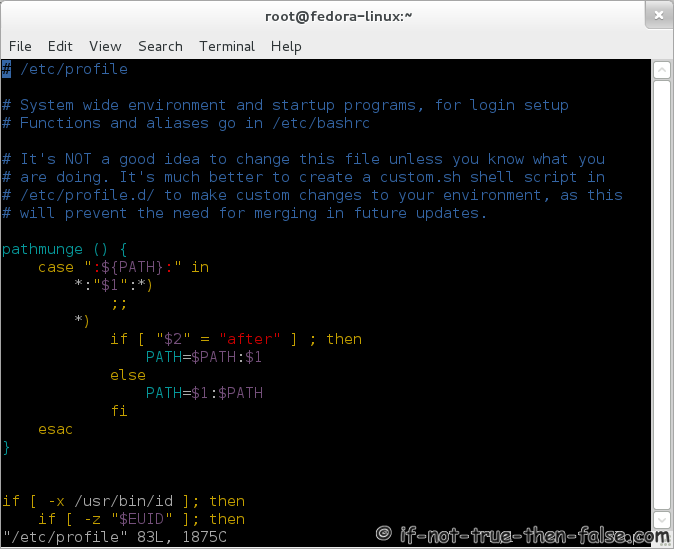
Then you can use :syntax on and :syntax off commands to toggle syntax highlighting.
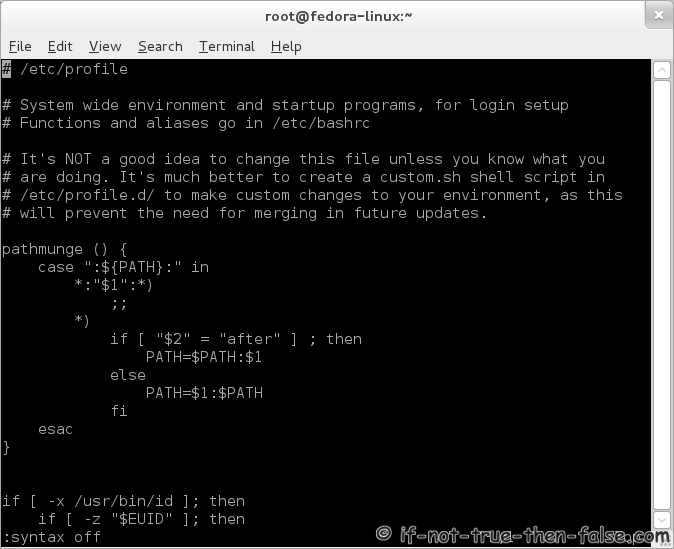
Same file with Vi syntax highlighting turned off: