Install Adobe Reader on Fedora 18/17, CentOS/RHEL 6.4/5.9

This is guide shows, howto install and keep up-to-date Adobe Reader (Acrobat PDF Reader) current version 9.5.1 with YUM on Fedora 18/17/16/15/14/13/12, CentOS 6.4/6.3/6.2/6.1/6/5.9, Red Hat (RHEL) 6.4/6.3/6.2/6.1/6/5.9. This method works both 32-bit and 64-bit architectures. This method also installs working Adobe PDF Reader plugin on Mozilla Firefox browsers.

1. Change Root User

sudo -i
## OR ##
su -

2. Install Adobe YUM Repository RPM package

rpm -ivh http://linuxdownload.adobe.com/adobe-release/adobe-release-i386-1.0-1.noarch.rpm
rpm --import /etc/pki/rpm-gpg/RPM-GPG-KEY-adobe-linux

3a. Install Adobe Reader (acroread) on Fedora 18/17/16/15/14/13/12, CentOS 6.4/6.3/6.2/6.1/6 and Red Hat (RHEL) 6.4/6.3/6.2/6.1/6

Note: On x86_64 bit system, 32-bit dependencies is also installed.

## English version ##
yum install nspluginwrapper.i686 AdobeReader_enu
 
 
## Check other language versions with following command ##
yum list AdobeReader*
 
Available Packages
AdobeReader_chs.i486                  8.1.7-1                  adobe-linux-i386 
AdobeReader_cht.i486                  8.1.7-1                  adobe-linux-i386 
AdobeReader_dan.i486                  8.1.7-1                  adobe-linux-i386 
AdobeReader_deu.i486                  9.4.2-1                  adobe-linux-i386 
AdobeReader_enu.i486                  9.5.1-1                  adobe-linux-i386
AdobeReader_esp.i486                  8.1.7-1                  adobe-linux-i386 
AdobeReader_fra.i486                  9.4.2-1                  adobe-linux-i386 
AdobeReader_ita.i486                  8.1.7-1                  adobe-linux-i386 
AdobeReader_jpn.i486                  9.4.2-1                  adobe-linux-i386 
AdobeReader_kor.i486                  8.1.7-1                  adobe-linux-i386 
AdobeReader_nld.i486                  8.1.7-1                  adobe-linux-i386 
AdobeReader_nor.i486                  8.1.7-1                  adobe-linux-i386 
AdobeReader_ptb.i486                  8.1.7-1                  adobe-linux-i386 
AdobeReader_suo.i486                  8.1.7-1                  adobe-linux-i386 
AdobeReader_sve.i486                  8.1.7-1                  adobe-linux-i386

3b. Install Adobe Reader (acroread) on CentOS 5.9 and Red Hat (RHEL) 5.9

Note: On x86_64 bit system, 32-bit dependencies is also installed.

## English version ##
yum install AdobeReader_enu 
 
 
## Check other language versions with following command ##
yum list AdobeReader*
 
Available Packages
AdobeReader_chs.i486                  8.1.7-1                  adobe-linux-i386 
AdobeReader_cht.i486                  8.1.7-1                  adobe-linux-i386 
AdobeReader_dan.i486                  8.1.7-1                  adobe-linux-i386 
AdobeReader_deu.i486                  9.4.2-1                  adobe-linux-i386 
AdobeReader_enu.i486                  9.5.1-1                  adobe-linux-i386
AdobeReader_esp.i486                  8.1.7-1                  adobe-linux-i386 
AdobeReader_fra.i486                  9.4.2-1                  adobe-linux-i386 
AdobeReader_ita.i486                  8.1.7-1                  adobe-linux-i386 
AdobeReader_jpn.i486                  9.4.2-1                  adobe-linux-i386 
AdobeReader_kor.i486                  8.1.7-1                  adobe-linux-i386 
AdobeReader_nld.i486                  8.1.7-1                  adobe-linux-i386 
AdobeReader_nor.i486                  8.1.7-1                  adobe-linux-i386 
AdobeReader_ptb.i486                  8.1.7-1                  adobe-linux-i386 
AdobeReader_suo.i486                  8.1.7-1                  adobe-linux-i386 
AdobeReader_sve.i486                  8.1.7-1                  adobe-linux-i386

4. Start Adobe Reader (acroread)

Find Adode Reader on “Office Menu”.
Or
Start Adobe Reader with following command.

acroread

If Adobe Acrobat PDF Reader won’t start and you get following error:
SELinux is preventing /opt/Adobe/Reader9/Reader/intellinux/bin/acroread from
making the program stack executable.

Then run following command to fix SELinux rights:

chcon -t execmem_exec_t '/opt/Adobe/Reader9/Reader/intellinux/bin/acroread'

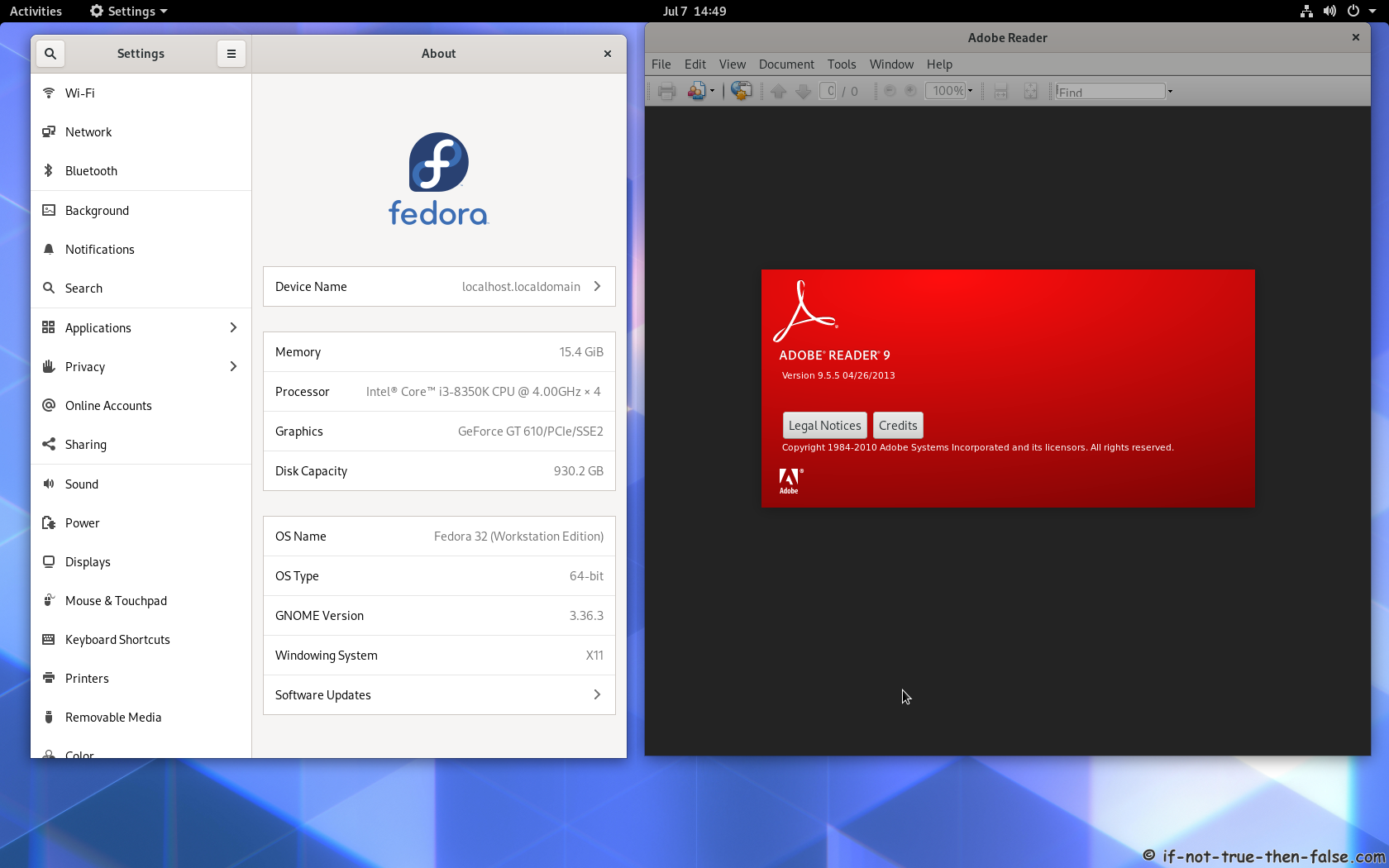
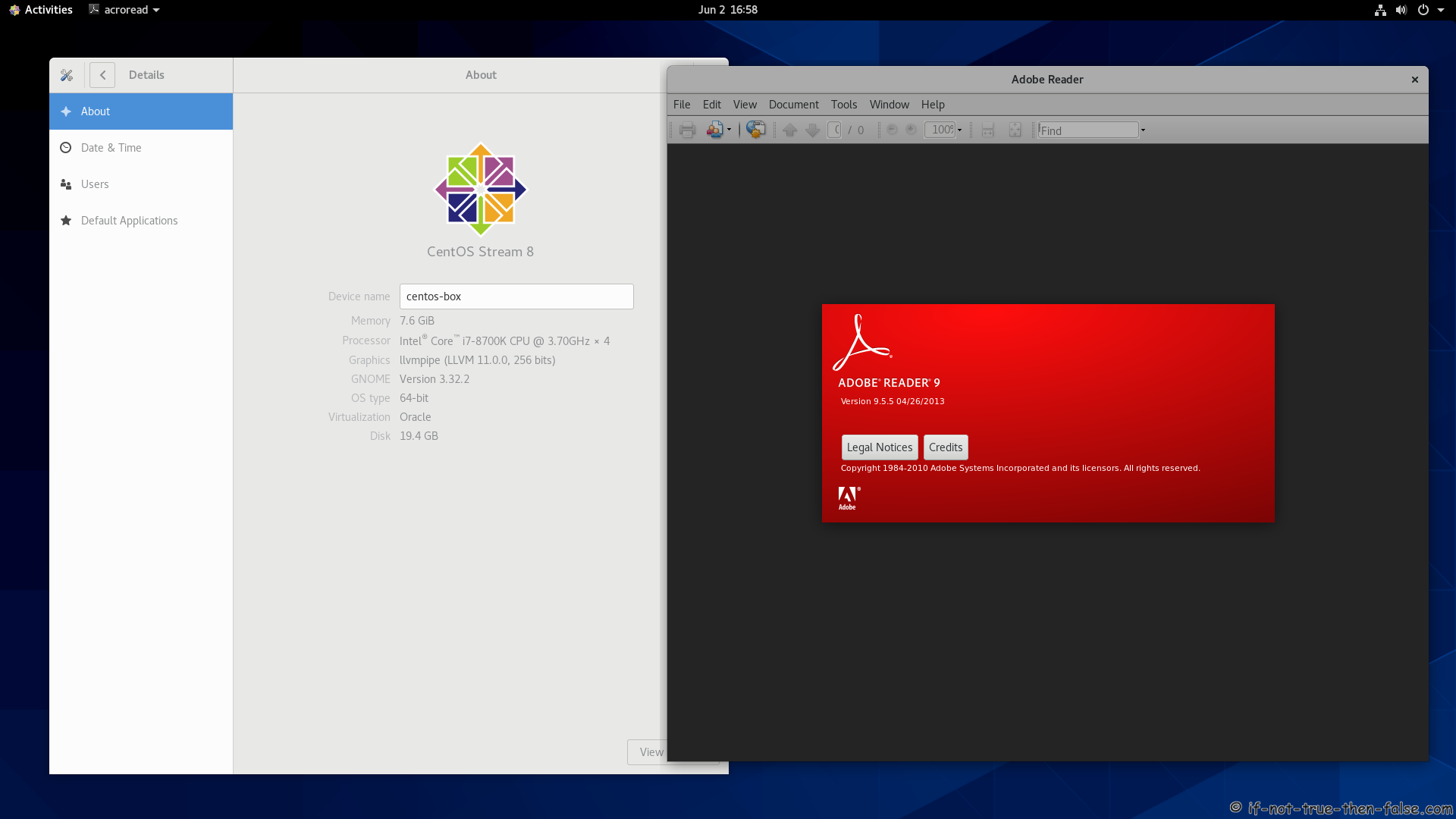
Adobe Acrobat PDF Reader 9.5.1 Running on Fedora 18 64-bit:

Adobe Acrobat PDF Reader 9.3.1 Running on CentOS 5.5:

5. Adobe Reader (Acrobat PDF Reader) Browser Plugin

Browser plugin is installed automatically.
Check plugin working, simply with writing about:plugins on Mozilla Firefox browser:

32-bit Adobe Reader browser plugin on Fedora 18 64-bit Firefox 17:

32-bit Adobe Reader browser plugin on Fedora 14 32-bit:

Follow If Not True Then False Updates!

90 Comments

  1. Thank you for the easy to follow instructions, I am using Centos 4.8 , I am a bit confused as to why are exactly these first two commands doing:

    rpm -ivh http://linuxdownload.adobe.com/adobe-release/adobe-release-i386-1.0-1.noarch.rpm
    rpm –import /etc/pki/rpm-gpg/RPM-GPG-KEY-adobe-linux

    As with other YUM packages, I only do the yum install *any package* and that’s all, Thank you.

    • Since Acrobat is closed source software, it’s not included in the default yum repositories. Those two commands install an adobe repository in yum and add Adobe’s RPM GPG key. (So you don’t get a bunch of unsigned packages).

  2. Great write-up, JR! Your work is high quality and much appreciated!

  3. hey…

    got a fresh fedora 13, running 64 bit, with firefox 3.6.10.

    followed your steps to get the adobe acrobat plugin to install. doesn’t work.

    i’m not getting anything in the “about:plugins” for the reader.

    steps:
    rpm -ivh http://linuxdownload.adobe.com/adobe-release/adobe-release-i386-1.0-1.noarch.rpm
    rpm –import /etc/pki/rpm-gpg/RPM-GPG-KEY-adobe-linux
    sudo yum install AdobeReader_enu

    the app appears to be installed in the /opt
    /opt/Adobe/Reader9/Browser/intellinux/nppdf.so

    i created sym links to the usr/lib, /root/.mozilla dirs..
    ln -s ./opt/Adobe/Reader9/Browser/intellinux/nppdf.so /usr/lib/mozilla/plugins
    ln -s ./opt/Adobe/Reader9/Browser/intellinux/nppdf.so /root/.mozilla/plugins

    thoughts/comments..

    thanks

    • Hi Tom,

      I just tested this guide on Fedora 14 and it worked nicely. I have nppdf.so installed on /usr/lib/mozilla/plugins.

      But this is really good info, if somebody else have some problems, with Acrobat Mozilla/browser plugin. Thanks Tom. Btw. I think that /root/.mozilla/plugins is not necessary, because Mozilla (or any other browsers) should not be run as root user.

  4. Excellent write up. Bravo!!!!

    I’m new to Linux and the support and coaching provided by the Linux community is simply awesome.

    So Long Windows!!!

    • Hi Roman,

      Thanks for the compliments!

      Nice to hear that you have switched to Linux. Yes I agree the Linux community is really awesome. :)

  5. Thank for this tutorial.

  6. Hi, I’ve just installed the newly available fedora 14 and yum install of AdobeReader fails with a multitude of dependency errors. It seems to me that the install package expects libs that are older versions of those distributed with F14. I don’t understand how you can install AdobeReader smoothly on F14. Could it be due to differenses between F14 Beta and vanilla F14?

    Erik.

    • Hi Erik,

      I just tested Adobe Reader English (enu) 9.4 installation on vanilla Fedora 14 and Fedora 14 beta and the installation went quite smoothly.

      Are you using Fedora 14 64-bit (x86_64) version? Could you post error messages?

  7. When I installed this, I got an SE Linux error while trying to run the program.

    SELinux is preventing /opt/Adobe/Reader9/Reader/Intellinux/bin/acroread from making the program stack executable.

    Also when I ran it from the console I got this:

    “/opt/Adobe/Reader9/Reader/Intellinux/bin/acroread: error while loading shared libraries: libcrypto.so.0.9.8: cannot enable executable stack as shared object requires: Permission denied”

    • Hi Major,

      Simply try following command:

      chcon -t execmem_exec_t '/opt/Adobe/Reader9/Reader/intellinux/bin/acroread'
       
      ## OR if intellinux starts with caps I then following ##
      chcon -t execmem_exec_t '/opt/Adobe/Reader9/Reader/Intellinux/bin/acroread'
      • Thank you very much for the quick response, and I see you’ve now added it to the article.

        It seems that I need to do this whenever I boot though.

        Once I restarted, opening a PDF from chrome was not a problem, but if I tried to open it from the downloaded file manually, it would still pop up with the AVC denial error.

        It’s not a big deal, and likely a quirk of dealing with linux.

        • Hi again Major and sorry for the delay, but somehow I have not noticed your new comment. Sorry.

          Could you post full AVC denial error?

  8. Hi JR,
    your suggestions work completely, but I have a question. The detailed description reported by SELinux says:
    “The acroread application attempted to make its stack executable. This is a
    potential security problem. This should never ever be necessary. Stack memory is
    not executable on most OSes these days and this will not change. Executable
    stack memory is one of the biggest security problems. An execstack error might
    in fact be most likely raised by malicious code. Applications are sometimes
    coded incorrectly and request this permission.”
    So what precisely your workaround will cause? And if it is disabling that security check on adobe reader, can this be exploited somehow to execute malicious code?
    Thanks!

    • Hi C.I.I.,

      You are quite right that it could literally cause the problems that SELinux report says. So every user who wants to install Adobe Reader, have to take that risk. The same problem is with every program and every distro (with SELinux or without SELinux). Example normal Ubuntu user installs Adobe Reader and not get any information about this problem.

      Btw. many users disable SELinux completely on desktop use.

      The best way to protect yourself against this type of threats is to use the root user/account with caution and always run graphical programs as a normal user.

  9. Adobe Reader on Fedora 14

    to JR

    Thank you very much for your solution – Acroread works perfect !

    D.Girard

  10. AdobeReader_enu.i486 0:9.4.1-1 appears to change the directory structure:

    # ls -l /opt/Adobe/Reader9/
    total 16
    drwxr-xr-x. 2 root root 4096 Dec 15 08:59 bin
    drwxr-xr-x. 4 root root 4096 Dec 15 08:59 Browser
    drwxr-xr-x. 10 root root 4096 Dec 15 08:59 Reader
    drwxr-xr-x. 9 root root 4096 Dec 15 08:59 Resource

    and despite having SELinux enabled, acroread appears to run without needing the chcon -t execmem_exec_t command.

    If you run from the command line, you may see warnings:

    (acroread:7030): Gtk-WARNING **: Unable to locate theme engine in module_path: “clearlooks”,
    Gtk-Message: Failed to load module “pk-gtk-module”: libpk-gtk-module.so: cannot open shared object file: No such file or directory
    Gtk-Message: Failed to load module “canberra-gtk-module”: libcanberra-gtk-module.so: cannot open shared object file: No such file or directory

    The following command:

    yum install PackageKit-gtk-module.i686 libcanberra-gtk2.i686 gtk-engines.i686

    clears them up (I’m on a 64-bit system, hence forcing the architecture). YMMV.

    • Just a small update: On RHEL 6.3/CentOs 6.3 yum install gtk-engines.i686 fails to find the package. A fix to this is
      yum install gtk2-engines.i686

  11. Thanks!

    Your directions worked perfectly for me in installing AdobeReader_enu.

    -Yang

  12. How can be changed file type icon automatically after saving the file in Fedora 14.

    • Hi Jafery,

      Could you explain a bit more detail, why you want to change the icon after you save?
      Or do you want set some icon to all same type files?

  13. don’t do the selinux chcon.
    This allows stacks to be executed.
    It is better to do this

    execstack -c /opt/Adobe/Reader9/Reader/intellinux/lib/libcrypto.so.0.9.8

    Why should the reader have to do those wierdo things?
    The above gets the adobe working fine without changing the security modules.

  14. This doesn’t seem to work on 64 bit fedora. The plugin isn’t automatically installed even though i do see nppdf.so in /usr/lib/mozilla/plugins

    • Hi Danny,

      Yes, this is working on 64 bit Fedora.

      Try to install nspluginwrapper.i686 package:

      yum install nspluginwrapper.i686

      Do you get it working or do you get some SELinux error?

  15. Trying to install on FC14 – x86_64 system with all updates done. I entered
    yum install AdobeReader_enu

    and got this error
    Transaction Check Error:
    package avahi-libs-0.6.27-6.fc14.x86_64 (which is newer than avahi-libs-0.6.27-2.fc14.i686) is already installed

    Error Summary
    ————-

    How do I fix this?
    Please be specific. I know enough about Fedora to be dangerous.

    Thanks,
    Vince

    • I was able to remove the offending package without deleting all of the others:

      rpm -e –nodeps avahi.libs

      • Hi Vince,

        And thank you for that you shared with us your problem and its solution … :)

  16. So far, I have found all the if-not-true-then-false guides to be comprehensive and really useful. However, installing Adobe Acrobat following the above method on Centos 5.6 32bit (machine was installed as Centos 5.4 and upgraded from 5.4 to 5.5 and recently to 5.6) causes this error when I try to run it with the acroread command (double clicking on the icon does nothing except access the hard disk briefly).


    /opt/Adobe/Reader9/Reader/intellinux/bin/acroread: error while loading shared libraries: libstdc++.so.6: cannot open shared object file: No such file or directory

    I searched for this and managed to acquire a copy of libstdc++.so.6.0.0 and libstdc++.so.6.0.3 both of which I copied to the /usr/lib directory and created a symbollic link called libstdc++.so.6 pointing to libstdc++.so.6.0.3 and now receive the following error


    /opt/Adobe/Reader9/Reader/intellinux/bin/acroread: /usr/lib/libstdc++.so.6: version `GLIBCXX_3.4.5' not found (required by /opt/Adobe/Reader9/Reader/intellinux/bin/acroread)
    /opt/Adobe/Reader9/Reader/intellinux/bin/acroread: /usr/lib/libstdc++.so.6: version `CXXABI_1.3.1' not found (required by /opt/Adobe/Reader9/Reader/intellinux/bin/acroread)
    /opt/Adobe/Reader9/Reader/intellinux/bin/acroread: /usr/lib/libstdc++.so.6: version `CXXABI_1.3.1' not found (required by /opt/Adobe/Reader9/Reader/intellinux/lib/libAGM.so)
    /opt/Adobe/Reader9/Reader/intellinux/bin/acroread: /usr/lib/libstdc++.so.6: version `CXXABI_1.3.1' not found (required by /opt/Adobe/Reader9/Reader/intellinux/lib/libCoolType.so)

    Any suggestions would be very welcome.

  17. hello sir,

    i have following problem doing on RHEL 5.1
    yum install AdobeReader with
    baseurl = http://linuxdownload.adobe.com/adobe-release/adobe-release-i386-1.0-1.noarch.rpm

    please reply with solution

    Total download size: 47 M
    Is this ok [y/N]: y
    Downloading Packages:
    http://linuxdownload.adobe.com/adobe-release/AdobeReader_enu-8.1.3-1.i486.rpm: [Errno 14] HTTP Error 404: Not Found
    Trying other mirror.

    Error Downloading Packages:
    AdobeReader_enu-8.1.3-1.i486: failure: AdobeReader_enu-8.1.3-1.i486.rpm from ADOBE: [Errno 256] No more mirrors to try.

  18. at last it work efficiently
    thank you.

    • Hi dkn,

      Nice to hear that you get it working! :)

  19. Thanks

  20. Hi,

    I installed acroread on 64bit Fedora 15 according to your guide. I got this error:

    (acroread:10175): Gtk-WARNING **: Unable to locate theme engine in module_path: “clearlooks”,

    Any solution?
    Thanks.

    • Hi Manoj,

      Try to install following packages:

      yum install gtk2-engines.i686 gtk2-engines.x86_64
      • Thanks, running on Centos 6.x 64-bit system and this step cleared up the errors for me, too.

  21. Well Done!
    Thanks :)

  22. Hi, I’m having problems installing acroread on RHEL6.

    “yum install AdobeReader_enu” gives (eventually)

    Error: Package: 1:dbus-libs-1.2.16-10.el6.i686 (rhel-beta)
    Requires: dbus = 1:1.2.16-10.el6
    Installed: 1:dbus-1.2.24-3.el6.x86_64 (@anaconda-RedHatEnterpriseLinux-201009221801.x86_64/6.0)
    dbus = 1:1.2.24-3.el6
    Available: 1:dbus-1.2.16-10.el6.x86_64 (rhel-beta)
    dbus = 1:1.2.16-10.el6

    I don’t know how to satisfy the requirement “Requires: dbus = 1:1.2.16-10.el6″ or whether it is safe to do so on my system *x86_64).

    Any help would be great,
    kerzane.

    • Hi kerzane,

      I tested today install Adobe Reader on CentOS 6 x86_64 (which is same system than RHEL 6) and this guide is working normally for me with dbus-1.2.24-3.

      Could you post following command output here:

      rpm -qa dbus*
  23. great!!!

  24. I am completely lost!

    I have followed the instructions, but get a bug nobody else received!

    Linux-mybg (0:32) ~ > acroread
    /usr/bin/acroread: line 22: /opt/Adobe/Reader9/Reader/intellinux/bin/acroread: cannot execute binary file
    /usr/bin/acroread: line 22: /opt/Adobe/Reader9/Reader/intellinux/bin/acroread: Success
    Linux-mybg (0:32) ~ >

    Any ideas?
    Thanks in advance

    • Hi Michael,

      Could you tell a more detailed what operating system and architecture you use?

      Do you get any SELinux errors?

      • Fedora 16, 64 bit (intel processor). SELinux is disabled.

        • Thanks!

          Could you then post output of following command:

          rpm -qa |grep -e i386 -e i486 -e i586 -e i686 -e pluginw |sort
          • Here we go … thanks!

            AdobeReader_enu-9.4.6-1.i486
            adobe-release-i386-1.0-1.noarch
            atk-2.2.0-2.fc16.i686
            audit-libs-2.1.3-4.fc16.i686
            avahi-libs-0.6.30-4.fc16.i686
            cairo-1.10.2-4.fc16.i686
            cups-libs-1.5.0-22.fc16.i686
            cyrus-sasl-lib-2.1.23-27.fc16.i686
            dbus-glib-0.92-2.fc15.i686
            dbus-libs-1.4.10-3.fc16.i686
            expat-2.0.1-11.fc15.i686
            fontconfig-2.8.0-4.fc16.i686
            freetype-2.4.6-4.fc16.i686
            gamin-0.1.10-10.fc16.i686
            gcc-plugin-devel-4.6.2-1.fc16.i686
            gdk-pixbuf2-2.24.1-1.fc16.i686
            glib2-2.30.1-1.fc16.i686
            glibc-2.14.90-24.fc16.4.i686
            glibc-devel-2.14.90-24.fc16.4.i686
            gnutls-2.12.7-2.fc16.i686
            gtk2-2.24.8-3.fc16.i686
            gtk2-engines-2.20.2-2.fc15.i686
            jasper-libs-1.900.1-18.fc16.i686
            keyutils-libs-1.5.2-1.fc16.i686
            krb5-libs-1.9.2-4.fc16.i686
            libcom_err-1.41.14-2.fc15.i686
            libcurl-7.21.7-5.fc16.i686
            libdb-5.2.36-1.fc16.i686
            libdrm-2.4.27-2.fc16.i686
            libffi-3.0.10-1.fc16.i686
            libgcc-4.6.2-1.fc16.i686
            libgcrypt-1.5.0-2.fc16.i686
            libgpg-error-1.10-1.fc16.i686
            libICE-1.0.7-1.fc16.i686
            libidn-1.22-3.fc16.i686
            libjpeg-turbo-1.1.1-3.fc16.i686
            libpciaccess-0.12.1-1.fc15.i686
            libpng-1.2.46-1.fc16.i686
            libselinux-2.1.6-5.fc16.i686
            libSM-1.2.0-2.fc15.i686
            libssh2-1.2.7-1.fc15.i686
            libstdc++-4.6.2-1.fc16.i686
            libtasn1-2.7-2.fc15.i686
            libthai-0.1.14-4.fc15.i686
            libtiff-3.9.5-1.fc16.i686
            libuuid-2.20.1-2.1.fc16.i686
            libX11-1.4.3-1.fc16.i686
            libXau-1.0.6-2.fc15.i686
            libxcb-1.7-3.fc16.i686
            libXcomposite-0.4.3-2.fc15.i686
            libXcursor-1.1.11-3.fc15.i686
            libXdamage-1.1.3-2.fc15.i686
            libXext-1.3.0-1.fc16.i686
            libXfixes-5.0-1.fc16.i686
            libXft-2.2.0-2.fc15.i686
            libXi-1.4.5-1.fc16.i686
            libXinerama-1.1.1-2.fc15.i686
            libxml2-2.7.8-6.fc16.i686
            libXrandr-1.3.1-2.fc15.i686
            libXrender-0.9.6-2.fc15.i686
            libXt-1.1.1-1.fc16.i686
            libXxf86vm-1.1.1-2.fc15.i686
            llvm-libs-2.9-4.fc16.i686
            mesa-dri-drivers-7.11.2-1.fc16.i686
            mesa-dri-filesystem-7.11.2-1.fc16.i686
            mesa-libGL-7.11.2-1.fc16.i686
            mesa-libGLU-7.11.2-1.fc16.i686
            ncurses-libs-5.9-2.20110716.fc16.i686
            nspluginwrapper-1.4.4-3.fc16.i686
            nspr-4.8.9-2.fc16.i686
            nss-3.13.1-10.fc16.i686
            nss-softokn-3.13.1-15.fc16.i686
            nss-softokn-freebl-3.13.1-15.fc16.i686
            nss-util-3.13.1-3.fc16.i686
            openldap-2.4.26-5.fc16.i686
            openssl-1.0.0f-1.fc16.i686
            oxygen-gtk-1.1.6-1.fc16.i686
            pango-1.29.4-1.fc16.i686
            pixman-0.22.2-1.fc16.i686
            readline-6.2-2.fc16.i686
            sqlite-3.7.7.1-1.fc16.i686
            zlib-1.2.5-5.fc16.i686

            • I tried this guide on multiple Fedora 16 x86_64 installations and I can’t get this style errors.

              Actually you have even more 32-bit packages installed than what this guide installs on my F16 64-bit systems, but it is somehow hard to believe that it would be a problem.

              Do you use NVIDIA / ATI proprietary drivers and do you have Gnome installed?

              • Yes, I do have the nvidia proprietary drivers and Gnome installed. I had no problems on my old 32 bit Fedora 14 system. This 64 bit installation was installed fresh on a clean hard disk though.

                • I had another look and the line in the script where the error occurs is just an ‘exec’. So I tried executing the file directly, and I got:

                  ./acroread: Exec format error. Wrong Architecture.

                  I guess that must have something to do with the 32/64 bit issues.

                  • Hi Michael,

                    Try following…backup /usr/bin/acroread file and then open it with text editor as root and modify launch binary to following:

                    LaunchBinary()
                    {
                    #    We are not LSB compliant yet, so let's not use ld-lsb.so.3 as loader.
                    #    if [ "`uname -s`" = "Linux" ] && [ ! -x /lib/ld-lsb.so.3 ]; then
                    #        exec /lib/ld-linux.so.2 ${1+"$@"}
                    #    else
                            env
                            echo ${1+"$@"}
                            #exec ${1+"$@"}
                    #    fi
                    }

                    Save it and try to run it. Then please post output example to pastebin…you can of course remove your personal information… :)

                    • XDG_VTNR=1
                      XDG_SESSION_ID=2
                      HOSTNAME=linux.bgnet
                      IMSETTINGS_INTEGRATE_DESKTOP=yes
                      GPG_AGENT_INFO=/tmp/keyring-pqr0Qj/gpg:0:1
                      HARDWARE_PLATFORM=x86_64
                      TERM=xterm
                      SHELL=/bin/tcsh
                      HOST=linux.bgnet
                      XDG_SESSION_COOKIE=edf1ed99dda51ef2f0e240690000000d-1326814176.197551-413696203
                      ACRO_ARG0=/usr/bin/acroread
                      IMAKEINCLUDE=-I/usr/lib/X11/config
                      WINDOWID=27263029
                      GNOME_KEYRING_CONTROL=/tmp/keyring-pqr0Qj
                      QTDIR=/usr/lib64/qt-3.3
                      QTINC=/usr/lib64/qt-3.3/include
                      MOZILLA_FIVE_HOME=
                      ACRO_LANG=ENU
                      IMSETTINGS_MODULE=none
                      USER=root
                      GROUP=root
                      LD_LIBRARY_PATH=/opt/Adobe/Reader9/Reader/intellinux/lib:/opt/Adobe/Reader9/Reader/intellinux/sidecars::/usr/lib:/usr/local/lib:/usr/lib/Real
                      SSH_AUTH_SOCK=/tmp/keyring-pqr0Qj/ssh
                      HOSTTYPE=x86_64-linux
                      USERNAME=mybg
                      SESSION_MANAGER=local/unix:@/tmp/.ICE-unix/4496,unix/unix:/tmp/.ICE-unix/4496
                      ACRO_RES_DIR=/opt/Adobe/Reader9/Reader/../Resource
                      PATH=/usr/local/sbin:/usr/sbin:/sbin:/usr/local/bin:/bin:/usr/bin:/usr/X11R6/bin:/opt/bin:/usr/nbk:/opt/Adobe/Reader9/Reader/intellinux/bin
                      MAIL=/var/spool/mail/root
                      DESKTOP_SESSION=gnome
                      QT_IM_MODULE=xim
                      PWD=/opt/Adobe/Reader9/bin
                      only_col_pr=no
                      XMODIFIERS=@im=none
                      EDITOR=emacs
                      GNOME_KEYRING_PID=4341
                      LANG=en_US.UTF-8
                      KDE_IS_PRELINKED=1
                      ADOBE_HELP_PATH=/opt/Adobe/Reader9/Reader/../../..
                      ACRO_INSTALL_DIR=/opt/Adobe/Reader9/Reader
                      GDM_LANG=en_US.UTF-8
                      KDEDIRS=/usr
                      WPBROWSER=netscape
                      GDMSESSION=gnome
                      SYNCAPP_EXEC_CMD=/opt/Adobe/Reader9/Reader/intellinux/bin/SynchronizerApp
                      ACRO_AT_ACTIVE=
                      MAILRC=/root/.mailrc
                      XDG_SEAT=seat0
                      HOME=/root
                      SHLVL=4
                      ACRO_CONFIG=intellinux
                      OSTYPE=linux
                      GNOME_DESKTOP_SESSION_ID=this-is-deprecated
                      VENDOR=unknown
                      MACHTYPE=x86_64
                      LOGNAME=root
                      VISUAL=emacs
                      QTLIB=/usr/lib64/qt-3.3/lib
                      DBUS_SESSION_BUS_ADDRESS=unix:abstract=/tmp/dbus-GQStXRzosQ,guid=e2dd8f5c8e578f56abe304420000004a
                      ADOBE_USER_PREFERENCES=/root/.adobe/Acrobat/9.0/Preferences
                      LESSOPEN=||/usr/bin/lesspipe.sh %s
                      WINDOWPATH=1
                      ACRO_EXEC_CMD=/opt/Adobe/Reader9/Reader/intellinux/bin/acroread
                      XDG_RUNTIME_DIR=/run/user/mybg
                      DISPLAY=:0
                      ACRO_LD_LIBRARY_PATH=/usr/lib:/usr/local/lib:/usr/lib/Real
                      COLORTERM=gnome-terminal
                      XAUTHORITY=/root/.xauthEWjnvH
                      _=/bin/env
                      /opt/Adobe/Reader9/Reader/intellinux/bin/acroread
  25. @Michael

    Thanks, I found some differences compared to my own output, but one thing what I noticed…did you try to run acroread as root user?

    I noticed also that you use tcsh…have you tried to run acroread using BASH shell?

    What desktop you use, when you try to start acroread?

    • I happened to run it as a root user that time, but usually not. I get the same error anyway. Likewise, running from a bash shell makes no difference. I am using GNOME 3 desktop (Fedora 16). Thanks for taking so much trouble!

      • Oh, I see… :) This is really strange problem, because I run almost exactly same setups (Fedora 16 (x86_64) with nVidia graphics and Fedora 16 (x86_64) with Intel graphics, have tested this many times on virtual machines etc.) and Adobe’s Reader is working like a charm…

        Could you take a look at the following, if you found something suspicious after trying to launch Adobe Reader:
        /var/log/messages
        ~/.xsession-errors
        dmesg command output

        You are welcome, and reason why I run this site is that, I want share some knowledge with other Linux users, try to solve problems and give my support to the Linux users and community… ;)

        • None of those had anything in them related to the acroread command. Take a look at my comment above (just before your suggestion to get it to display the environment).

          It is simply not getting anywhere because of the 32/64 issues. The binary is never executed at all!

          • I do not quite fully understand, what you mean, that the binary is never executed at all?

            If I look:
            1. /usr/bin/acroread (link to /opt/Adobe/Reader9/bin/acroread) script
            2. Your original error message
            3. Line 22 from acroread script
            It seems to me that /usr/bin/acroread script is just executing (read try execute) /opt/Adobe/Reader9/Reader/intellinux/bin/acroread binary file with exec command, right?

            Let’s think of this matter a little differently, and we can make sure that the binary is executed when we do it manually. If I export following environment variables and run binary directly from command line, then Adobe Reader starts normally. So you could try following…

            Export Adobe Reader Environment Variables:
            Minimum requirements to get Adobe Reader starting directly using binary file on my Fedora 16 x86_64 system.

            export LD_LIBRARY_PATH=/opt/Adobe/Reader9/Reader/intellinux/lib:/opt/Adobe/Reader9/Reader/intellinux/sidecars:
            export ACRO_CONFIG=intellinux
            export ACRO_INSTALL_DIR=/opt/Adobe/Reader9/Reader

            Run Adobe Reader Binary Directly from Command Line:

            /opt/Adobe/Reader9/Reader/intellinux/bin/acroread

            What happens then?

            • PROBLEM SOLVED!

              My kernel had been built without support for 32 bit binaries (CONFIG_IA32_EMULATION). I built a new kernel and now it works fine. Thanks for the help!

              • Excellent to hear that you got it working!! :)

                It didn’t come to my mind that you are using custom kernel… :D

                You are welcome! :)

  26. Hi,JR. I just installed the adobe reader 9.4 follow you advice, but I cann’t start adobe reader either from desktop or terminal, to my surprisse, there is no error I can find. (in .xsession-errors, dmesg, /var/log/message). when I start adobe reader, I can see the program interface flahsing in front of my eyes, then disapear immediately. Any advices for me?

    • Hi steven,

      Could you post output of following commands:

      uname -a
       
      lsb_release -a

      So you do not get any output on terminal, when you try to start it?

      • Hi, JR. Surprisingly, I can not find any info from terminal at all. When I disable the selinux in /etc/sysconfig/selinux, the result do not change. Looking forword to your help!

        Here is system info:
        $uname -a
        Linux xxx.xxx.xxx 3.2.6-3.fc16.i686 #1 SMP Mon Feb 13 20:52:22 UTC 2012 i686 i686 i386 GNU/Linux
        $cat /etc/issue
        Fedora release 16 (Verne)
        Kernel \r on an \m (\l)

        • Did you reboot your computer after disabling SELinux?

          This sounds little bit tricky if you don’t have any errors on terminal, /var/log/messages, ~/.xsession-errors or dmesg output.

          You could try to run acroread binary directly, first do following exports:

          export LD_LIBRARY_PATH=/opt/Adobe/Reader9/Reader/intellinux/lib:/opt/Adobe/Reader9/Reader/intellinux/sidecars:
          export ACRO_CONFIG=intellinux
          export ACRO_INSTALL_DIR=/opt/Adobe/Reader9/Reader

          Then run Adobe Reader Binary Directly from Command Line:

          /opt/Adobe/Reader9/Reader/intellinux/bin/acroread

          What happens then? Do you get any errors?

          • Hi,JR. I followed your advice, disable the selinux, then reboot, however, no warinings, errrors can be found. Only thing I can see is the adobe startup interface flash then disappear immediately. Is anyone having the similary problem?

            There is some special case in firefox. when I open the url “http://www.wsdm-conference.org/2010/proceedings/docs/p351.pdf”. some notes are emited, still I can see the red interface flash in front of my eyes.

            “Could not launch Adobe Reader 9.4.6. Please make sure it exists in PATH variable in the environment. If the problem persists, please reinstall the application.”

            However, when I type about:plugins in firefox, the result shows:

            Adobe Reader 9.4
            File: nswrapper_32_32.nppdf.so
            Version:
            The Adobe Reader plugin is used to enable viewing of PDF and FDF files from within the browser.
            MIME Type Description Suffixes
            application/pdf Portable Document Format pdf
            application/vnd.fdf Acrobat Forms Data Format fdf

  27. I did the removing of jasper etc. packages trick and now getting just two errors:

    Error: Protected multilib versions: glibc-2.14.90-24.fc16.6.i686 != glibc-2.14.90-14.x86_64
    Error: Protected multilib versions: krb5-libs-1.9.2-6.fc16.i686 != krb5-libs-1.9.1-18.fc16.x86_64

    • Hi cubaser,

      Sorry, but I have some reason missed your question and forgot to answer it, but check this answer.

  28. I followed the instruction barely, but I got error as follow:


    ..
    ..
    --> Finished Dependency Resolution
    Error: Protected multilib versions: libssh2-1.2.2-7.el6_1.1.i686 != libssh2-1.2.2-7.el6_2.3.x86_64

    I wondered that the package wasn’t installed at all, for when I checked the /opt folder, there weren’t such files or folders for Acrobat Reader.

    Do you have clues, Guru?

    • Hi Pakpahan,

      Try following:

      yum clean all
       
      yum update

      And then try installation again?

  29. great work. all the methods that you have suggested so far for installing applications helps lots of people around the world (including me many times). But sometimes we need to uninstall unwanted applications/software (or the same application). so I would request you to mention or include in the end of each application how to install the same.

    Thank you.

  30. Doesn’t work for me, on 64-bit Scientific Linux 6.2 — I get

    Error: Protected multilib versions: libxml2-2.7.6-4.el6_2.4.i686 != libxml2-2.7.6-5.el6.rfx.x86_64

    and if I try to remove the 64-bit libxml2, I get a cascade of removals of dozens of packages up to and including yum itself, at which point I end up with

    Error: Trying to remove “yum”, which is protected

    (Thankfully, yum refuses to do this.)

    I don’t really see a way around this, other than to use 32-bit versions of almost everything, which seems to defeat the purpose of running a 64-bit OS.

    • Hi David,

      Please run following commands:

      yum clean all
       
      yum update

      And try again?

  31. Yeah, I saw that up-thread. Same result.

    • I just checked Scientific Linux 6.2 64-bit repo and found following matching packages:
      libxml2-2.7.6-4.el6.i686.rpm
      libxml2-2.7.6-4.el6.x86_64.rpm

      So could you post output of following commands:

      yum list libxml2.i686 libxml2.x86_64
       
      yum info libxml2.i686 libxml2.x86_64
  32. See below. You think maybe it has something to do with which repository yum got the RPM from?

    Yum list:


    [dmoles@pc73210d ~]$ yum list libxml2.i686 libxml2.x86_64
    Loaded plugins: protectbase, security
    2525 packages excluded due to repository protections
    Installed Packages
    libxml2.x86_64 2.7.6-5.el6.rfx @rpmforge-extras
    Available Packages
    libxml2.i686 2.7.6-4.el6_2.4 sl-security

    Yum info:

    [dmoles@pc73210d ~]$ yum info libxml2.i686 libxml2.x86_64
    Loaded plugins: protectbase, security
    2525 packages excluded due to repository protections
    Installed Packages
    Name        : libxml2
    Arch        : x86_64
    Version     : 2.7.6
    Release     : 5.el6.rfx
    Size        : 4.5 M
    Repo        : installed
    From repo   : rpmforge-extras
    Summary     : Library providing XML and HTML support
    URL         : http://xmlsoft.org/
    License     : MIT
    Description : This library allows to manipulate XML files. It includes support
                : to read, modify and write XML and HTML files. There is DTDs support
                : this includes parsing and validation even with complex DtDs, either
                : at parse time or later once the document has been modified. The output
                : can be a simple SAX stream or and in-memory DOM like representations.
                : In this case one can use the built-in XPath and XPointer implementation
                : to select subnodes or ranges. A flexible Input/Output mechanism is
                : available, with existing HTTP and FTP modules and combined to an
                : URI library.
    
    Available Packages
    Name        : libxml2
    Arch        : i686
    Version     : 2.7.6
    Release     : 4.el6_2.4
    Size        : 794 k
    Repo        : sl-security
    Summary     : Library providing XML and HTML support
    URL         : http://xmlsoft.org/
    License     : MIT
    Description : This library allows to manipulate XML files. It includes support
                : to read, modify and write XML and HTML files. There is DTDs support
                : this includes parsing and validation even with complex DtDs, either
                : at parse time or later once the document has been modified. The output
                : can be a simple SAX stream or and in-memory DOM like representations.
                : In this case one can use the built-in XPath and XPointer implementation
                : to select subnodes or ranges. A flexible Input/Output mechanism is
                : available, with existing HTTP and FTP modules and combined to an
                : URI library.
    
    • You have libxml2.x86_64 2.7.6-5.el6.rfx installed from @rpmforge-extras repo and you need same version of 32-bit libxml2 or you have to downgrade back to libxml2.x86_64 2.7.6-4.el6_2.4.

  33. Thanks! That worked (and I learned a whole lot about RPM version collisions in the process). To avoid breaking dependencies I had to use yum shell so I could remove / reinstall libxml2, libxml2-devel, and libxml2-python in a single transaction (couldn’t get yum downgrade to work), but after that, the Adobe RPM install went perfectly.

    • @David Moles
      Yup, I can’t just do it with:


      [root@wxyz ~]#yum remove libxml2.x86_64

      ...
      ...

      --> Finished Dependency Resolution
      Error: Trying to remove "yum", which is protected
      You could try using --skip-broken to work around the problem
      You could try running: rpm -Va --nofiles --nodigest

      [root@wxyz ~]#yum install libxml2.i686 --skip-broken
      Loaded plugins: fastestmirror, refresh-packagekit, security
      Repository google-chrome is listed more than once in the configuration
      Loading mirror speeds from cached hostfile
      * base: mirrors.hostemo.com
      * extras: mirrors.hostemo.com
      * rpmforge: mirror.oscc.org.my
      * updates: mirrors.hostemo.com
      Setting up Install Process
      Resolving Dependencies
      --> Running transaction check
      ---> Package libxml2.i686 0:2.7.6-4.el6_2.4 will be installed
      --> Processing Dependency: libz.so.1 for package: libxml2-2.7.6-4.el6_2.4.i686
      --> Running transaction check
      ---> Package zlib.i686 0:1.2.3-27.el6 will be installed
      --> Finished Dependency Resolution
      Error: Protected multilib versions: libxml2-2.7.6-4.el6_2.4.i686 != libxml2-2.7.6-4.el6.x86_64
      You could try running: rpm -Va --nofiles --nodigest

      This is kinda silly, but ….could you please show me how to cope with it, with humble syntax?

      regards,

      • After receiving the same error while loading shared libraries: libxml2.so.2 on my Scientific Linux 6.2 x86_64 system, I was able to resolve it with:


        # setarch i686 yum install libxml2.i686

  34. Hi,
    Thanks for your guide it is really useful.
    Just one note: had to install nspluginwrapper (without .i686 as stated in your manual) on Centos 5.8 64bit to make reader work in firefox.

  35. Hi. I am a newbie but I was able to successfully install reader on my Centos machine. But I am getting following error

    “Adobe Reader does not need to be run as a privileged user. Please remove ‘sudo’ from the beginning of the command.”

    any ideas?

    • Hi NSS,

      How did you tried to start it?

  36. It’s succinct and works, Kudus,

  37. JR,

    You are an EPIC MAN.

  38. Worked just fine on Fedora 17/64. But – who is to blame for Adobe lack of interest in providing a decent update to the now mainstream 64-bit environments for one of their mainstream products on mainstream Linux distros ? It’s a shame Adobe !

    • Hi David,

      Nice to hear that this guide worked for you!

      I totally agree with you. I can’t understand why it is so difficult to publish 64-bit Adobe Reader. GNOME Document Viewer (Evince) is excellent alternative, when just reads PDFs.

  39. Following your tutorial, I have installed adobe-release-i386-1.0-1.noarch.rpm on my 64bit RHEL 6.3 (I cannot find a adobe reader for x86_64 ). But I still get the error message:

    (acroread:6731): GLib-WARNING **: getpwuid_r(): failed due to unknown user id (100308)

    What could I do? Thanks. -Jian

    • Hi Jian,

      What authentication method you are using, when you log in? LDAP?

  40. 404 on linuxdownload.adobe.com? maybe the web master would like to fix it?

    % cat /etc/yum.repos.d/adobe-linux-x86_64.repo
    [adobe-linux-x86_64]
    name=Adobe Systems Incorporated
    baseurl=http://linuxdownload.adobe.com/linux/x86_64/
    enabled=1
    gpgcheck=1
    gpgkey=file:///etc/pki/rpm-gpg/RPM-GPG-KEY-adobe-linux

    % telnet linuxdownload.adobe.com
    GET /index.html HTTP/1.1
    Host: linuxdownload.adobe.com

    HTTP/1.1 404 Not Found
    Date: Tue, 29 Jan 2013 10:15:26 GMT
    Server: Apache
    Content-Length: 208
    Content-Type: text/html; charset=iso-8859-1

    404 Not Found

    Not Found
    The requested URL /index.html was not found on this server.

    Connection closed by foreign host.

    • Hi Adam,

      Yes, there is no index.html, if you try:

      $ curl -I linuxdownload.adobe.com/index.html
      HTTP/1.1 404 Not Found
      ...

      But when you try:

      $ curl -I linuxdownload.adobe.com
      HTTP/1.1 403 Forbidden
      ...

      So linuxdownload.adobe.com is normally up for me. Btw. if you want to install Adobe Reader on 64-bit system, then you will need Adobe 32-bit repo (check step 2.). 32-bit and 64-bit repos should work normally when you use YUM. Do you get it working?

      • Thanks for the tip yes that works. I glossed over the instruction to use i386.

        The reason I got confused and got as far as started to doubt the repo is there was something non determistic about the way yum whatprovides was behaving when double checking to look for acroread (sometimes it would list adobe-linux-x86_64 and sometimes not). And that persisted even after I dropped the yum db and rebuilt it. (yum clean all; rm -rf /varlib/rpm/__db*; rpm –rebuilddb; yum update).

        Cant seem to repeat it now as cant shake the whatprovides cache wiping the adobe-i386 cache doesnt seem to do it.

        Anyway working as far as adobe goes thanks!

  41. Followed the instructions to the tee but when I try to launch acroread I get the following error:

    /opt/Adobe/Reader9/Reader/intellinux/bin/acroread: error while loading shared libraries: libGL.so.1: cannot open shared object file: No such file or directory

    Any ideas?

    Thanks in advance!

  42. Thanks for help. I had been using evince but acrobat reader on Fedora is simply great.

Leave a Comment

Your email address will not be published. Required fields are marked *

You may use these HTML tags and attributes: <a href="" title=""> <abbr title=""> <acronym title=""> <b> <blockquote cite=""> <cite> <code> <del datetime=""> <em> <i> <q cite=""> <strike> <strong>

Trackbacks/Pingbacks

  1. News Alert » Blog Archive » Install Adobe (Acrobat PDF) Reader on Fedora, CentOS, Red Hat … - [...] original here: Install Adobe (Acrobat PDF) Reader on Fedora, CentOS, Red Hat … Tags: current-version, fedora, guide-shows, pdf, reader, ...
  2. Install Adobe (Acrobat PDF) Reader on Fedora, CentOS, Red Hat … | Just linux! - [...] Read more: Install Adobe (Acrobat PDF) Reader on Fedora, CentOS, Red Hat … [...]
  3. Easy PDF Creator - [...] Install Adobe (Acrobat PDF) Reader on Fedora, CentOS, Red Hat (RHEL) | if n... [...]
  4. Let's Make Some Money » Blog Archive » Do You Know Which Site Ranks Highest for the Term “click Here”? - [...] Install Adobe (Acrobat PDF) Reader on Fedora, CentOS, Red Hat (RHEL) | if not true then false [...]
  5. Acer Aspire AS5735-6694 15.6-Inch Laptop | laptop computers blog - [...] Install Adobe (Acrobat PDF) Reader on Fedora, CentOS, Red Hat … [...]
  6. Ebook Marketing: Why You Should Writing an Ebook? | laptop computers blog - [...] Install Adobe (Acrobat PDF) Reader on Fedora, CentOS, Red Hat … [...]
  7. Red Hat 6 Installation Guide – RHEL 6 Install Screenshots - [...] Sun/Oracle Java (JDK, JRE) 6 on Red Hat (RHEL) 6Install Adobe AIR 1.5 and 2 on Red Hat (RHEL) ...
  8. dbus dependency error - install nspluginwrapper.i686 to install AdobeReader_enu - [...] yum. rhel6workstation, x86_64 Trying to install acroread (which is tricky on x86_64) Following http://www.if-not-true-then-false.co...-red-hat-rhel/ Install ...