Adobe Flash Player 32 on Fedora 32/31, CentOS/RHEL 8.0/7.7
Table of Contents
This is guide, howto install Adobe Flash Player Plugin version 32 (32-bit and 64-bit) with YUM/DNF on Fedora 32/31/30/29, CentOS 8.0/7.7/6.10 and Red Hat (RHEL) 8.0/7.7/6.10. Currently only Firefox is supported and you need firefox-x11 launcher or fallback to x11. Wayland and Google Chrome/Chromium is not supported anymore.
Install Adobe Flash Player Plugin 32 Fedora 32/31/30/29, CentOS 8.0/7.7/6.10 and Red Hat (RHEL) 8.0/7.7/6.10⌗
1. Change Root User⌗
sudo -i
## OR ##
su -
2. Install Adobe YUM Repository RPM package⌗
## Adobe Repository 32-bit x86 ##
rpm -ivh http://linuxdownload.adobe.com/adobe-release/adobe-release-i386-1.0-1.noarch.rpm
rpm --import /etc/pki/rpm-gpg/RPM-GPG-KEY-adobe-linux

## Adobe Repository 64-bit x86_64 ##
rpm -ivh http://linuxdownload.adobe.com/adobe-release/adobe-release-x86_64-1.0-1.noarch.rpm
rpm --import /etc/pki/rpm-gpg/RPM-GPG-KEY-adobe-linux
3. Install Adobe Flash Player 32 on Fedora 32/31/30/29, CentOS 8.0/7.7/6.10 and Red Hat (RHEL) 8.0/7.7/6.10⌗
# Fedora 32/31/30/29 #
dnf install flash-plugin flash-player-ppapi alsa-plugins-pulseaudio libcurl

# CentOS/RHEL 8.0 #
dnf install flash-plugin flash-player-ppapi alsa-plugins-pulseaudio libcurl

# CentOS/RHEL 7.7 #
yum install flash-plugin flash-player-ppapi alsa-plugins-pulseaudio libcurl

# CentOS/RHEL 6.10 #
yum install flash-plugin flash-player-ppapi nspluginwrapper alsa-plugins-pulseaudio libcurl
4. Fedora 31 Users Install firefox-x11 launcher or Disable Wayland⌗
4.1 Install and use firefox-x11 launcher⌗
You can install firefox-x11 launcher on Fedora using following command:
dnf install firefox-x11
Start firefox using firefox-x11 command:
firefox-x11
4.2 Disable Wayland and Fallback Xorg⌗
If you can’t use firefox-x11, then you can disable Wayland modifying /etc/gdm/custom.conf, uncomment WaylandEnable=false line:
# GDM configuration storage

[daemon]
# Uncomment the line below to force the login screen to use Xorg
WaylandEnable=false

[security]
And reboot:
reboot
5. Verify that the Flash Player Plugin is working⌗
Restart your browser and open following page for testing Adobe Flash Plugin:
Check is Adobe Flash Plugin Working
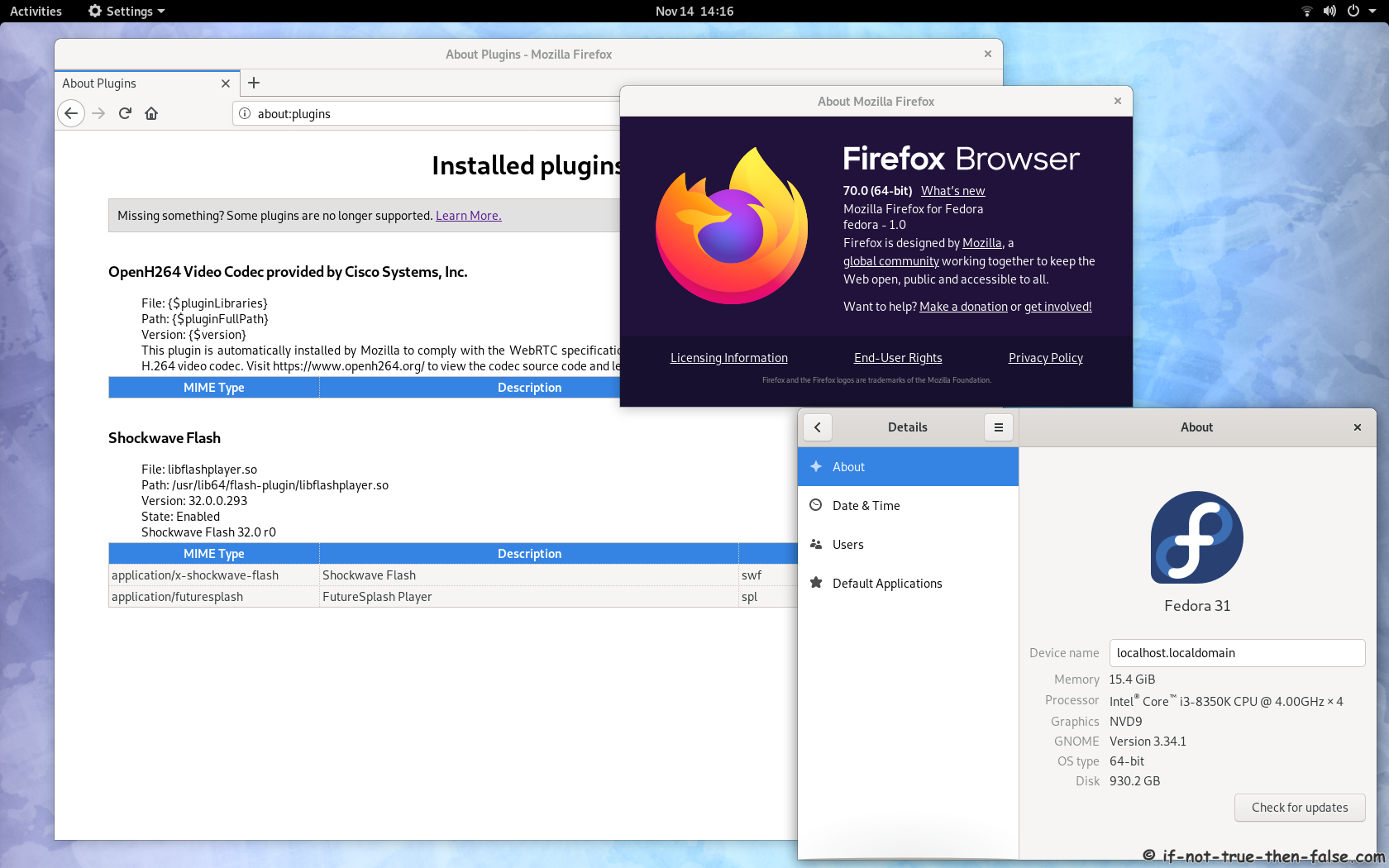
Open Mozilla Firefox and write about:plugins on address bar. Results should look like following:
Adobe Flash Player 32 (Firefox 70) on Fedora 31⌗