Fedora 16 “Verne” Install Guide with Screenshots
This is guide with screenshots, howto install Fedora 16 “Verne” (F16) using Live CD or Live USB. Fedora 16 “Verne” Installation can be done also with using Fedora NetInstall (Net Install) with gPXE and BFO (boot.fedoraproject.org).
1. Before Fedora 16 “Verne” Installation
1.1 Download Fedora 16 LiveCD Image
Select your favorite Live CD (Gnome, KDE, LXDE, XFCE) and architecture i686 or x86_64. On this guide I use Fedora 16 Gnome Live CD and 64-bit version.
1.2 Burn Fedora 16 Image to CD or Create Live USB and Boot Computer Using Fedora 16 Installation Media
Remember to check Fedora 16 image MD5 sum and then burn image to CD with your favorite CD burner or create LiveUSB example with liveusb-creator. And boot computer using Fedora 16 Installation Media.
2. Fedora 16 “Verne” Installation
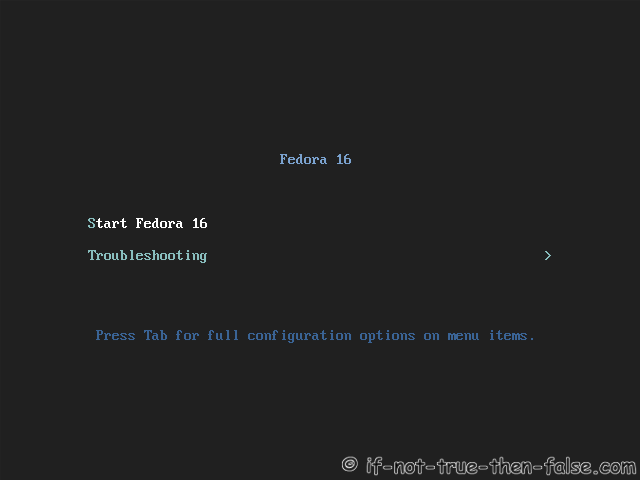
2.1 Fedora 16 Boot Option Menu
2.2 Fedora 16 “Verne” Live Media Booting
2.3 Start Fedora 16 Installation Click Install to Hard Drive
You find this from Gnome Menu or on Gnome Shell Activities and start typing install…
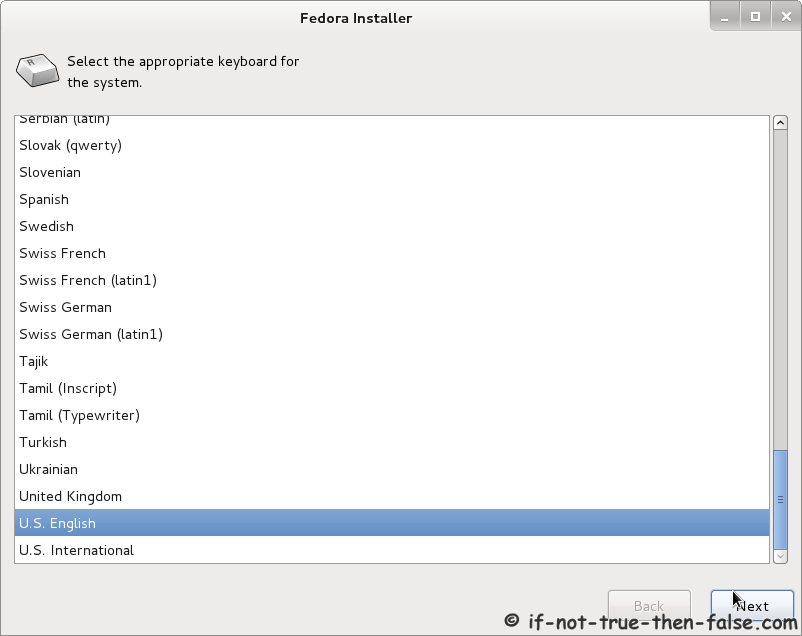
2.4 Select Keyboard Layout
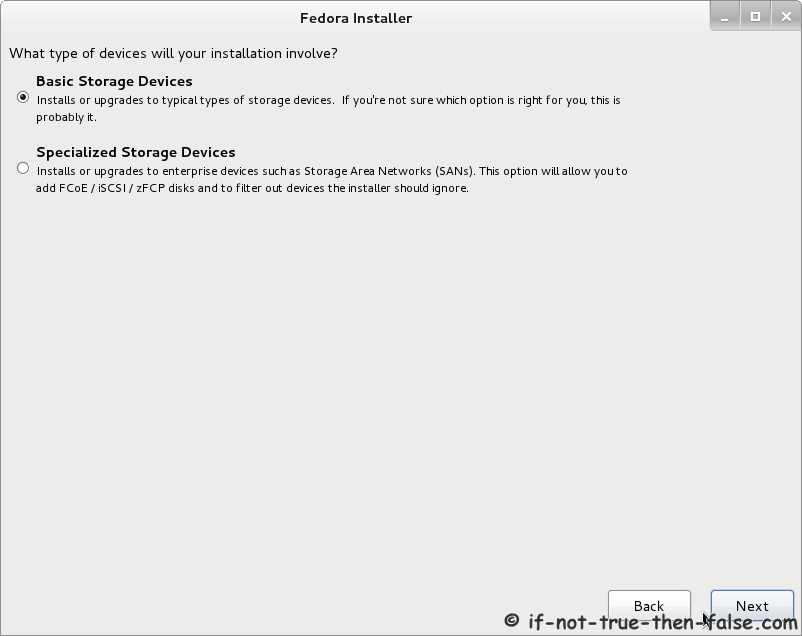
2.5 Select Storage Device
2.6 Set Hostname
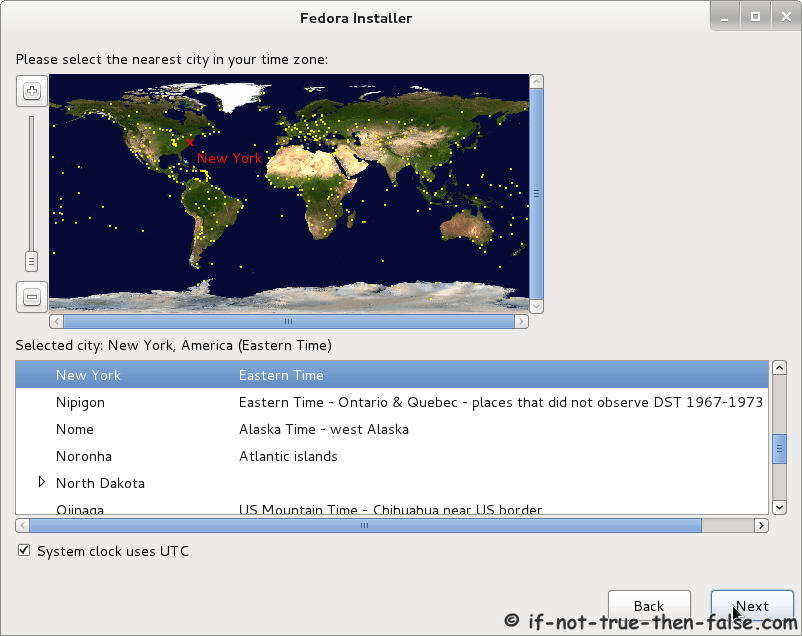
2.7 Select Timezone
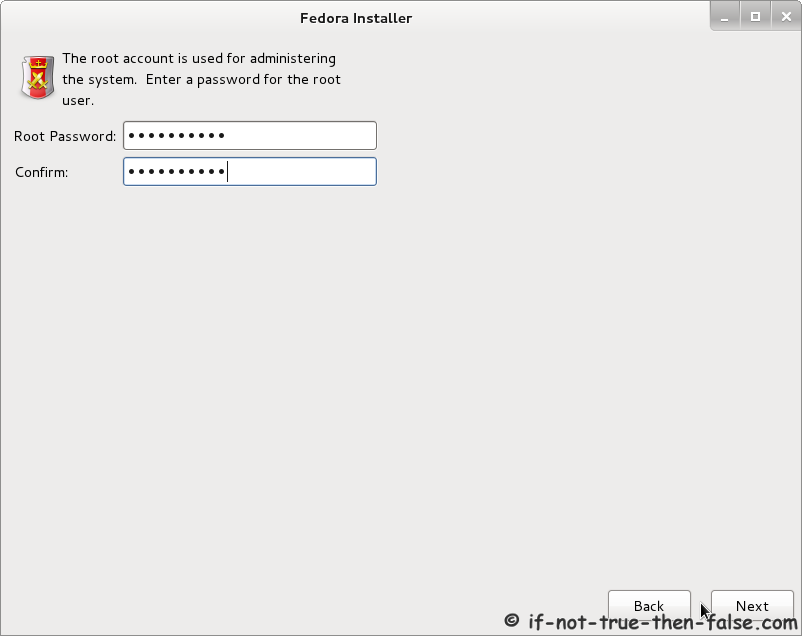
2.8 Enter root Password
Select good and secure password for root user.
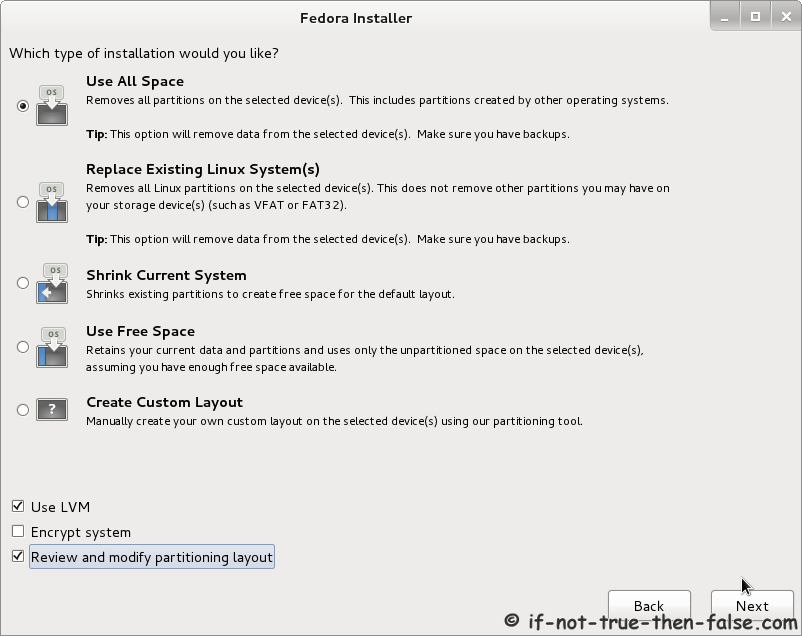
2.9 Select Installation Type
It’s good to create custom partition layout or at least review and modify partition layout.
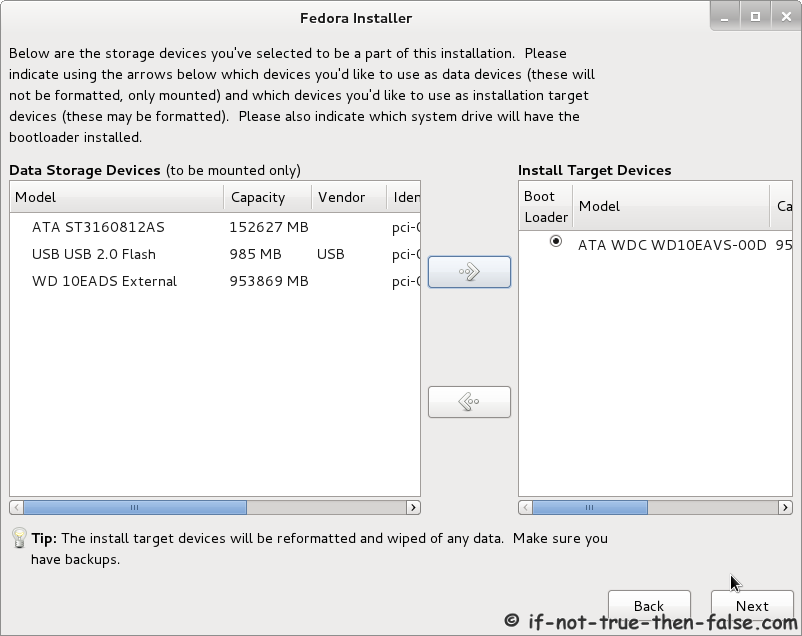
2.10 Select Storage Devices
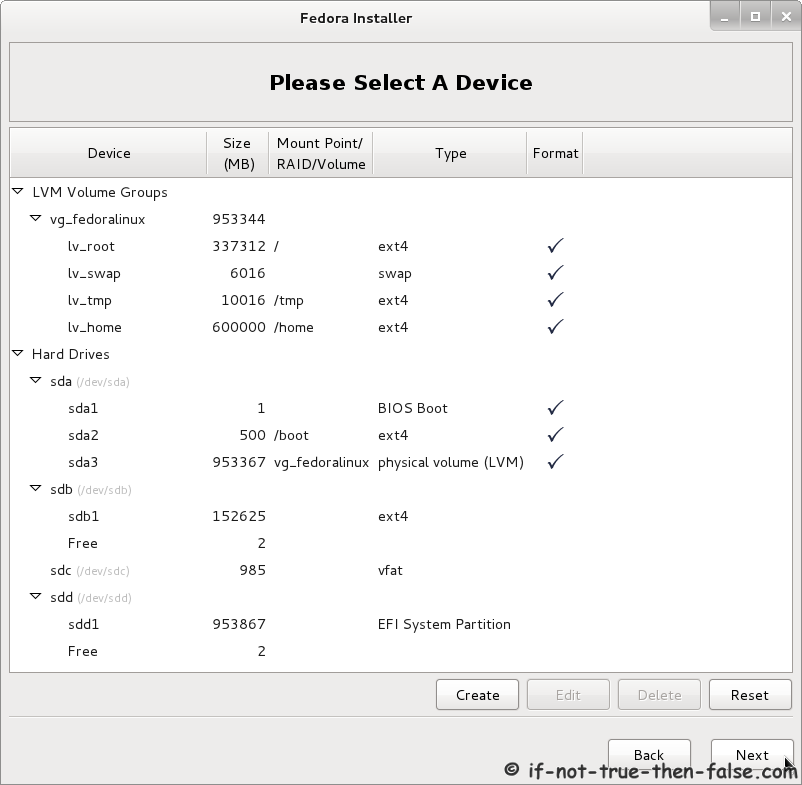
2.11 Partition Layout
Use default or create custom partition layout:
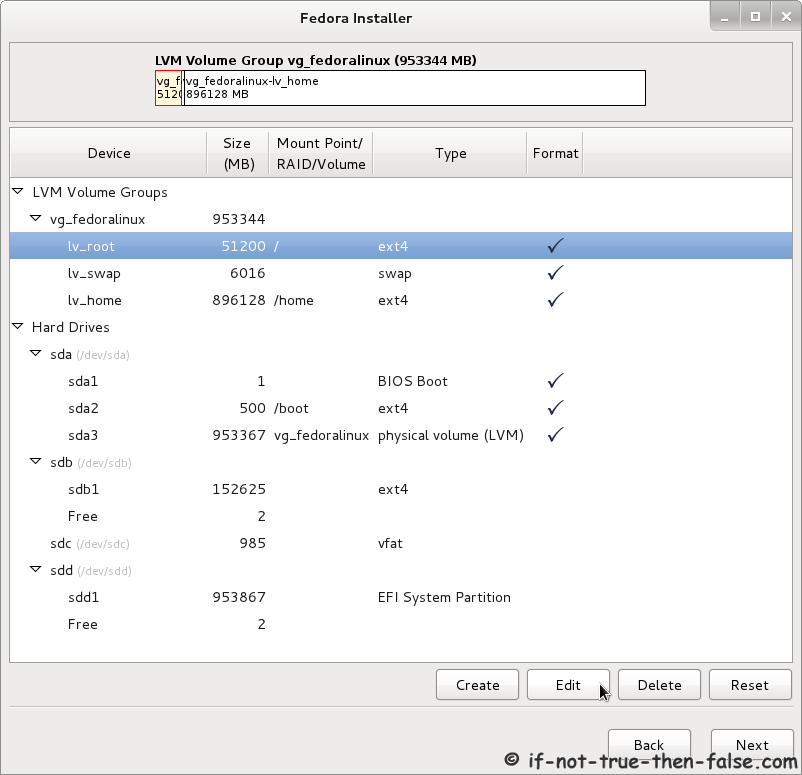
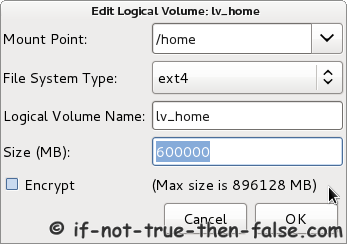
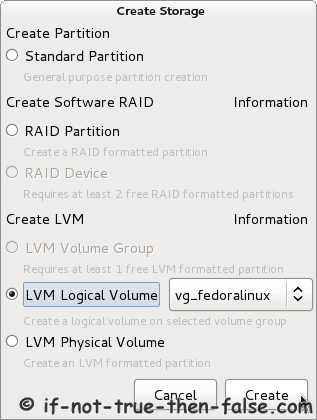
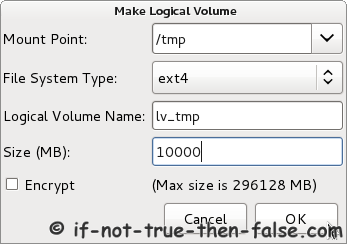
Create new LVM logical volume:
Final partition layout example:
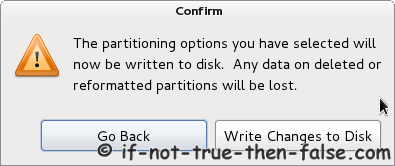
Finish partitioning with writing changes to disk:
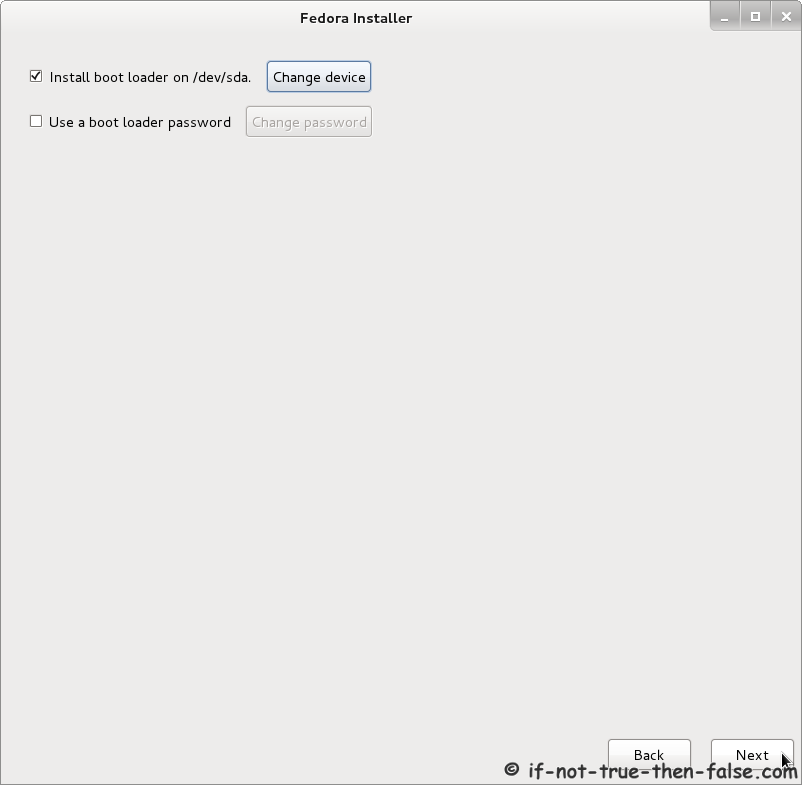
2.12 Configure Fedora 16 Bootloader (Grub 2)
2.13 Installing Fedora 16 “Verne” on Hard Drive
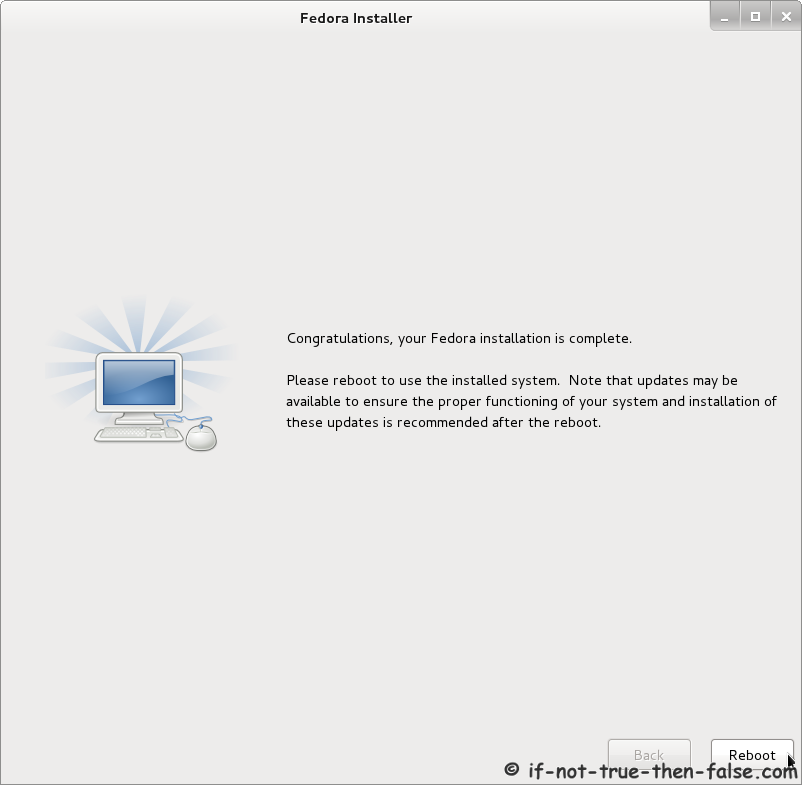
2.14 Fedora 16 Installation Completed
3. Finishing Fedora 16 Installation
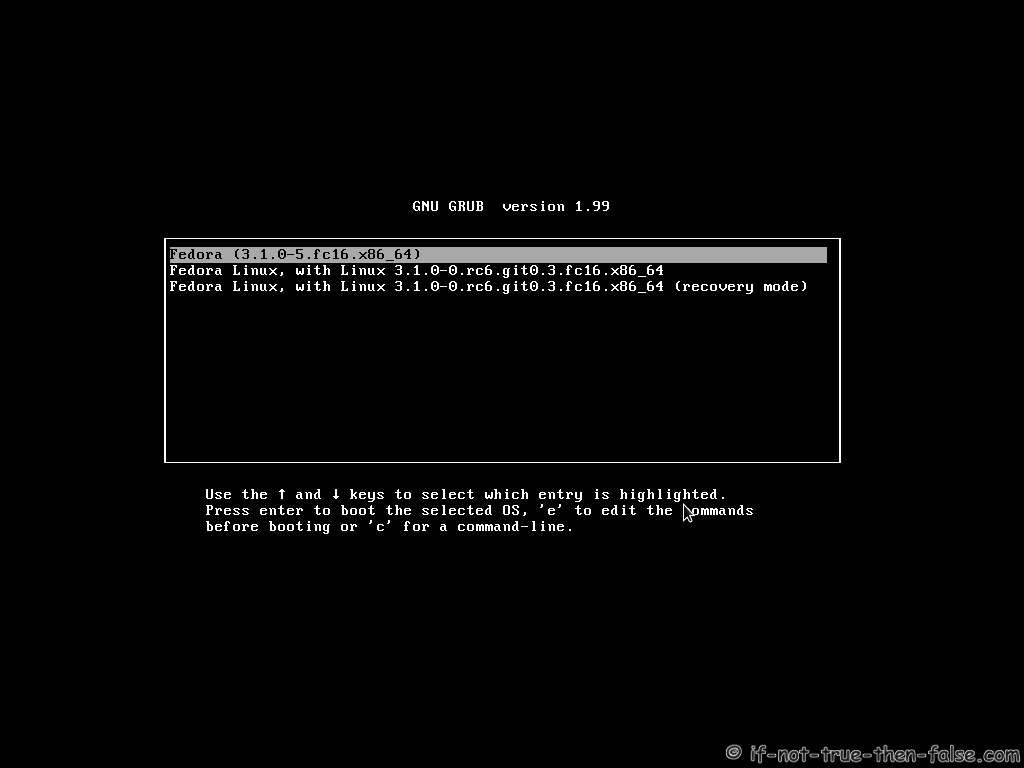
3.1 Fedora 16 Boot Menu (Grub 2)
3.2 Booting Fedora 16 “Verne”
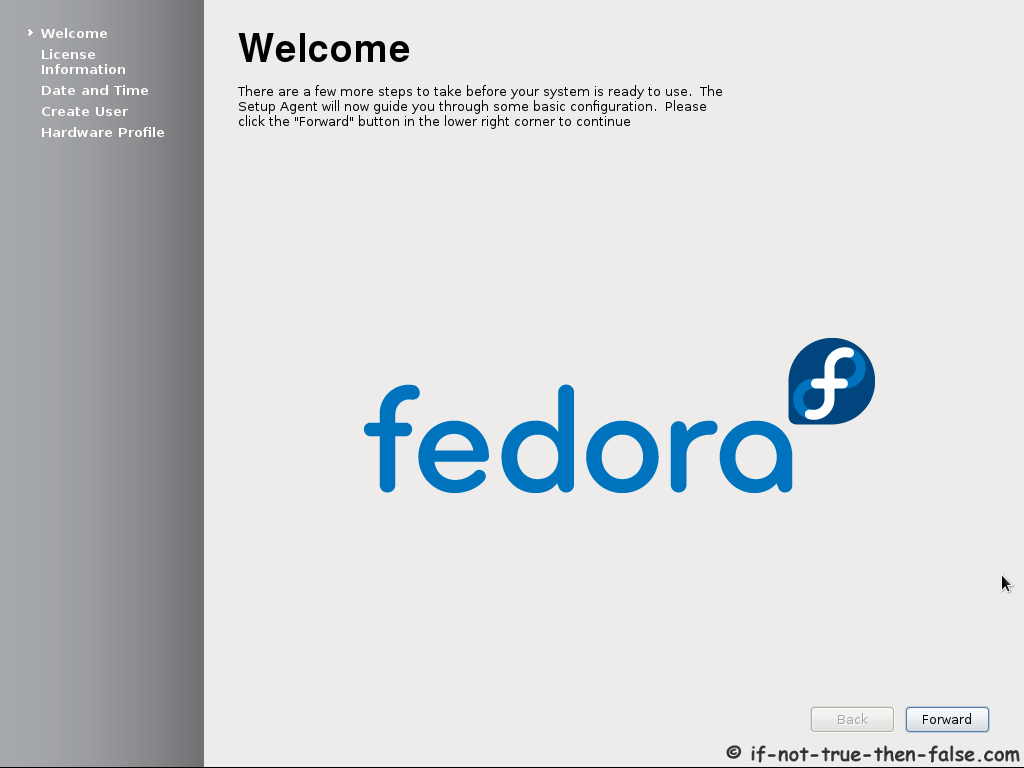
3.3 Fedora 16 Welcome Screen
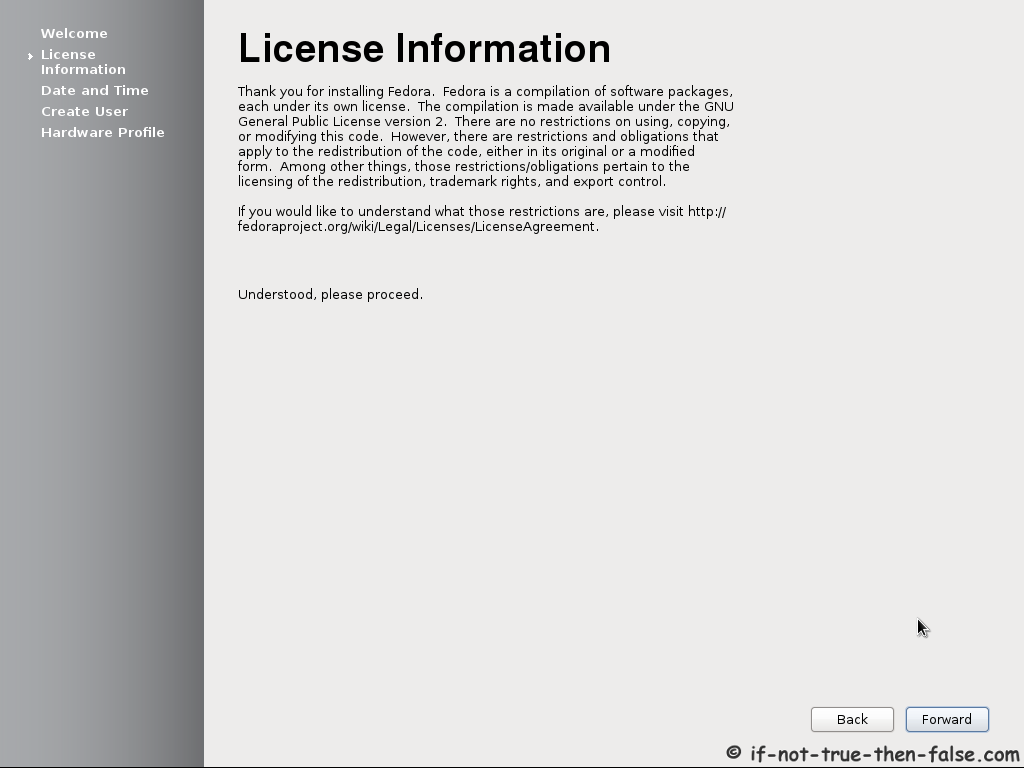
3.4 Accept Fedora License
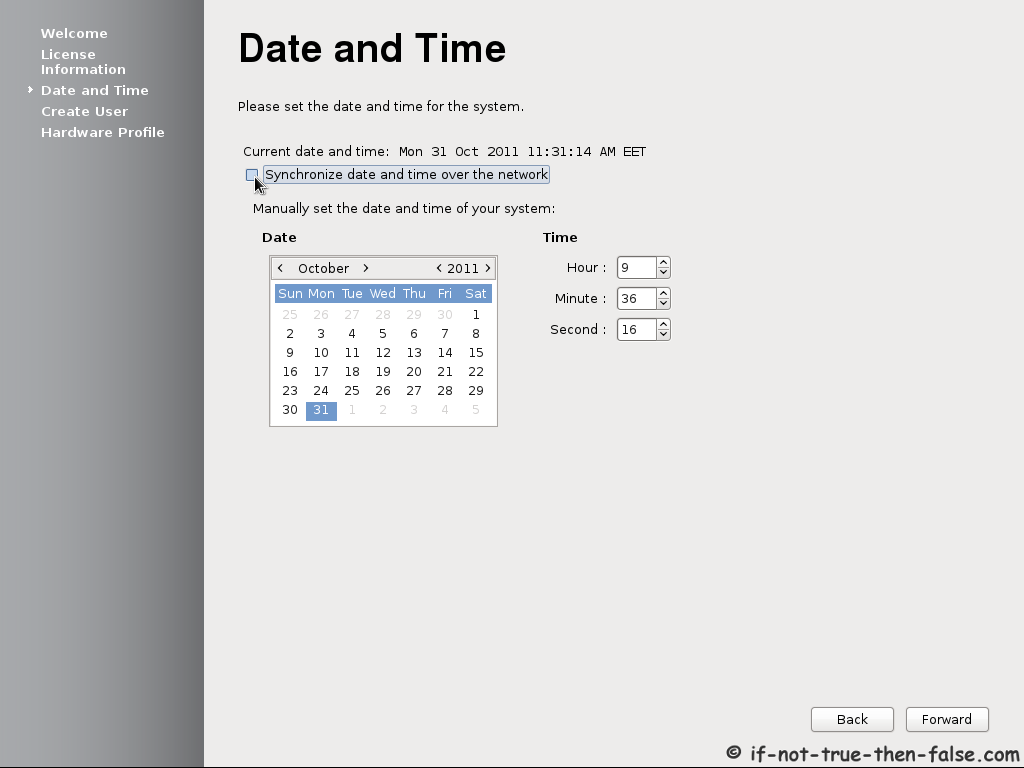
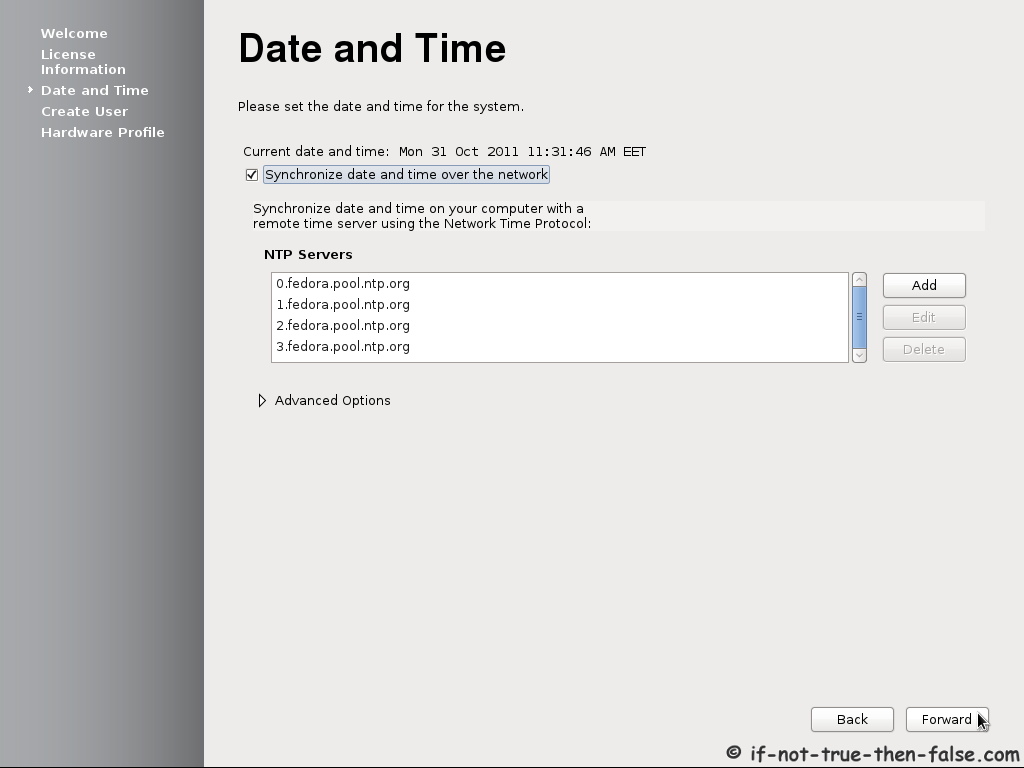
3.5 Setup date and time – Set NTP servers
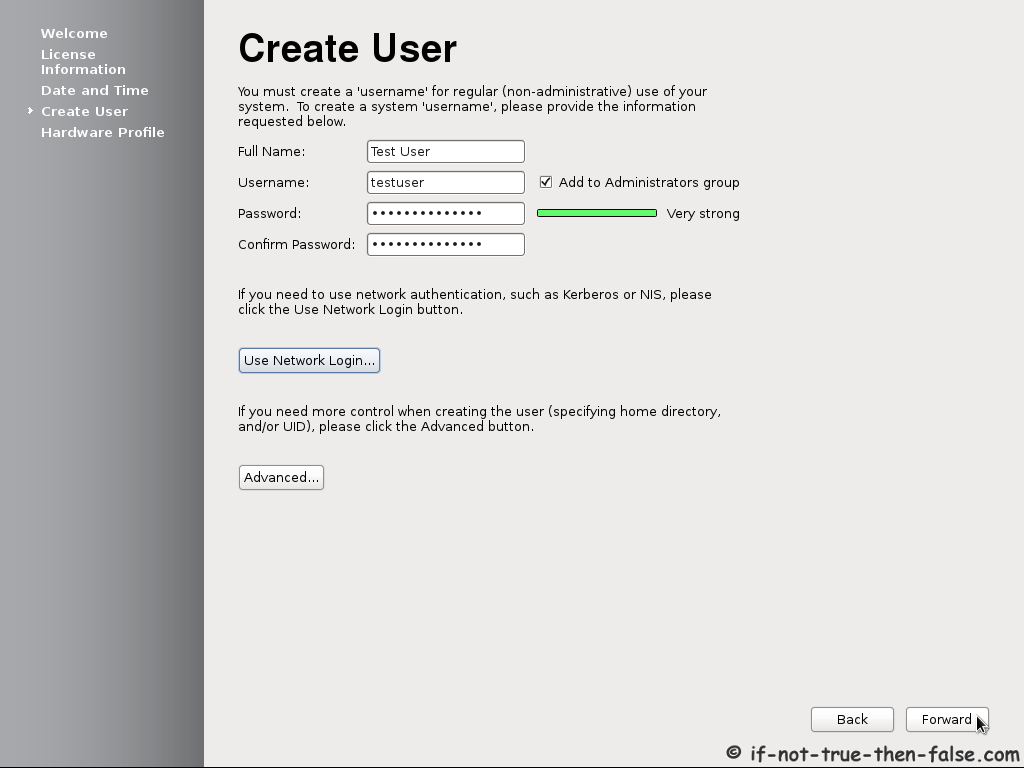
3.6 Create Fedora user
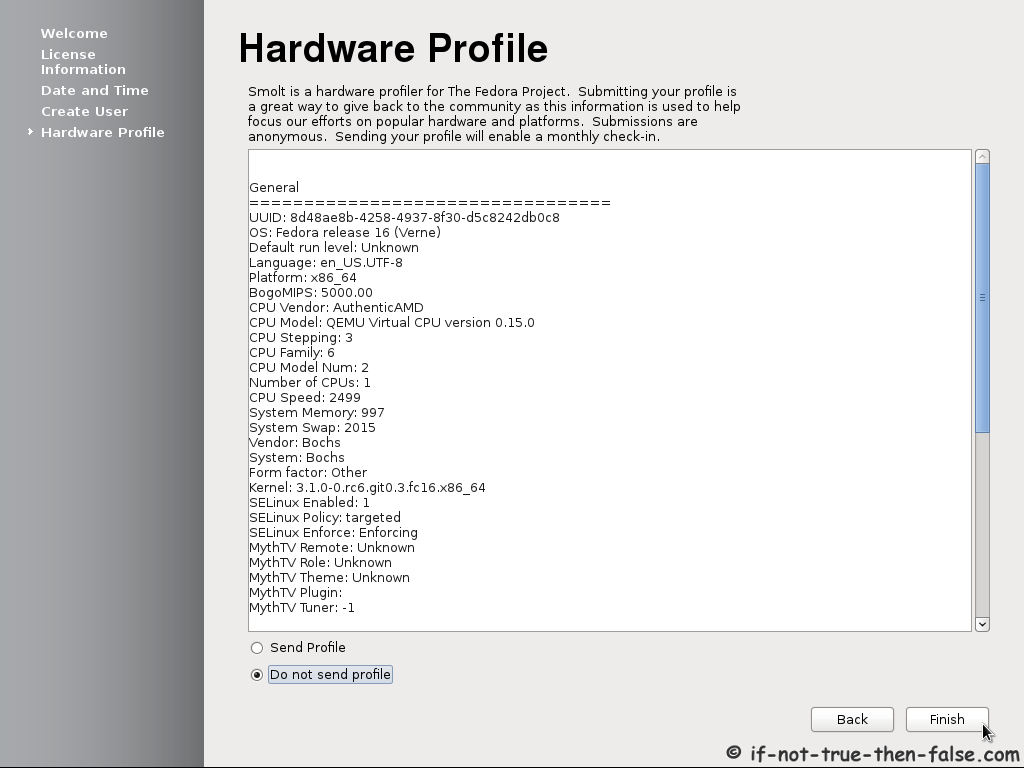
3.7 Send hardware profile or not
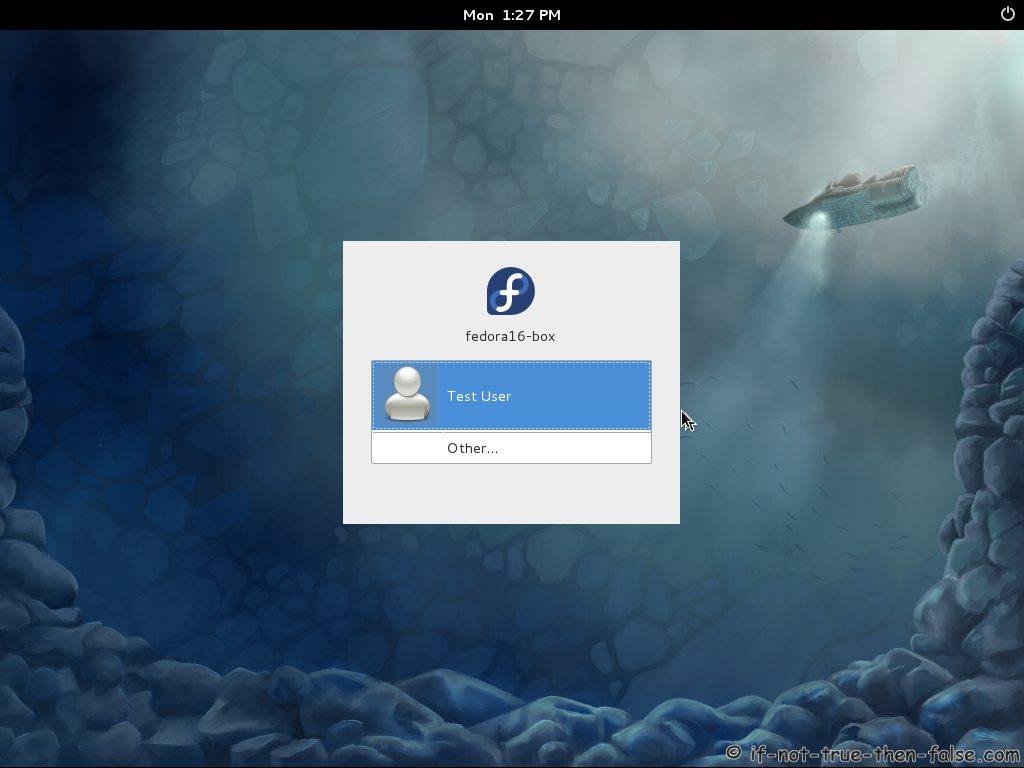
3.8 Fedora 16 “Verne” login
3.9 Fedora 16 “Verne” desktop screenshots
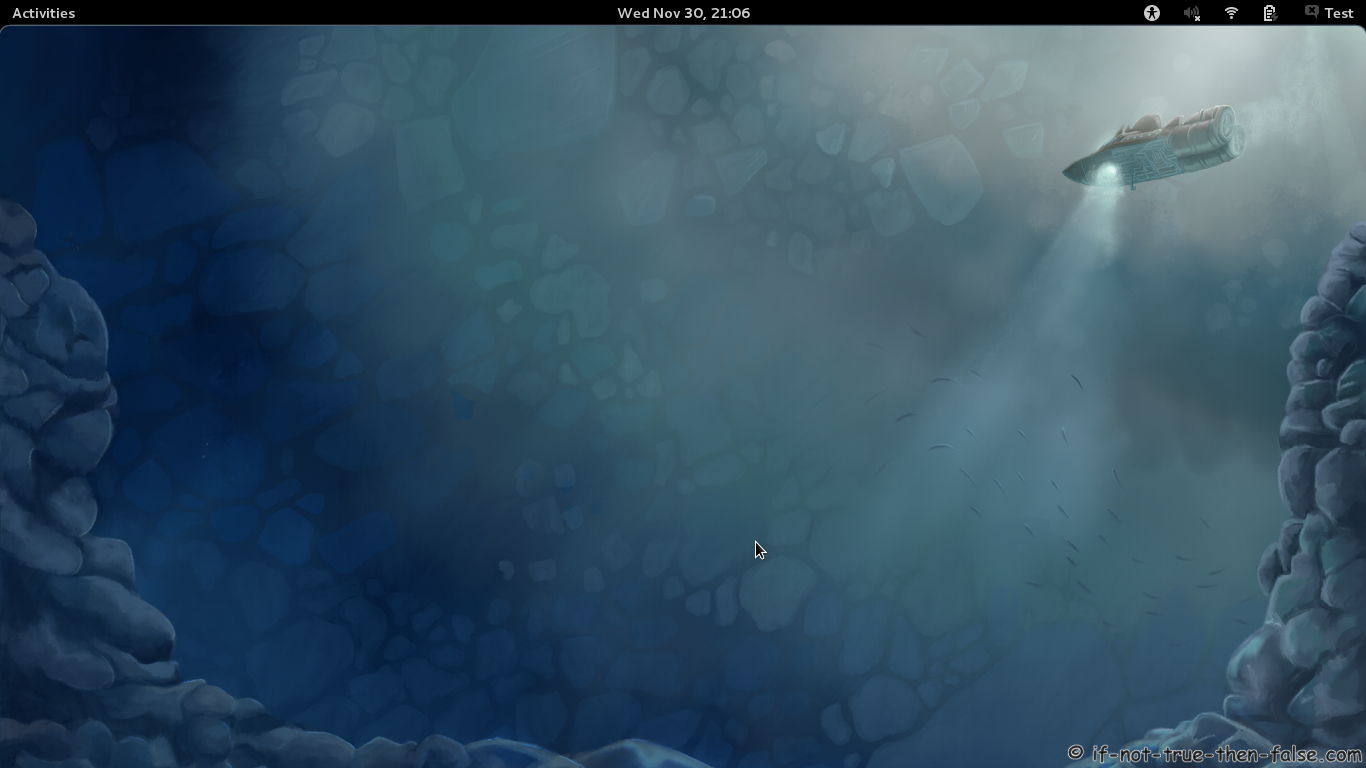
Gnome 3.2 Shell plain
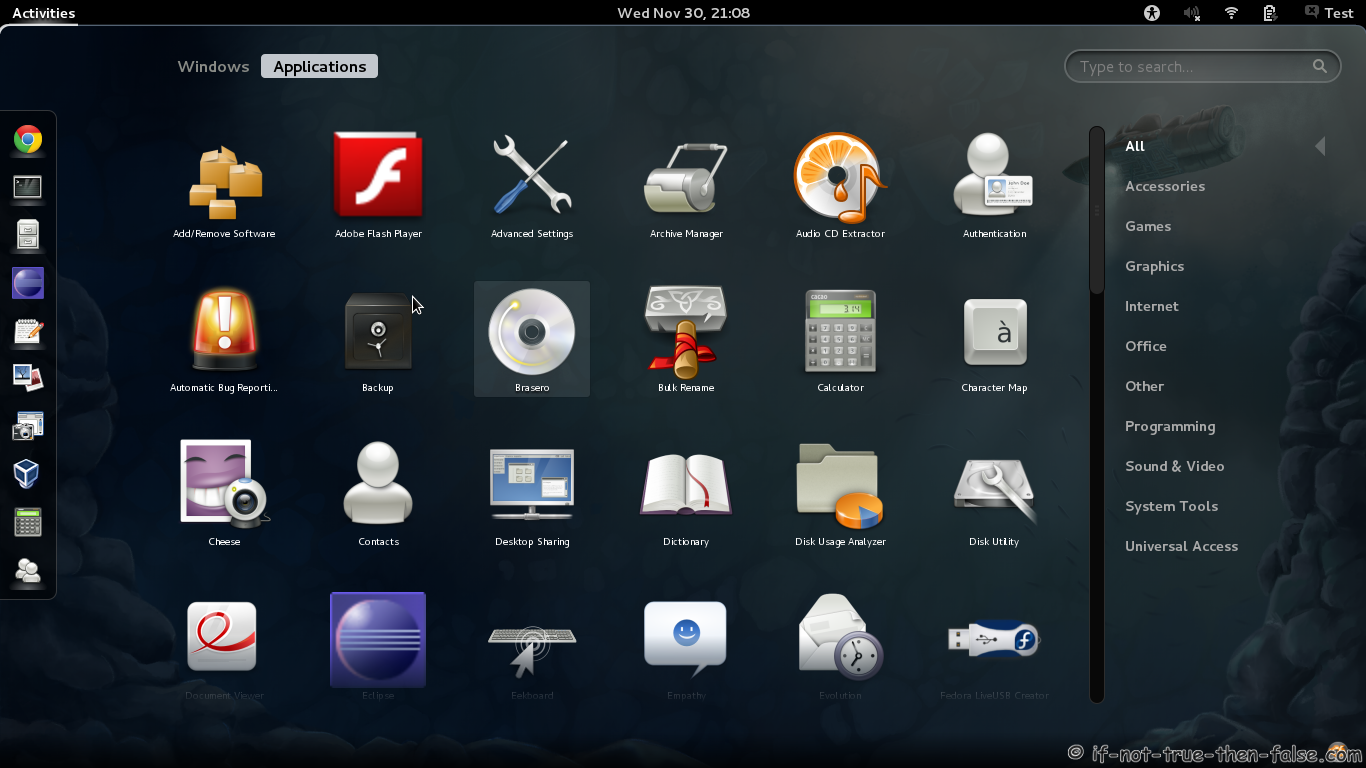
Gnome 3.2 Shell Activities
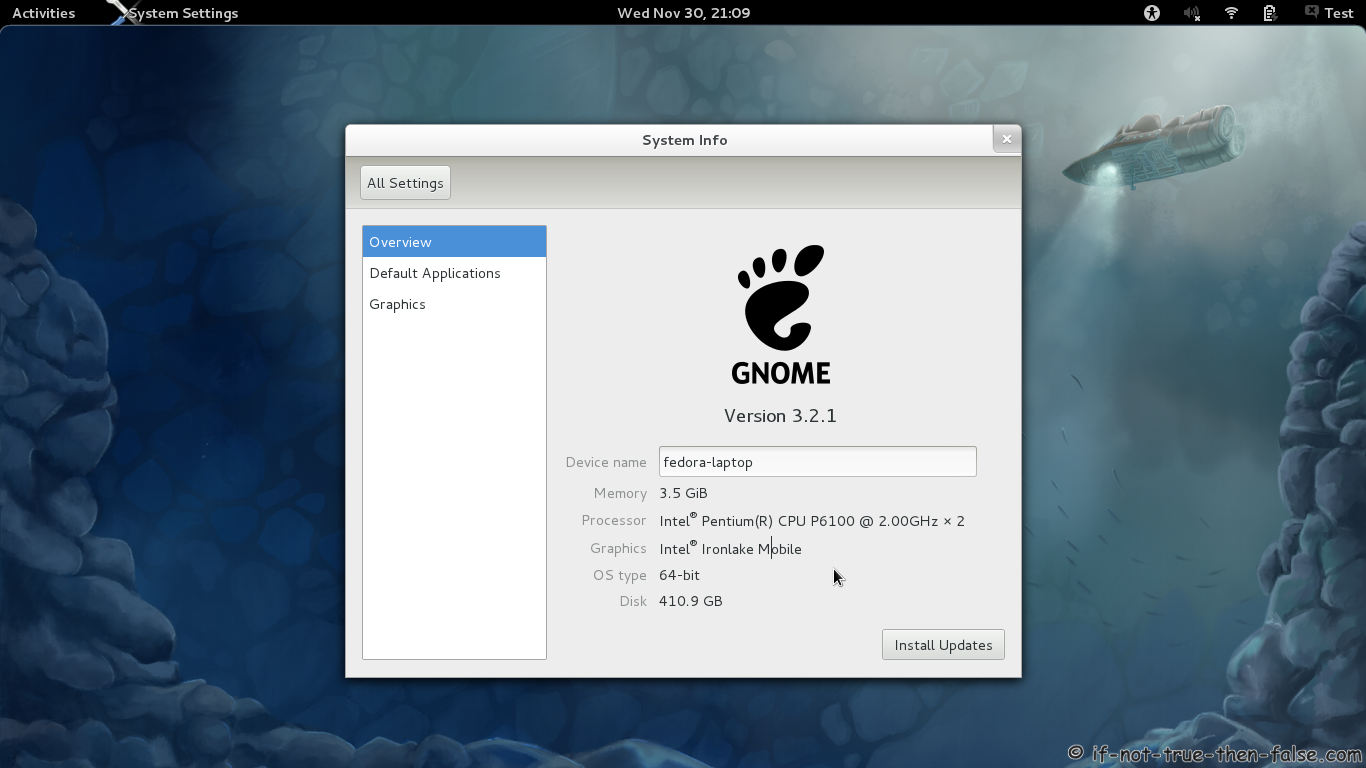
Gnome 3.2 Shell Running Firefox System Info
Gnome 3.2 Desktop on fallback mode
64 Comments
Leave a Comment
Trackbacks/Pingbacks
- problem in installing vlc-player - [...] i think you can't update from 13 to 16, you have to download fedora 16 image, http://fedoraproject.org/get-fedora burn it ...
This is guide with screenshots, howto install Fedora 16 “Verne” (F16) using Live CD or Live USB. 


I have attempted to install Fedora 16 three times — each unsuccessfully.
On the Web I contacted “Linux Questions” as a Newbie, which I am.
Linux Questions experienced users advised that I probably didn’t get the Boot Loader installed correctly.
I don’t understand how to know to which hard drive the Boot Loader should be assigned.
I chose the Use All space option and all pre-existing files are erased.
As an inexperienced Linux User, it’s hard for me to believe that Fedora 16 can ever attract non-professional Linux users to adopt it.
I wish that the developers of Gnome would write a paper explaining how the formate of Gnome 3.xx is superior to Gnome 2.xx. for one example I can’t understand how removing the Panel is a superior, forward-going step.
Thank you,
WHF
Hi W.H. ferguson,
Could you describe in more detail that what is the problem?
You installed Fedora 16 and installation is successful, without any errors? And what happens then?
I actually nowadays like Gnome 3.xx without Gnome 2.xx style panels. If you want some more Gnome 2.xx or Windows like system, then I strongly recommend to install / use example XFCE or LXDE… :)
When the “Congratulations! You have successfully installed Fedora 16″ message occurred at what I perceived as the end of Installation I was instructed to re-start the machine and I did re-start it. But the screen didn’t show a Desktop screen of Fedora 16 and I knew something was amiss.
The screen simply showed “grub grub.” The word “TAB” appeared below “grub grub.” .
Not knowing what else to do I clicked “Tab.” Then as many as 20 or more words appeared. They appeared to be “command” words to me.
I did not know how to use any of them and that’s as far as I have been able to come.
Please explain “I strongly recommend to install / use example XFCE or LXDE… :)
Are they Fedora 16 programs?
Thanks very much for your response
W.H.Ferguson
So when you restart your computer after installation, did you removed LiveCD?
And do you see boot menu (Grub), like this guide step 3.1?
XFCE and LXDE are full desktop environments, just like Gnome and KDE. :)
XFCE Screenshots
LXDE Screenshots
hi, i think my PC hates linux:( already have installed 7 and want to replace this garbage with fedora 16…but after boot option menu(2.1) the white screen with blinking cursor, it realy doesn’t do anything….i want my fedora but don’t know how to skip this and succesfully install it…any help pls?
Hi MK,
Nice to see you here!
Could you tell more about your computer and hardware?
Do you get any error messages?
hi:) i have my ASUS x61sl laptop(i am getting sure, that its more heater than laptop ) – hardware: Intel Core 2 Duo T5870,4GB,ATI Radeon HD 4570/512…display is 16 with HDready
there is no error message..simply the white(smoky) screen with flashink cursor…ive tried to change options: nomodeset, acpi=off, intel_iommu=off and something like vga=normal…..nothing succesful…as the last try i choose boot in base video….didn’t help….(and btw i unninstall all ati drivers and software)…i cant install ubuntu as well so im falling in depression, whats wrong with this world and democracy when you can choose only between 7 and vista???
thats the short description of my problem…have any idea pls? will be very greatful to hero who will rid me of microsoft:)
Sorry but, yet a couple clarifying questions:
What you mean that “heater than laptop” comment? Is your laptop overheating…? I think you could check temperatures from BIOS…
And what you mean that you have uninstalled all ati drivers and software?
So this same problem exists with Live CDs (Fedora and Ubuntu), not installed systems?
hi, i have a question. my installation is just fine, but the web server options didnt appear. so is it possible to setup a server in fedora 16? or do i have to install fedora 15 instead?
Thank in advance.
Hi dkonayuki,
You need Fedora 16 DVD media/edition you can’t use LiveCD, you need bootable Fedora 16 DVD.
Btw. maybe CentOS 6 Server is better choice for server use than Fedora… :)
thanks for reply. Actually i have already installed LAMP server on LiveCD Fedora version. SSH and HTTPD are just working well. So is that better if i install again Fedora 16 with DVD version?
and why CentOS 6 is better choice than Fedora. Sorry for my noob question. Indeed i have no experience with CentOS. Until now, i dont know why but compare to Ubuntu and Redhat i personally prefer Fedora.
I understood your first question slightly wrong. :)
So yes if you want to run desktop and web server (or full LAMP), then your installation is just ok!
But if you want server installation without Xorg and desktop, then you need DVD or you have to remove not needed GUI packages from Fedora LiveCD installation.
If you want very stable server, which is supported many years then CentOS is good choice. Fedora releases are supported about year + one month and CentOS/RHEL releases are supported 10-13 years. Also RHEL/CentOS uses stable and well tested packages, than Fedora uses latest packages.
Does fedora 16 runs with GUI support in laptop of lenovo G470 with i5 processor,4GB of RAM and 1 GB of graphics card of radeon?
Hi Saujan,
If you use open source Radeon drivers then I think it probably works normally, but ATI proprietary drivers are totally incomplete and garbage on Linux…
Best and easiest way to try Fedora is boot with Fedora 16 LiveCD, if it works then it should also work installed. :)
How LiveCD works? Do i need to make partitions on my HDD? I do not have any idea about it, will you guide me?
Linux LiveCD’s are cool… :)
1. Download Live image
2. Burn it to CD or create LiveUSB stick
3. Boot your computer with LiveCD / LiveUSB
You get fully working Linux desktop environment and can test / use Linux without doing any changes on your hard drives or other OSes. :)
LiveCD runs on RAM, so every changes disappear when you reboot your computer…so yes you don’t need any partitions on your HDD, if you want just test and run it. :D Later if you want to install it to hard drive then you need of course partitions for Linux and if you want to resize partitions it is possible with LiveCD, but maybe it’s more safer with Windows own tools…
what is the difference between fedora live CD and DVD installation media than?
then, what is the difference between fedora live CD and DVD installation media?
Difference between Fedora LiveCD and Fedora DVD media:
- LiveCD provide only a subset of packages available in the DVD media. (same pakcages could be installed later from Fedora repos)
- LiveCD installations do not allow any package selection or upgrade capability.
- LiveCD image provide full desktop environment during installation. (So with LiveCD you can surf on the Internet when you install Fedora)
- LiveCD needs more resources than DVD installer and i686 architecture at minimum.
Does fedora 16 runs smoothly in i5 processor with GUI?
Hi Uzumaki,
Your processor is very good for Fedora 16, but Gnome 3.2 performance depend on also your graphics card…
Why my GUI setup doesn’t appear while installing fedora 10 in i5?
Does same problem arises with fedora 16?
Sorry, but Fedora 10 is very outdated distro so try Fedora 16 instead. It’s hard to say that does same problem exists or not, because it depends on other hardware too, than processor.
I have used live CD of fedora 16 but it is showing problems in the initializing of gnome. Can you solve this problem? My laptop consists 1 GB of Radeon graphics card.
Do you get any error messages?
Could you post more info about your graphcis card?
Yah problem in the initializing gnome. My graphics card is ‘AMD Radeon HD 6370M’ of 1 GB.
Do you mean that you get exactly “problem in the initializing gnome” error message?
Where you see this error message? Do you see anything else?
Sorry gnome problem is not appereaing anymore but Wireless Network Connection is not appearing.
Could you post output of following command:
lspci00:00.0 Host bridge: Intel Corporation 2nd Generation Core Processor Family DRAM Controller (rev 09)
00:01.0 PCI bridge: Intel Corporation Xeon E3-1200/2nd Generation Core Processor Family PCI Express Root Port (rev 09)
00:16.0 Communication controller: Intel Corporation 6 Series/C200 Series Chipset Family MEI Controller #1 (rev 04)
00:1a.0 USB Controller: Intel Corporation 6 Series/C200 Series Chipset Family USB Enhanced Host Controller #2 (rev 04)
00:1b.0 Audio device: Intel Corporation 6 Series/C200 Series Chipset Family High Definition Audio Controller (rev 04)
00:1c.0 PCI bridge: Intel Corporation 6 Series/C200 Series Chipset Family PCI Express Root Port 1 (rev b4)
00:1c.1 PCI bridge: Intel Corporation 6 Series/C200 Series Chipset Family PCI Express Root Port 2 (rev b4)
00:1d.0 USB Controller: Intel Corporation 6 Series/C200 Series Chipset Family USB Enhanced Host Controller #1 (rev 04)
00:1f.0 ISA bridge: Intel Corporation HM65 Express Chipset Family LPC Controller (rev 04)
00:1f.2 SATA controller: Intel Corporation 6 Series/C200 Series Chipset Family 6 port SATA AHCI Controller (rev 04)
00:1f.3 SMBus: Intel Corporation 6 Series/C200 Series Chipset Family SMBus Controller (rev 04)
01:00.0 VGA compatible controller: ATI Technologies Inc Robson CE [AMD Radeon HD 6300 Series]
01:00.1 Audio device: ATI Technologies Inc Manhattan HDMI Audio [Mobility Radeon HD 5000 Series]
07:00.0 Ethernet controller: Atheros Communications AR8152 v2.0 Fast Ethernet (rev c1)
0d:00.0 Network controller: Broadcom Corporation BCM4313 802.11b/g/n Wireless LAN Controller (rev 01)
Could you use wired connection to install wireless drivers?
yah
Change root:
su -Then add RPMFusion repo:
Install akmod-wl (works with every kernel):
yum install akmod-wlBuild modules:
Modprobe wl module:
Then it should be possible to use network-manager to connect wireless networks.
If you have problems with this, then please get full output of all commands and post it here… :)
sry no network manager application
i want to notify you that i have used live CD of fedora 16 for installation
You should find network manager, if you click network icon on Gnome panel?
sorry I didn’t find.
sry my mistake yah i clicked even wireless network is not appearing
i have installed that .rpm file what you directed graphically and i restarted but still wireless networks is not appearing
Do you get any errors when you installed akmod-wl or modprobe wl?
Could you post output of following command:
sorry i didn’t get you should i type it at once?
No responce in together but
here is the output of command lsmod
You don’t have wl module loaded.
Could you please run akmod install commands again and post full output here from terminal:
Finally it is done thanks alot
Nice to hear that you got it working!
During booting there is error “[ 1.103251] pnp 00:0b:can’t evaluate _CRS: 12311″
what is this?
Are you trying to boot/reboot your computer with LiveCD, when you get this error? Does this error prevent booting?
No i have installed DVD fedora 16 and this error is just displaying it is not preventing booting.
Check this bug report for more info.
Hi JR one more problem i’m facing while playing .mp3 file
A program requires an additional plugin to decode this file.
MPEG-1 layer 3 (MP3)
I clicked on continue
but it is displaying couldn’t find plugin in any configured software resource.
what should i do plz help me
Hi Saujan,
Howto enable MP3 playback on Fedora 16:
Run following commands as root user.
Add rpmfusion repos:
Install gstreamer-plugins
Then (install) (re)start some MP3 player.
done worked thankful
i had a problem while installing fedora16.i did all the steps as defined,all the packages are installed but while performing post checking a warning is shown as “error in installing boot loader and the system may not be bootable”.why this problem occurs.please give me a solution.i need ur help
Hello sai,
Actually this is reported bug. What partition you try to use boot partition on installation?
Actually I selected custom partitioning and as I got free space in my
disk i use that space and I partitioned it for swap and for ext3. I
selected the default option “Install Boot loader on dev/sda” and
clicked on Next and the remaining as usual.
sir,I have a doubt Does it may be the fault in the dvd used.
Ok, then it should work. So I recommend you to download another media from here. I use normally LiveCD and customize installation later… ;)
Hello, I see that you have helped a number of people. My problem is that my installation stalls after input of the hostname. The install then just sort of hangs. I have an HP DL 360, 4X2.6Ghz that I want to run as a server. I do not need the other neat graphics stuff in Fedora. I just want a server installation.
I have a bay of 146Gb SaS SFF disks. Can you assist.
Thanking in advance.
Hi Tshenolo,
If you want run just server then I can recommend to install CentOS 6.2 instead Fedora 16.
Im installing fedora lxde, but the laptop is just stuck on a text only bios screen saying ‘SYSLINUX 4.04 EDD 2011-04-18 Copyright (C) 1994-2011 H. PPeter Anvin et al’
So… now what? fedora hasnt even booted yet…
Never mind, restarted my pc and it has all loaded… wonder what happened?
Hi,
I installed fedora 16 it works perfect.
But when i shrink my hard drive to 3 partition.I installed windows xp on partition1.
installed windows 2008 server on partition2.
the multiboot is working perfect.
when i install fedora on partition 3,sometimes after finishing process and rebooting i dont have it in boot menu.i tried it more than 6 times on more than 6 computers and sometimes just before finishing the process i have an error fedora could not create bootloader.
Hi ali,
Could you post output of following command:
Hi I backed up my windows on a external hard drive and wish to put Fedora on my windows petition D with 390 GB free . When I install Fedora It will show me the windows petitions? I’M new at this and just a little worried I might reformat by accident.
Thanks
Tony
Hi Tony,
You can just remove all not needed Windows partitions (like D) before installation, so then you have 390 Gb free space on your disk. Then just select “Use all free space” option and installer won’t remove your Windows partitions. :) Another way is “Create custom layout” and then remove your D partition and use it for Linux installation…
Btw. you should install Fedora 17 instead Fedora 16.