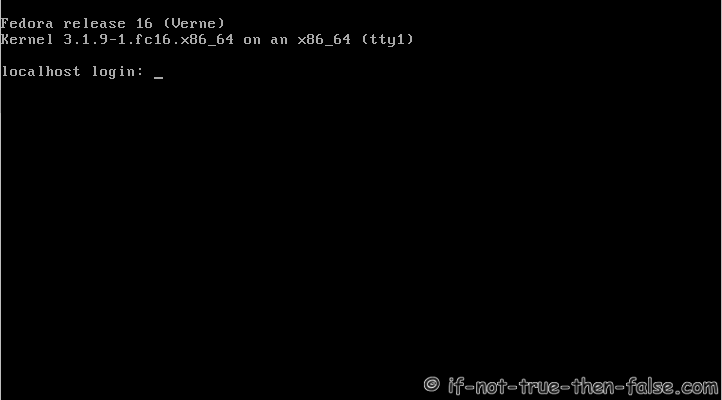
GRUB2 runlevel 3 - Howto Change runlevel on GRUB2
Table of Contents
This is quick guide howto change runlevel on GRUB2.
Title says runlevel 3 (refer to changing runlevel from 5 to 3), but yes same method of course works, if you want to change runlevel from 3 to 5, from 5 to 1 or from 3 to 1. Whole process is actually add one additional boot parameter. This modification is not permanent, when you boot your system next time, it uses default parameters. This guide works all Linux distributions with GRUB2.
Runlevels⌗
- 0 – Halt Shuts down the system.
- 1 – Single-User Mode Mode for administrative tasks.
- 2 – Multi-User Mode Does not configure network interfaces / services.
- 3 – Multi-User Mode with Networking Starts the system normally.
- 4 – Not used/User-definable For special purposes.
- 5 – Start the system with display manager. As runlevel 3 + display manager.
- 6 – Reboot Reboots the system
GRUB2 runlevel change to runlevel 3 – Howto Change runlevel on GRUB2⌗
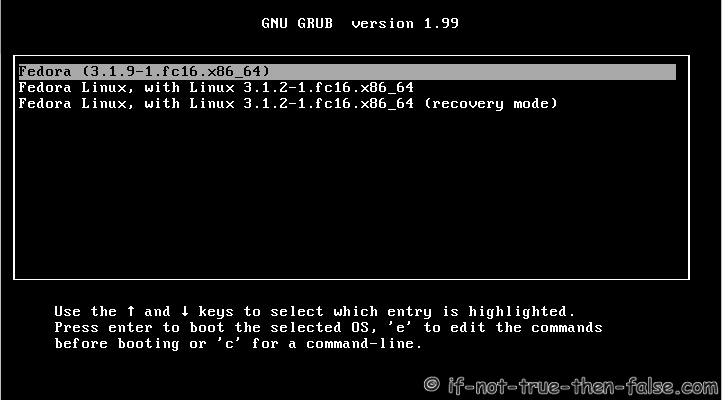
1. GRUB2 Default Screen⌗
Press arrow key when you see GRUB. Select (highlight) kernel to edit and press ’e’.
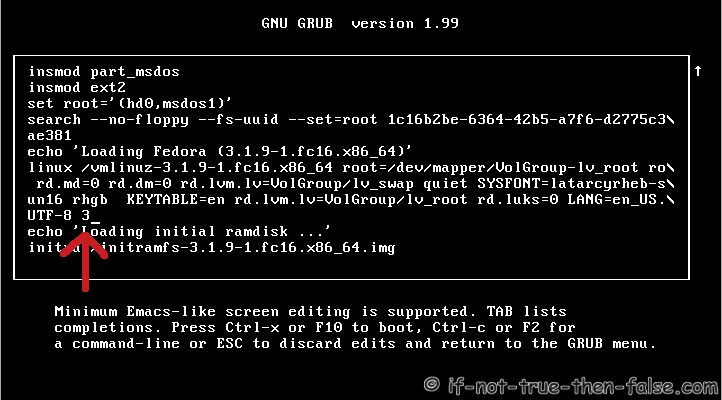
2. Add unlevel parameter on Linux line⌗
Goto ’linux’ line with arrow keys, then press ’end’ button to get end of line (or move cursor to end of line with arrow keys). Write space and your runlevel number end of line. Here I use runlevel 3.
3. Boot to selected runlevel⌗
Press Ctrl+x or F10 to boot (esc to cancel).